1.2.2 Source Network Preference Maintenance
The systematic instructions to perform the Source Network Preference Maintenance.
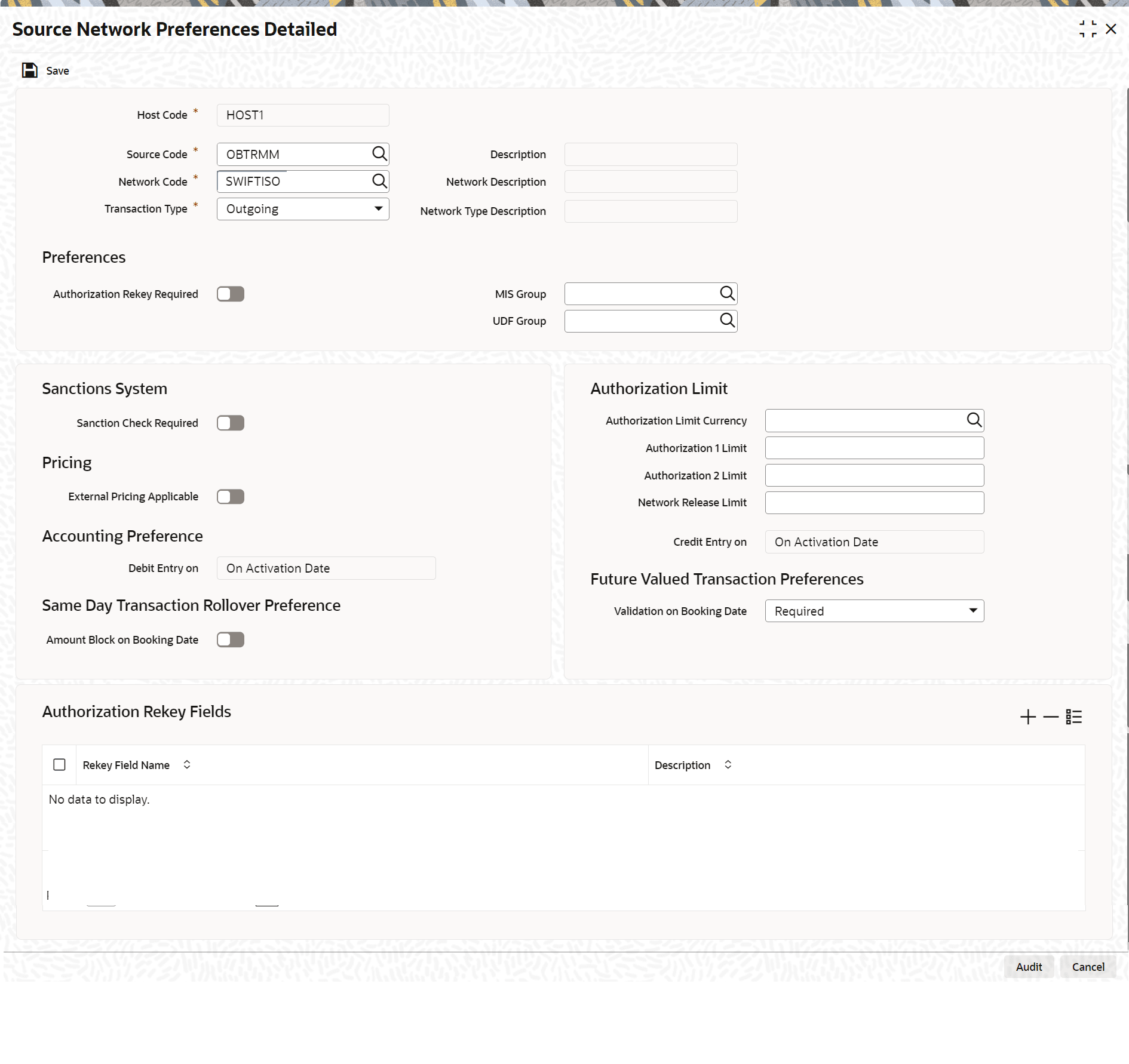
The OBTR Source-specific preferences for each network are maintained at Source Network Preference Maintenance screen.
- On Home page, enter PMDSORNW
in the text field and click
Next.The Source Network Preference Maintenance screen displays.
Figure 1-7 Source Network Preference Maintenance
Description of "Figure 1-7 Source Network Preference Maintenance"
The preference for various payment networks through which OBTR initiate a payment request needs to be maintained on this screen for the same Source codes as in the previous section.
For more information on source network preferences maintenance, refer to the section Source Network Preference in the Payments Core user manual.
Parent topic: Maintenance Required in OBPM