1.4.7 Maintain Core Status Code
This topic provides systematic instructions to maintain core status code.
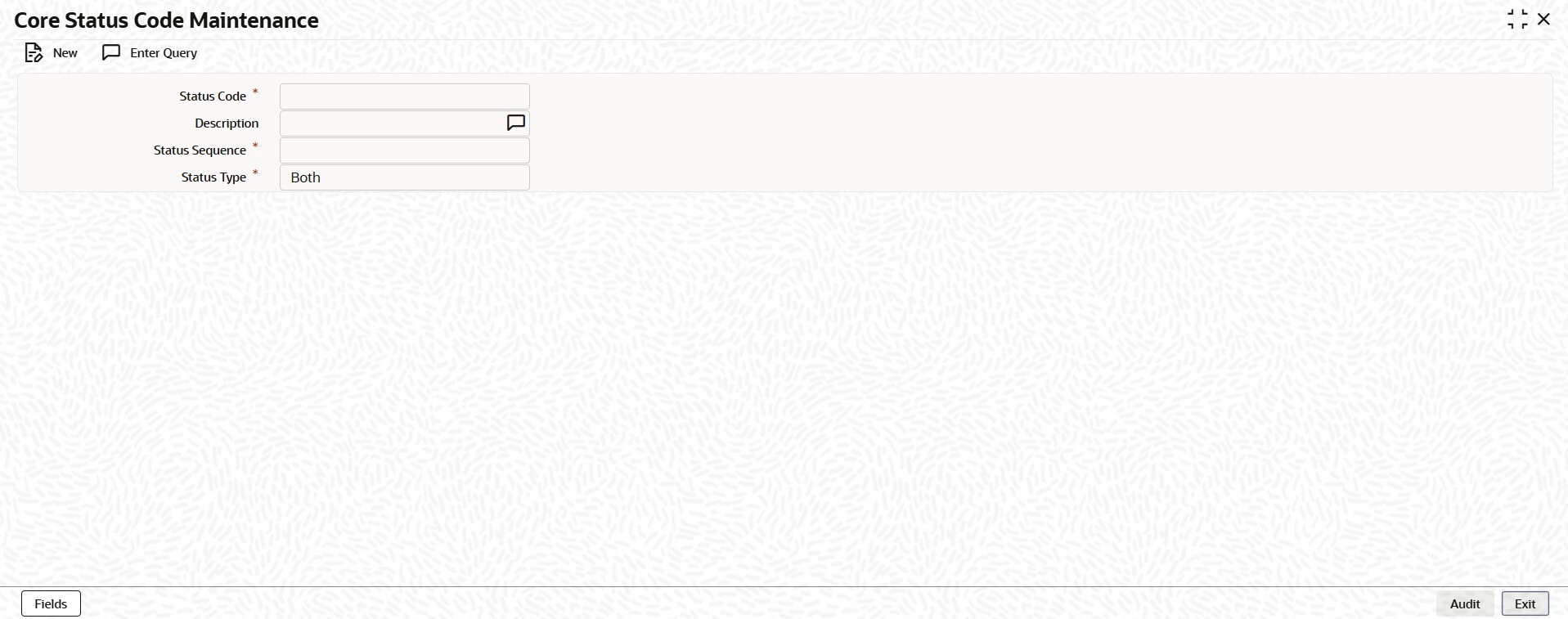
User can maintain the following to user defined status of a loan or bill or account
status:
- A unique code for the status
- A brief description for the status
- A sequence number for the status
- The type of status – Indicate whether the status codes are maintained for an ‘Account’ or for a ‘Contract’, or for ‘Both’
The type of status chooses based on the status processing for the branch, which is
defined in the Branch Parameters Preferences maintenance.
- If status processing is at individual account / contract level, user can choose the applicable status types as ‘Account’ or ‘Contract’. The status codes that have been maintained of type ‘Account’ are available for association in the Account maintenance and those maintained with type ‘Contract’ can be associated with contracts.
- If status processing is at Group / CIF level, user can only maintain status codes of type ‘Both’ (which means, it is applicable for both accounts and contracts). In such a case, user must associate the statuses for both the Account maintenance and contracts.
Note:
- It is mandatory to maintain the status code ‘NORM’ (Normal) with the sequence number as ‘0’, for all the status types. The sequence number must not be repeated for a status type.
- The sequence number associated with the status will be used for determining the hierarchy of statuses, that means, higher the number, worst the status and this will be unique for the status codes.
- On Home screen, type CCDSTSCD in
the text box, and click Next.The Core Status Code Maintenance screen displays.
Parent topic: External Entities Maintenance