1.4.3 View Customer/Account Instructions on F6 Key Press
This topic describes about the view customer/account instructions on F6 key press.
User can view the instructions for customer/ account in the Customer Instructions View (CSDCOINS) screen by pressing hot key (F6) on the Customer Number field of any screen.
When the user presses the hot key (F6), the Customer Instruction View (CSDCOINS) screen will display all the instructions stored in the system for the Customer / Account Number.
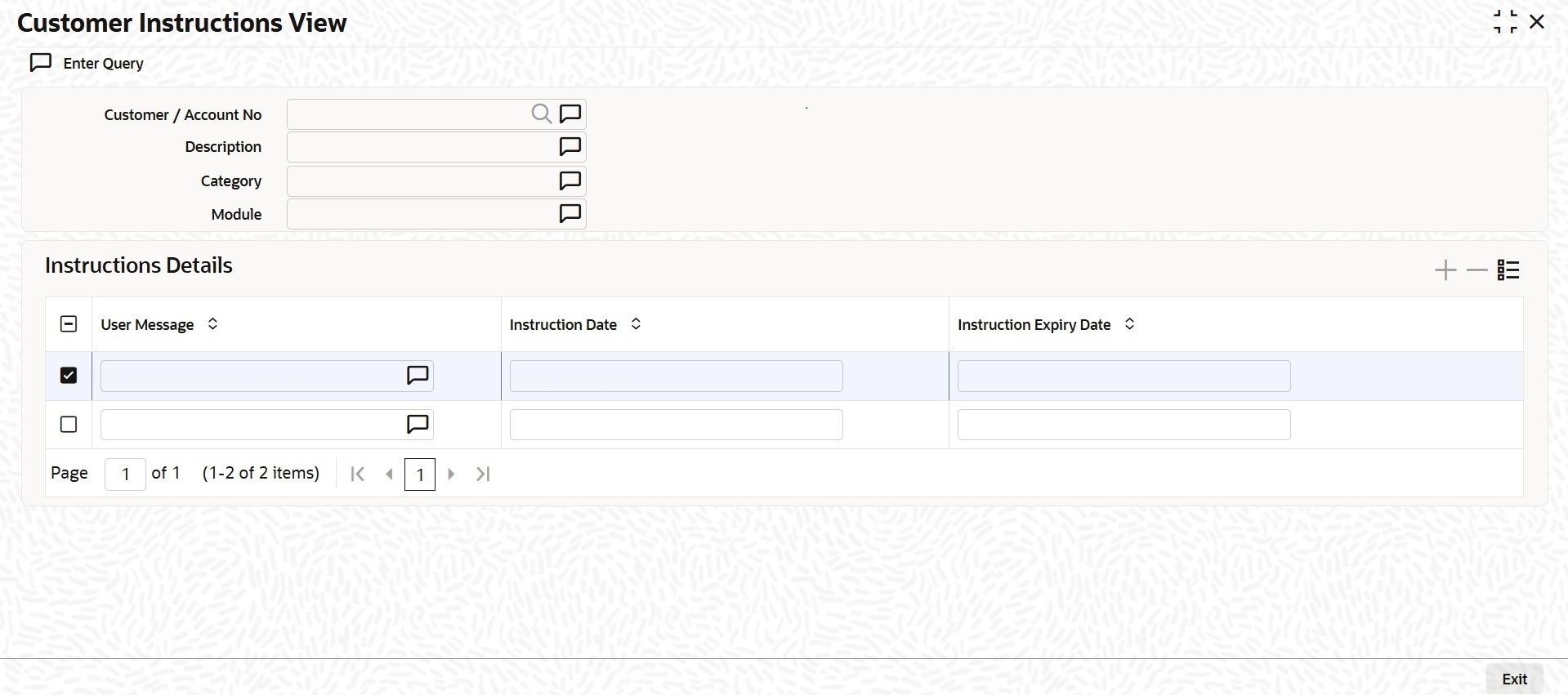
The following details can be viewed in this screen:
- Customer / Account Number
- Description
- Category
- Module
- User Message
- Instruction Date
- Instruction Expiry Date
Note:
- If a product processor (PP) is deployed standalone (without FCUBS), pressing the hot key (F6) on a screen, the Customer Instruction View (CSDCOINS) screen (Common Core screen) will display the customer instructions for that account.
- If a product processor is co-deployed (with FCUBS), pressing the hot key (F6) on a FCUBS screen, the Customer Instruction View (CSDINSTQ) screen (FCUBS screen) will display the customer instructions for that account.
- If a product processor is co-deployed (with FCUBS), pressing the hot key (F6) on a screen that does not belongs to FCUBS, the Customer Instruction View (CSDCOINS) screen (Common Core screen) will display the customer instructions for that account.
Parent topic: External Entities Maintenance