1.1 Dashboard

This topic provides systematic instruction to treasury settlement dashboard.

Summary statistics of the settlements initiated can be viewed using Treasury Settlement Dashboard.

  1. On the Home screen, type NTDSNDBD in the text box, and click Next.
    The Settlement Dashboard screen displays.
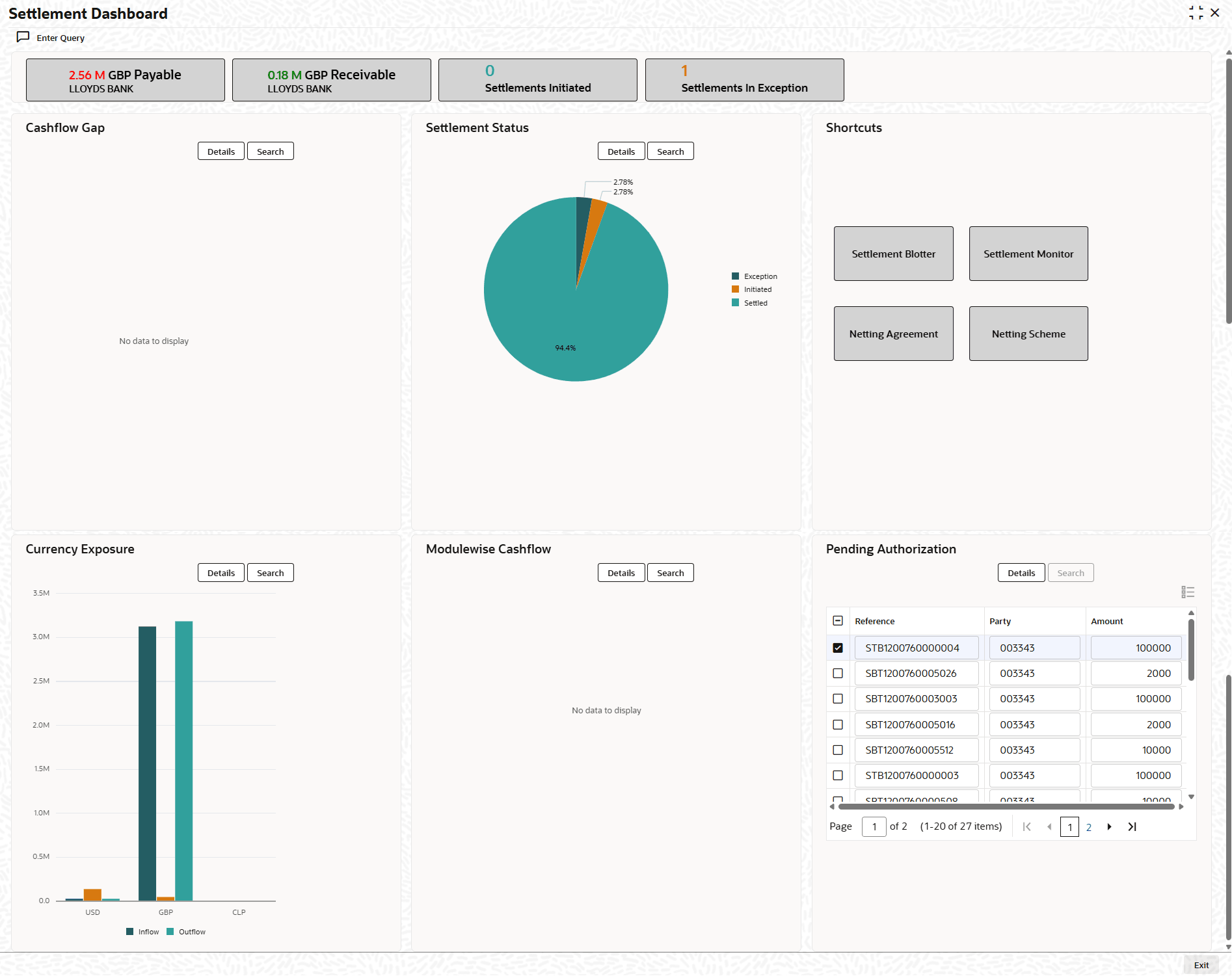
    Figure 1-1 Settlement Dashboard


  2. On the Treasury Settlement Monitor, Specify the details as required.

    Table 1-1 Dashboard Sections - Descriptions

    Section Descriptions
    Header Buttons Displays the net amounts for specific parameters and Launches the settlement blotter on click.
    Cashflow Gap Displays a graph of the net amount due for a set of tenor buckets.
    Settlement Status Displays the net amount settled grouping the settlements by external settlement status.
    Shortcuts Buttons to launch specific functions of Treasury Settlement module.
    Currency Exposure Displays the net amount due grouped by cashflow currency.
    Module wise Cashflow Displays the net amount due grouped by deal module
    Pending Authorization Displays the list of Settlements pending authorization