6 Consumer Maintenance screen
This topic describes the systematic instructions on consumer maintenance screen.
This screen shows the list of all the Service Consumers which have an active
subscription for an event. The consumer can be in either of the two states:
- ACTIVE: Consumer is actively consuming messages from the kafka.
- PAUSE: Consumer is temporarily stopped to consume messages from kafka.
When there is failure in processing the consumed event, the system retries the failed
events and after a specified number of retry counts, say after 3 attempts, if the
message is still not processed successfully the consumer gets auto paused. The related
configurations can be done as mentioned next.
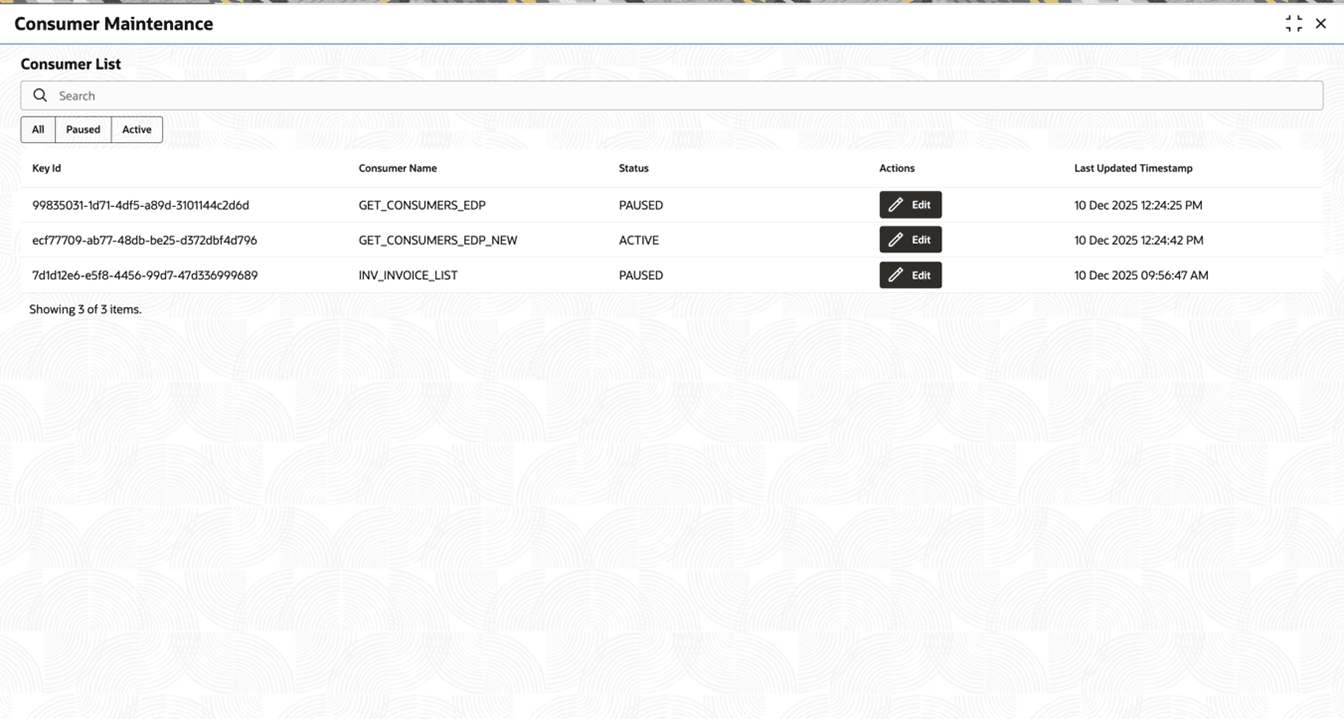
Figure 6-2 Consumer Maintenance Screen (After clicking edit button)
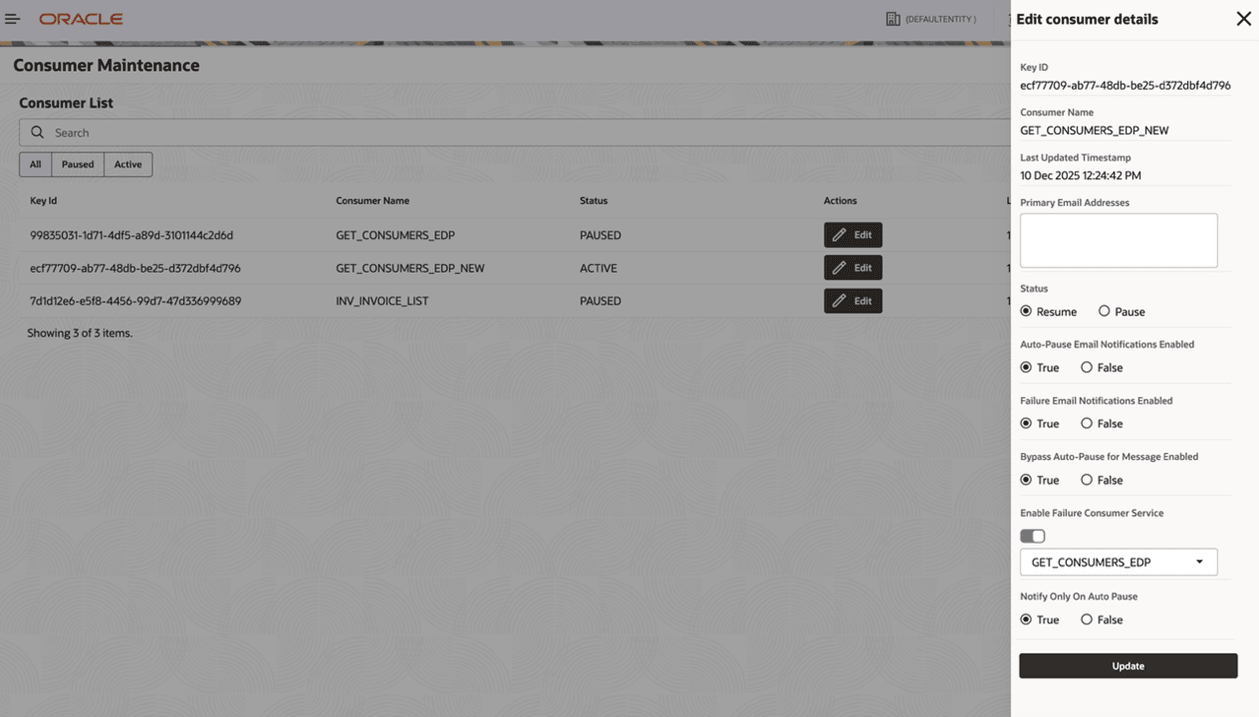
Within this drawer, you can:
- View Consumer Information
- Key ID – Unique Identifier for consumer.
- Consumer Name – The name of the Consumer Service.
- Last Updated Timestamp – Timestamp showing when was the consumer updated last time.
- Manage Email Notifications
- Add or update the Primary Email Addresses to receive email notifications for failure events, success events (events which got successfully processed in any of retry attempts of the failure event) and auto-pause scenario.
- We can Enable or disable:
- Auto-Pause Email Notifications.
- Failure Email Notifications.
- Control Consumer Status
- Select Resume to activate the consumer.
- Select Pause to temporarily stop the consumer.
- Configure Failure Handling
- Enable or disable the Failure Consumer Service – An alternate mechanism to notify the end user. OBRH consumer service is invoked as a webhook and the failure message is passed on to this OBRH consumer service.
- Select a failure consumer service (e.g., WebHook_CS) from the dropdown.
- Bypass and Notification Controls
- Enable or disable Bypass Auto-Pause for Message – To Bypass the auto-pause mechanism. If enabled, the event is logged with failure status in the system which can then be seen in the audit screen and retried from there manually.
- Configure Notify Only On Auto Pause to trigger webhook notifications only when the consumer is auto-paused. – If enabled, the webhook is triggered only for auto-pause else for every retry count and auto-pause as well.
After making the required changes, click the Update button to save the configuration.