E.2.3.1 Calculate Tax in Customer Service
This topic provides information about calculating applicable taxes during customer service transactions for an account or lease.
- For the calculation method defined in setup as either Flat Transaction
Amount or Percentage of Transaction Amount, the scheduled batch
job posts the following type of transactions:
Table E-12 Type of transactions
Transaction Code Batch Job Transaction Bill/Due Date TXNDDT_BJ_100_01 BILLING/DUE DATES PROCESSING DDT
BILL/DUE DATE
Late Charge TXNLTC_BJ_100_01 LATE CHARGE PROCESSING FLC
LATE CHARGE
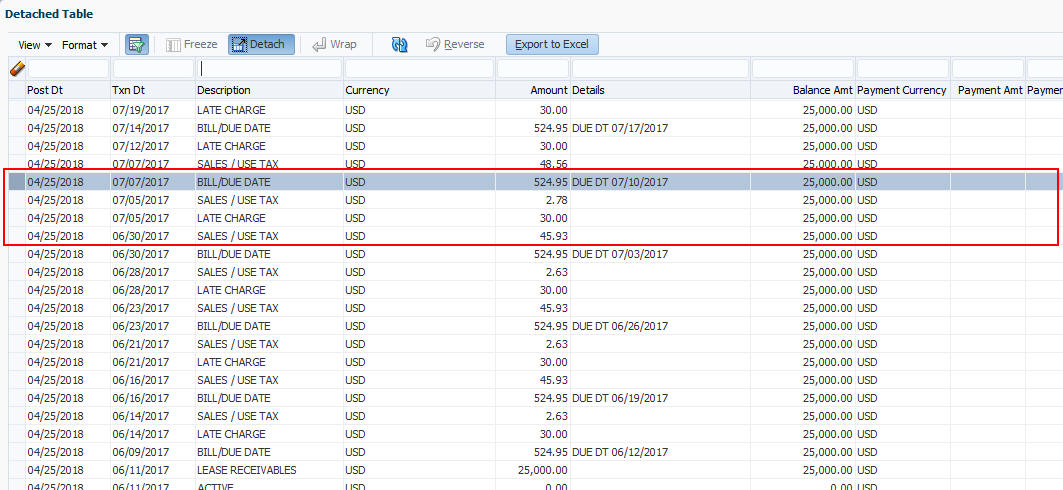
- Along with the above transaction, system automatically posts SALES / USE TAX linking transaction to determine and update the tax component separately.
- For accounts with tax exemption, sales tax will not be calculated and link transaction is not posted.
- In case of reversal, if the parent transaction is reversed then corresponding child SALES / USE TAX tax transaction will also be reversed.
- On successfully posting the transaction, the details are updated on to the customer account in Customer Service, click Transaction History. Under Transaction History, click Transactions tab.
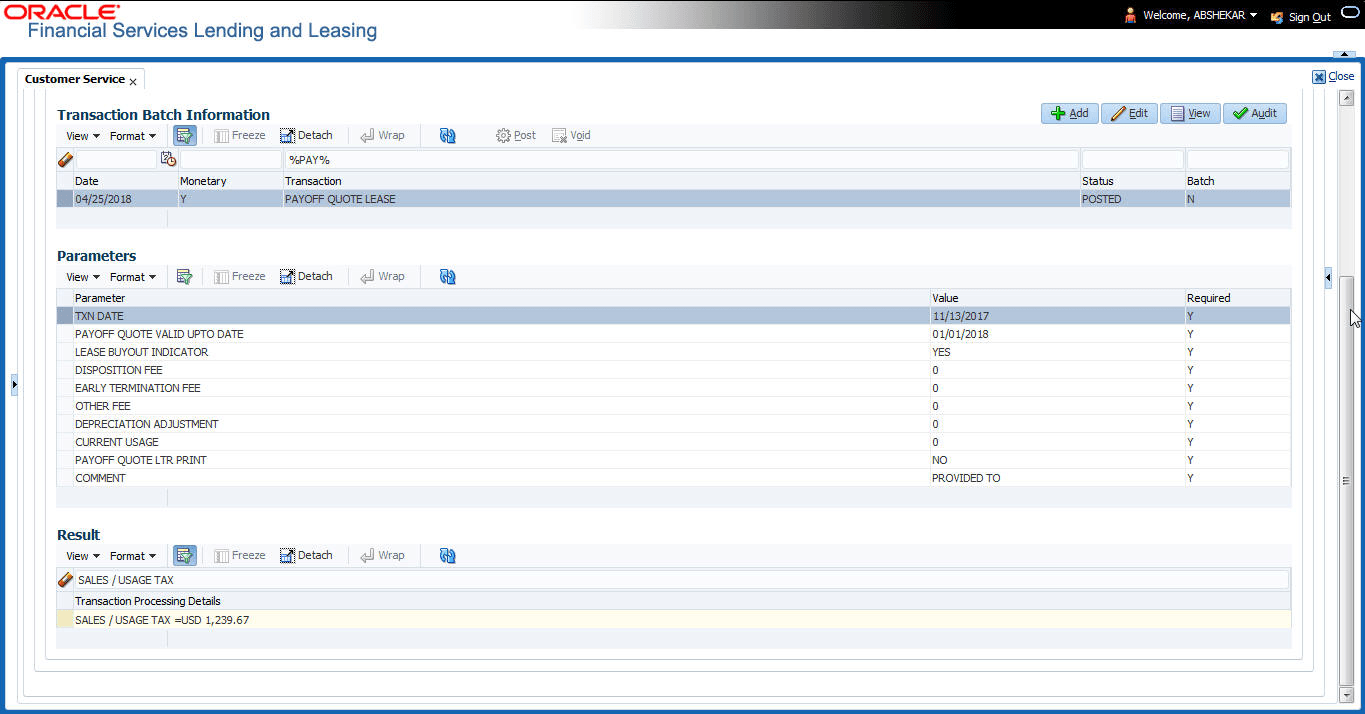
- For the calculation method defined in setup as Payoff Quote Lease, on posting this transaction system calculates the tax on unpaid Lease Receivables and displays the Sales / Usage Tax due bucket with the total of current outstanding and future dues.
Parent topic: Tax Calculation at Customer Service