E.3.4 Changes in Customer Service Module
This topic provides details about the changes in the customer service module.
The sales tax calculation process is similar to the internal method as detailed in Tax Calculation at Customer Service section except that the Sales/Usage Tax - link transactions is posted only on receiving the tax details from Vertex. This transaction will be posted after posting the main transaction.
To load exemption certificate into OFSLL, follow
the same process as detailed for internal sale tax calculation method using in
Servicing, click Customer Service.
Under Customer Service, click Document
Tracking tab. To upload sales tax exemption certificate to vertex, click
Upload button in the Account Document Details section
tab.
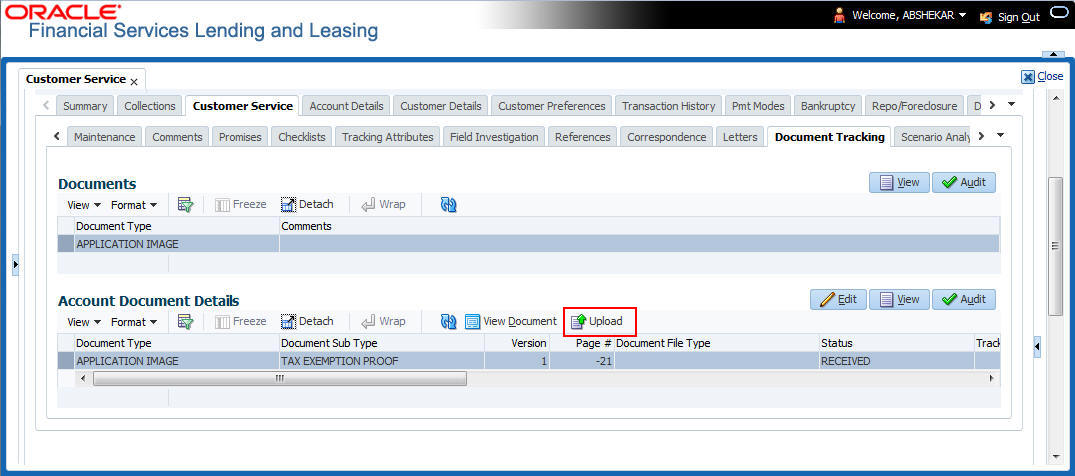
On successful upload, a Tax Exemption Certificate ID is updated in to the system and the Upload button is disabled.
Parent topic: External Lease Tax Calculation