E.2.3.5 Generate Lease Sale and Usage Tax Report
This topic provides information about generate lease sale and usage tax report
After the sales tax details are calculated, user can retrieve the information
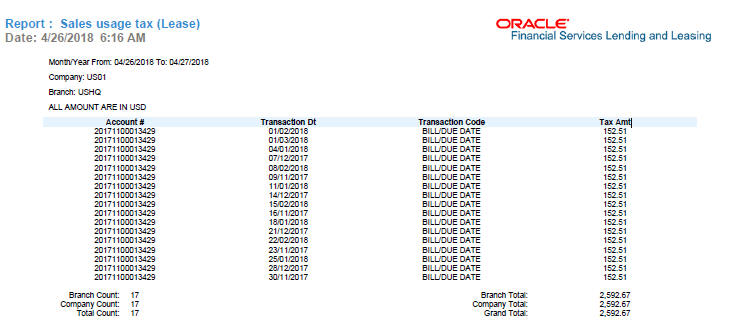
to view the sales tax amount recorded on the account, by generating Sales usage tax
(Lease) report. This report can be generated for all accounts with Sales Tax
Mode and Tax Method CYCLE/ PAYMENT_STREAM.
- From the LHS menu, click Servicing > Reports link.
- In the Reports section, filter report with description SALES USAGE TAX - LEASE.
- In the Report Parameters section, select/specify the required parameters and click Run Report.
The report is generated in the selected format with the details as indicated below. For detailed information on report generation process, refer to Reports chapter in User Guide.
Parent topic: Tax Calculation at Customer Service