8.12.13 Passthrough Fees Sub Tab
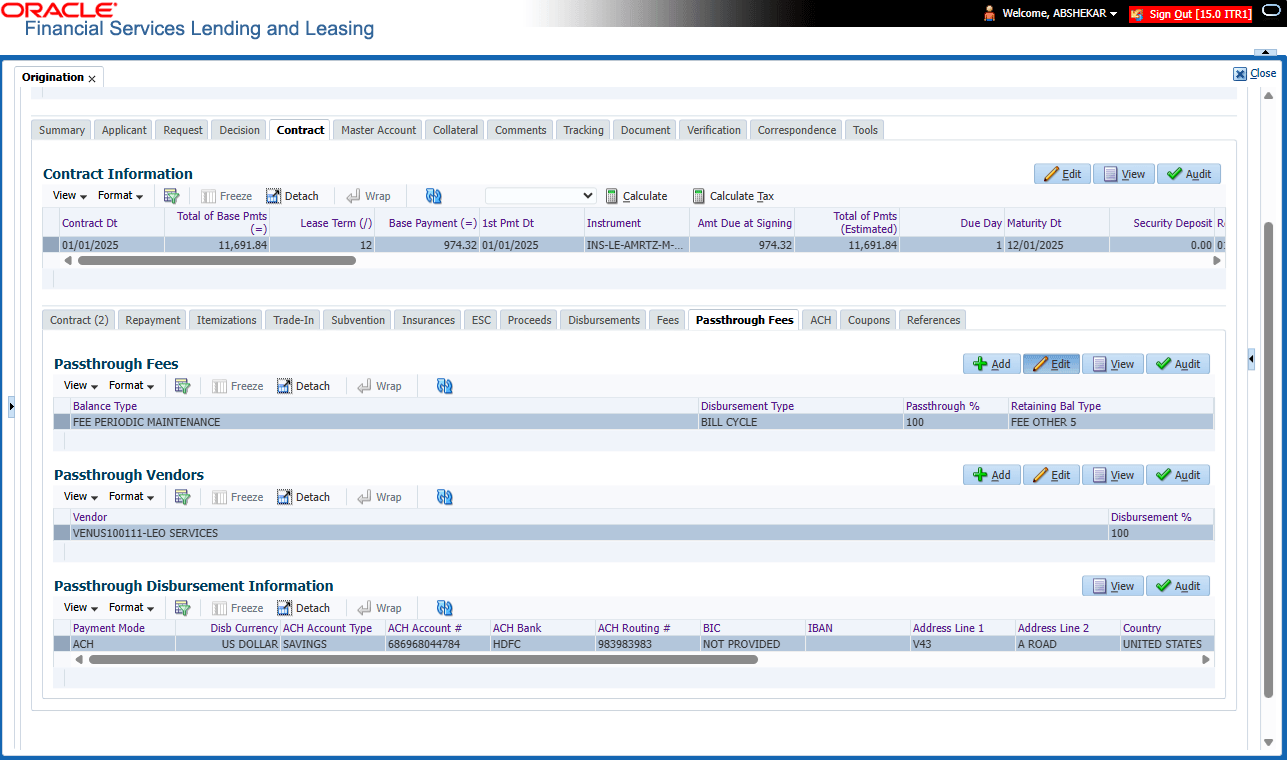
This topic provides information on the Passthrough Fees section, which records and manages fees that are transferred from the payer to a third party, reflecting direct cost recovery rather than revenue generation.
- Passthrough Fees
- Passthrough Vendors
- Passthrough Disbursement Information
- On the Origination, click Origination. Under Origination, click Funding.
- Under Funding, click
Funding tab. Under Funding
tab, click Contract. Under
Contract, click Passthrough
Fees.
The Passthrough Fees screen displays.
- In the Passthrough Fees section, perform any of the Basic Operations mentioned in Preface chapter.
A brief description of the fields is given below:
Table 8-21 Passthrough Fees
Field Description Balance Type Select the required account balance that is enabled for vendor pass through from the drop-down list. The list displays all the 'FPMF (Fee Periodic Maintenance Fee)' balances attached to the contract fee type. Disbursement Type Select the type of passthrough disbursement type as either Billing date or Full Fee Receipt from the drop-down list. Note: System supports only Full Pass through and not Partial.
Passthrough % Specify the passthrough percentage to be processed. Retaining Bal Type Select the lessor retention balance type from the drop-down list. The list displays all the balances attached to the contract for selection. - Perform any of the Basic Actions mentioned in Preface.
- In the Passthrough Vendors section, perform any of the Basic Operations mentioned in Preface.
A brief description of the fields is given below:
Table 8-22 Passthrough Vendors
Field Description Vendor Select the required vendor from the drop-down list. The list displays all the active vendors maintained in the setup and also validates for the application company i.e. the application company and vendor company has to be the same. Disbursement % Specify the disbursement percentage. This is the percentage of total amount to be disbursed for the selected vendor. This field allows to enter value up to 2 decimals and ensure that it does not exceed 100. Note: User can define passthrough fee for multiple different vendors.
- Perform any of the Basic Actions mentioned in Preface.
Passthrough Disbursement Information - On Saving the Passthrough Vendor record, system populates all the information in this section. However, this section provides only VIEW option and if any changes are required, the same has to be done in vendor tab and later click EDIT and SAVE in this section to fetch the latest information.
Parent topic: Contract Tab