8.13 Collateral Tab
This topic provides information on the collateral section, which records and manages property or assets offered as security in financial agreements, ensuring risk mitigation and compliance with lending terms.
Having selected and loaded an application, user can view the information about the collateral of the Loan.
The Collateral link opens screens with information regarding any collateral associated with an account. Depending on the type of Loan, collateral can be a vehicle, home, or something else, such as major household appliances. The Collateral link is unavailable if this is an unsecured Loan.
A detailed explanation of the fields found on the Collateral link’s screens and sub screens can be found in the Application Entry chapter.
- On the Origination, click Origination. Under Origination, click Funding.
- Under Funding, click Funding tab. Under Funding tab, click Collateral.
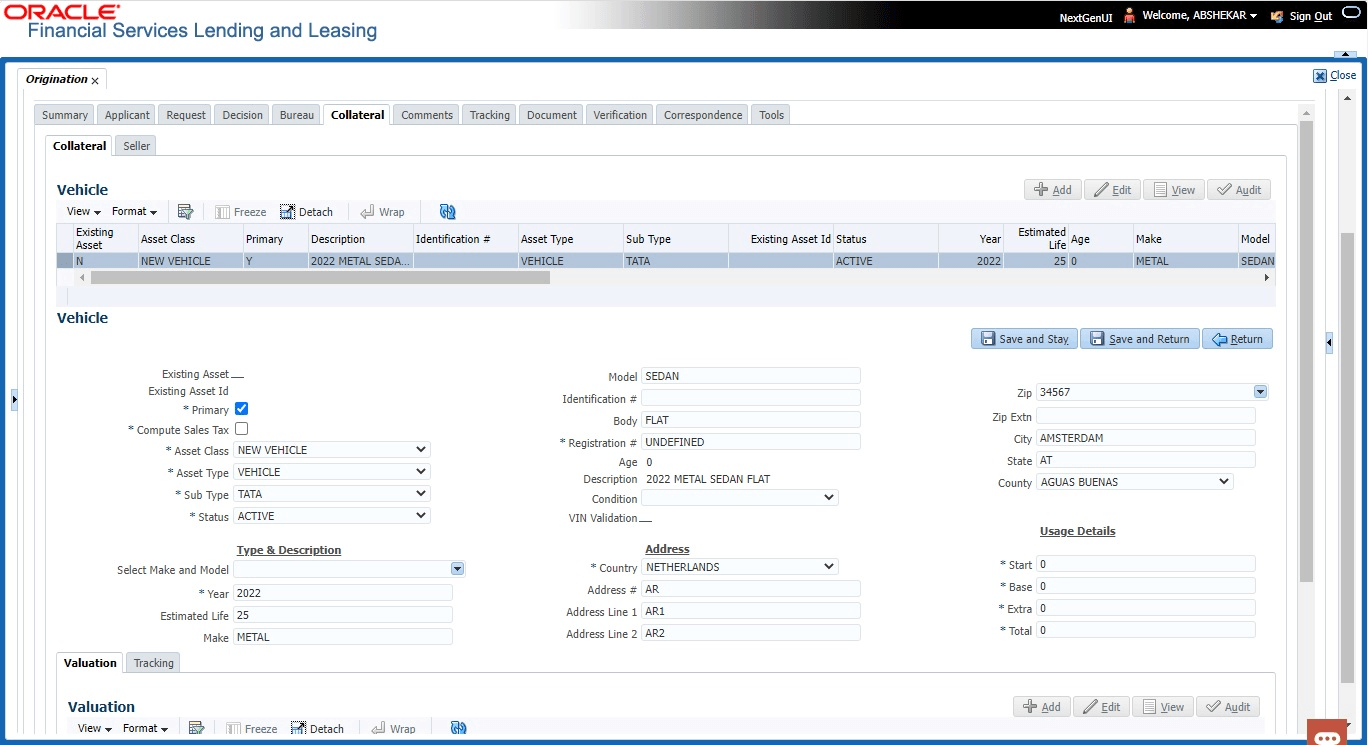
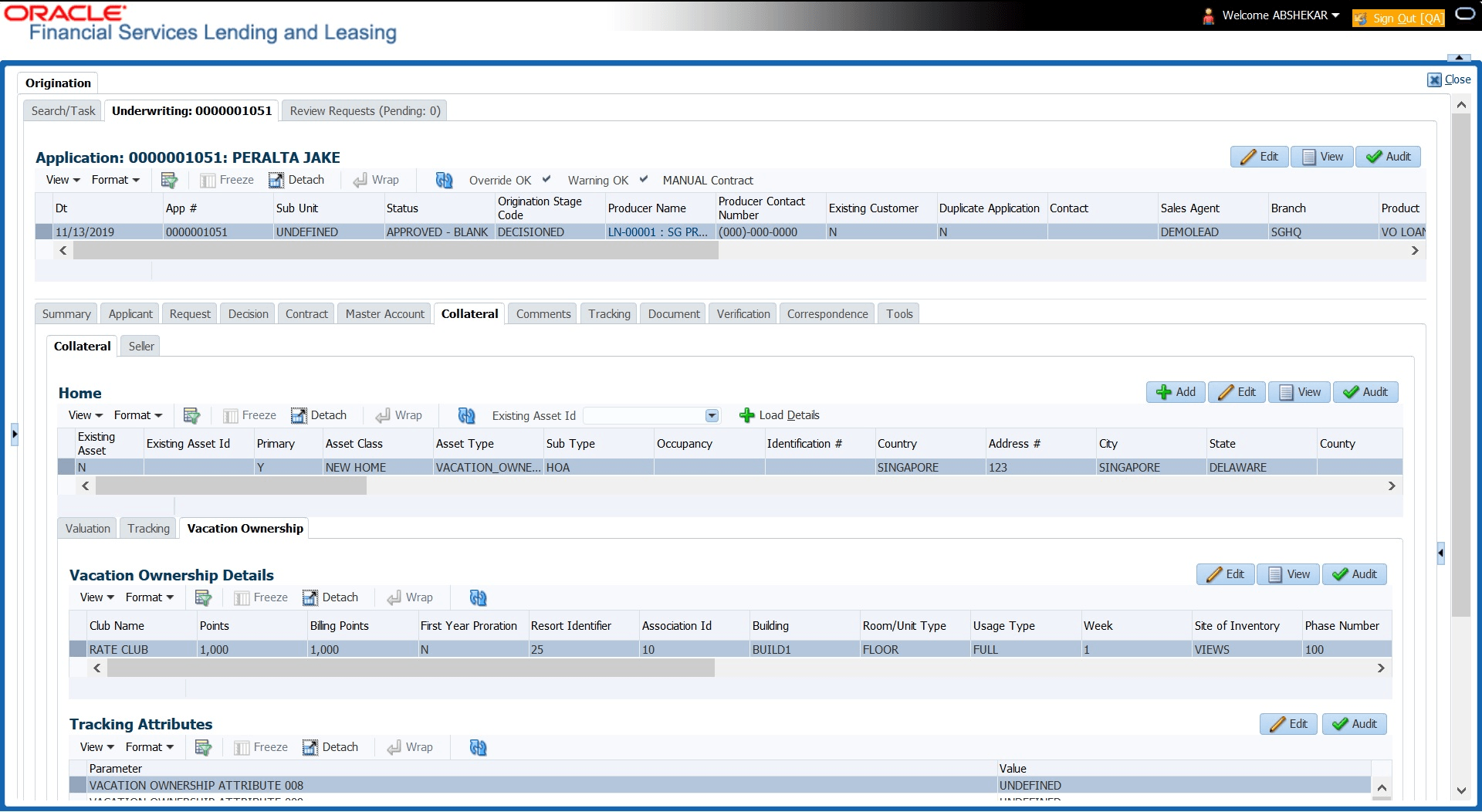
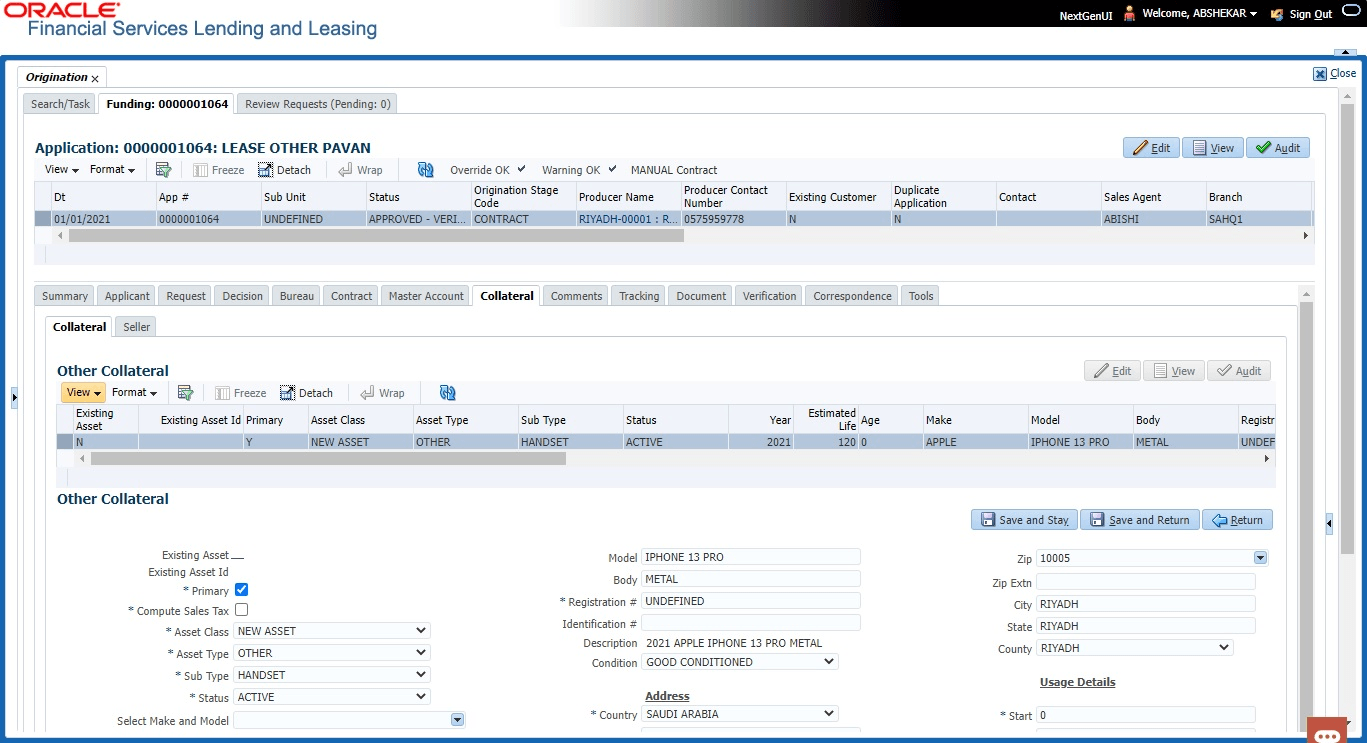
- Depending on the type of collateral, information about the vehicle, home or other type of collateral appears.
- Verify the information regarding the collateral and its sub screens. (This is
information that was recorded during the application entry process or gathered
during the credit pull).
If the collateral is a vehicle, the Collateral link displays information about the vehicle.If the collateral is a home, the Collateral link displays information about the home.If the collateral is anything other than a vehicle or home, the Collateral link displays information about the other type of collateral.
For details on this screen refer Collateral Tab section in Underwriting chapter.
Parent topic: Funding