8.18 Correspondence Tab
This topic provides information on the Correspondence section, which records and manages written or electronic communications linked to contracts, transactions, or agreements, ensuring traceability and accountability.
Ad-hoc correspondence enables user to include information from applications in document templates user create yourself without manually transferring the data. Ad-hoc documents can be generated as either Microsoft Word or PDF files.
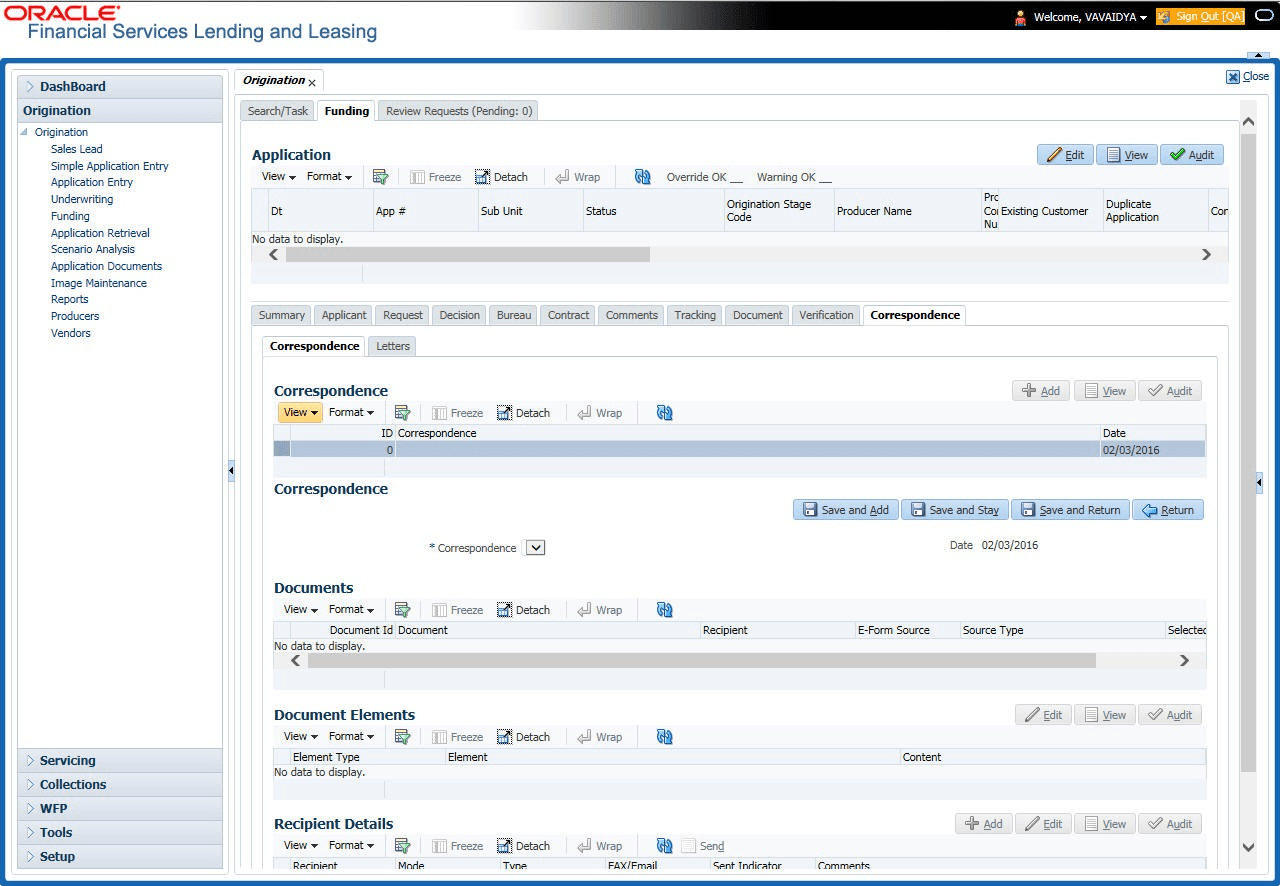
Ad-hoc correspondence can be viewed on the Correspondence link’s Correspondence screen when user have opened an account. The screen enables user to generate a new letter or view a previously generated letter.
- On the Origination, click Origination. Under Origination, click Funding.
- Under Funding, click Funding tab.
Under Funding tab, click
Correspondence.
The Correspondence screen displays.
For details on this screen refer Correspondence Tab section in Underwriting chapter.
Parent topic: Funding