8.8 Decision Tab
This topic provides information on the decision section, which enables users to finalize and document the results of submitted requests.
- On the Origination, click Origination. Under Origination, click Funding.
- Under Funding, click Funding tab.
Under Funding tab, click
Decision.
The Decision screen displays.
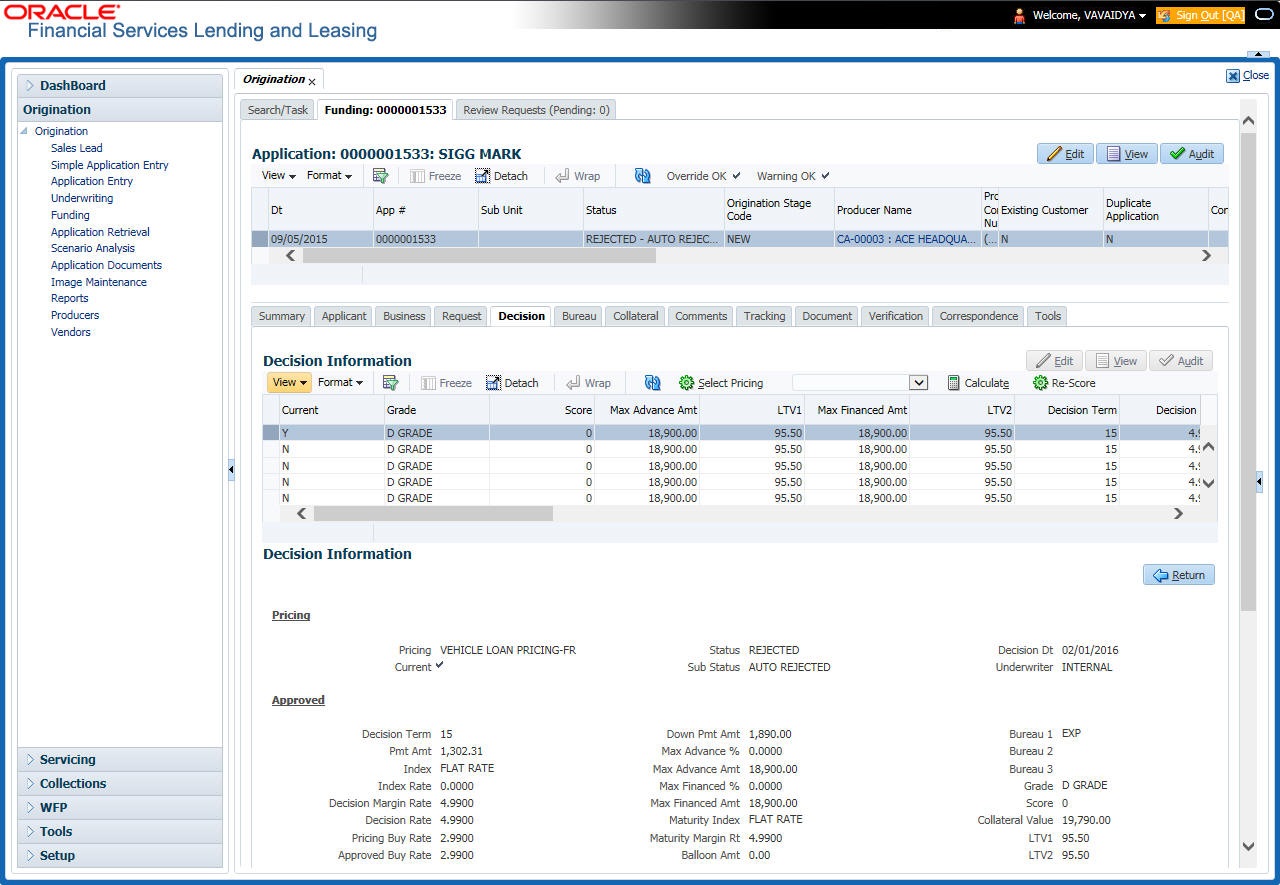
With the Decision tab, the system displays information gathered during the underwriting process. Depending on the type of application user are working with, system displays Loan information. On Clicking Calculate, the user can calculate the Loan amount, rate, term, and payment.
For details on this screen refer Decision Tab section in Underwriting chapter.
Parent topic: Funding