7.16.1 Edit Sub Tab
This topic provides information on the edit function, which enables users to update and revise record details.
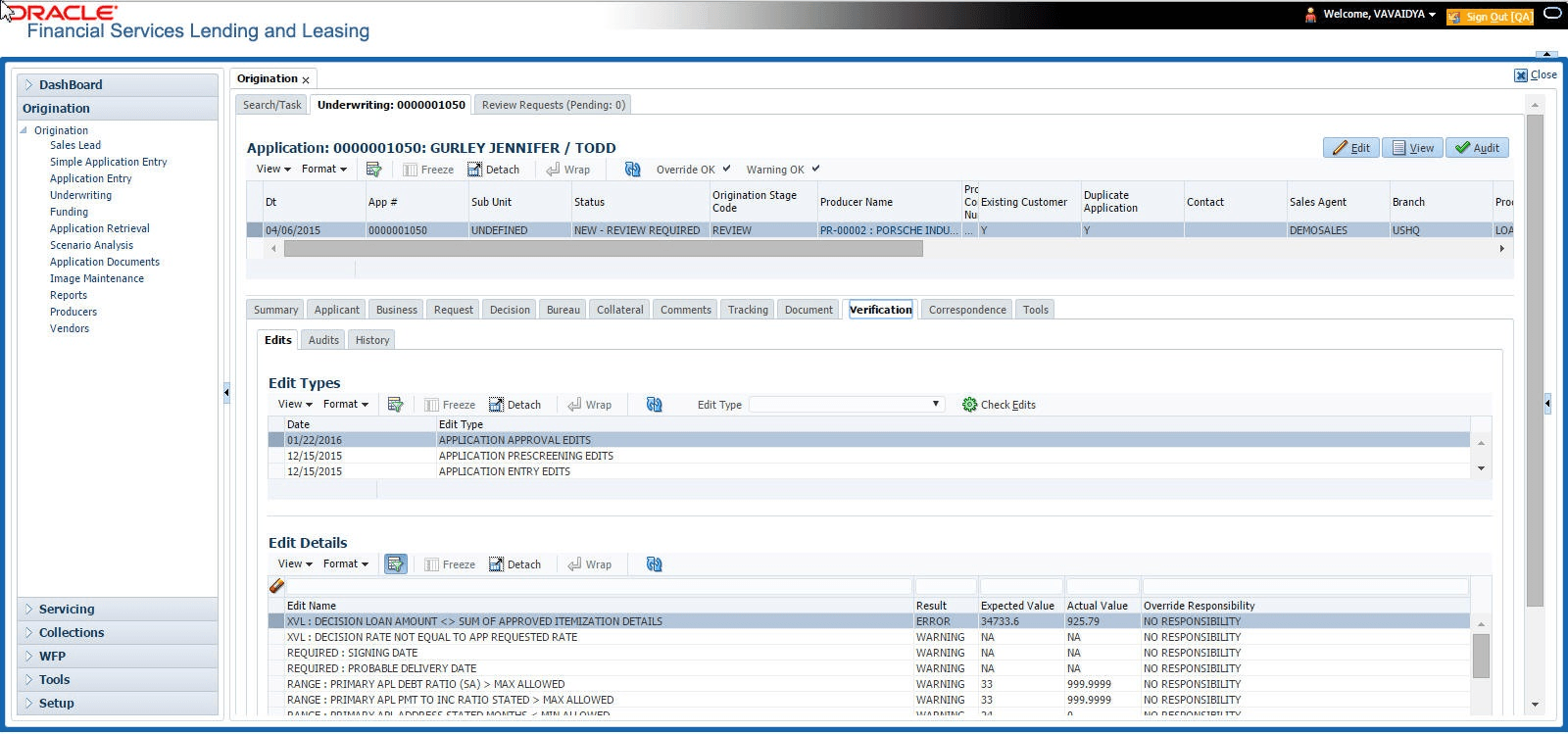
To complete the Edits section
- On the Origination, click Origination. Under Origination, click Underwriting. Under Underwriting, click Underwriting tab.
- Under Underwriting tab, click
Verification. Under
Verification, click Edits.
The Edits screen displays.
- In the Edits screen’s Edit Type section, select the type of edit user want to verify.
- Click Check Edits.
The system checks the data for the verification process selected in the Edit Type section and displays the results in the Edit Details section.
The Edit Details section contains the following display only information:Table 7-64 Edit Details
Field Description Edit Name Displays the edit. Result Displays the result. Expected Value Displays the expected value. Actual Value Displays the actual value. Override Responsibility Displays the override responsibility, if an override is required. - In the Edit Details section, view the verification results and begin making corrections on the Underwriting screen. Remember, edits resulting in ERROR must be corrected. Edits resulting in WARNING can be by passed.
The system begins processing the credit application.
Parent topic: Verification Tab