7.12.4 Seller Tab
This topic provides information on the seller, which displays seller details and associated information.
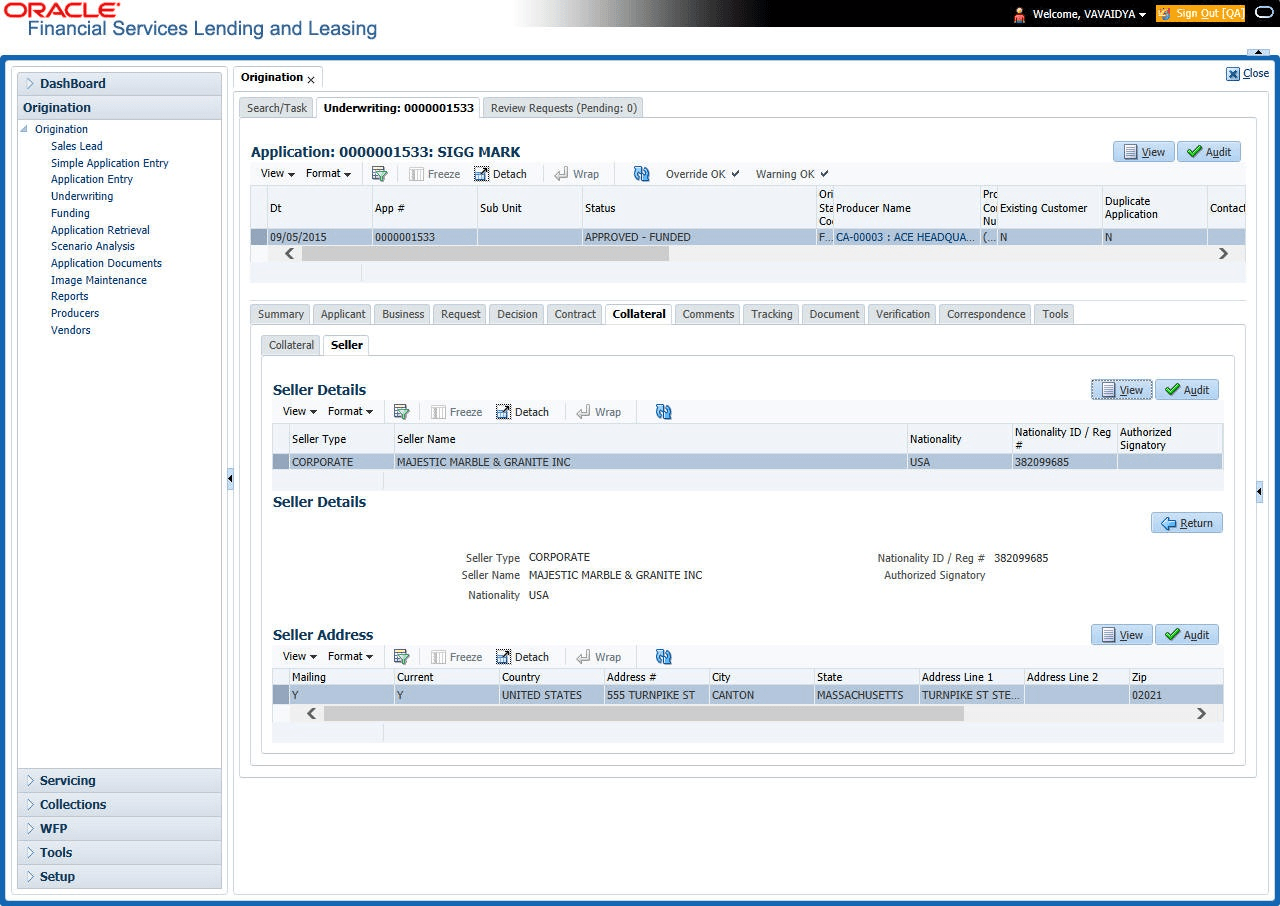
The Collateral link’s Seller Details tab enables user to enter the seller details of the collateral of the Loan.
To enter the Seller details
- On the Origination, click Origination. Under Origination, click Underwriting. Under Underwriting, click Underwriting tab.
- Under Underwriting tab, click
Collateral tab. Under
Collateral tab, click
Collateral sub tab. Under
Collateral sub tab, click
Seller.
The Seller screen displays.
- Perform any of the Basic Operations mentioned in Preface.
A brief description of the fields is given below:
Table 7-56 Seller Details
Field Description Seller Information Display the seller information section. Seller Type Select the seller type. Seller Name Specify the seller name. Nationality Select the seller’s nationality. National ID/ Reg # Specify the national identification number or registration number. Authorized Signatory Specify the authorized signatory of the seller. Seller Address Display the seller address section. Mailing Select if this is the mailing address. Only one address entry can be marked as the mailing address. Current Select if this is a current address. The mailing address must be marked as current. Country Select the country code. Address # Specify the address number. Address Line 1 Specify the first address line. Address Line 2 Specify the second address line. State Select the state. Zip Select the zip code.
For non US country, user have to enter zip code.
Zip Extn Select the zip extension. City Specify the city. Phone Specify the telephone number. Extn Select the telephone extension. - Perform any of the Basic Actions mentioned in Preface.
Parent topic: Collateral Tab