6.12 Verification Tab
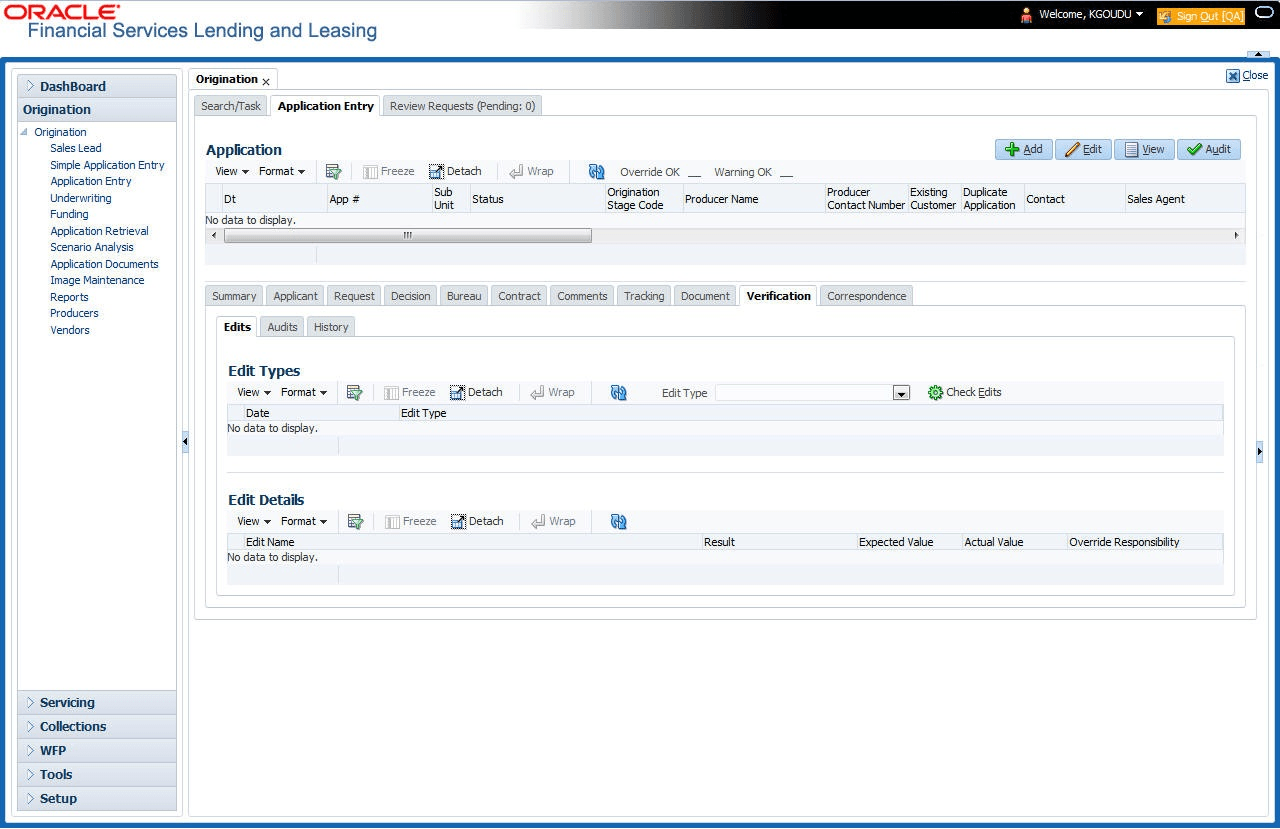
This topic provides information on the verification. It enables users to review and validate applicant details and supporting documents.
Oracle Financial Services Lending and Leasing can be configured to automatically validate portions of an application when user attempt to change its status. The results of this data check appear on the Verification link’s Edit screen as an Error, a Warning or an Override.
If it is an Error, the system will not allow user change the application’s status and approve the Loan until user fix all the errors.
If it is a Warning, the system enables user to change an application’s status without correcting the matter. While user should still investigate the problem, Warning messages are of a lesser importance than Error messages.
If it is an Override, the system displays a dialog box informing user that an override is needed; user responsibility level does not have the authority required to process this step. (Choose Yes on the dialog box to move application to queue of the user with required authority.)
- On the Origination, click
Origination. Under
Origination, click Application
Entry. Under Application Entry, click
Verification.
The Verification screen displays.
- Enter all the information associated with the application on the Application Entry screen.
- When user are finished entering data, on the Application
Entry tab, click Verification sub tab,
then click the Edits sub tab.
For details on this screen refer Verification Tab section in Underwriting chapter.
Parent topic: Application Entry