1.2.11 Configuring Superviser Roles in EM
This topic explains to configure superviser roles in the Oracle Enterprise Manager.
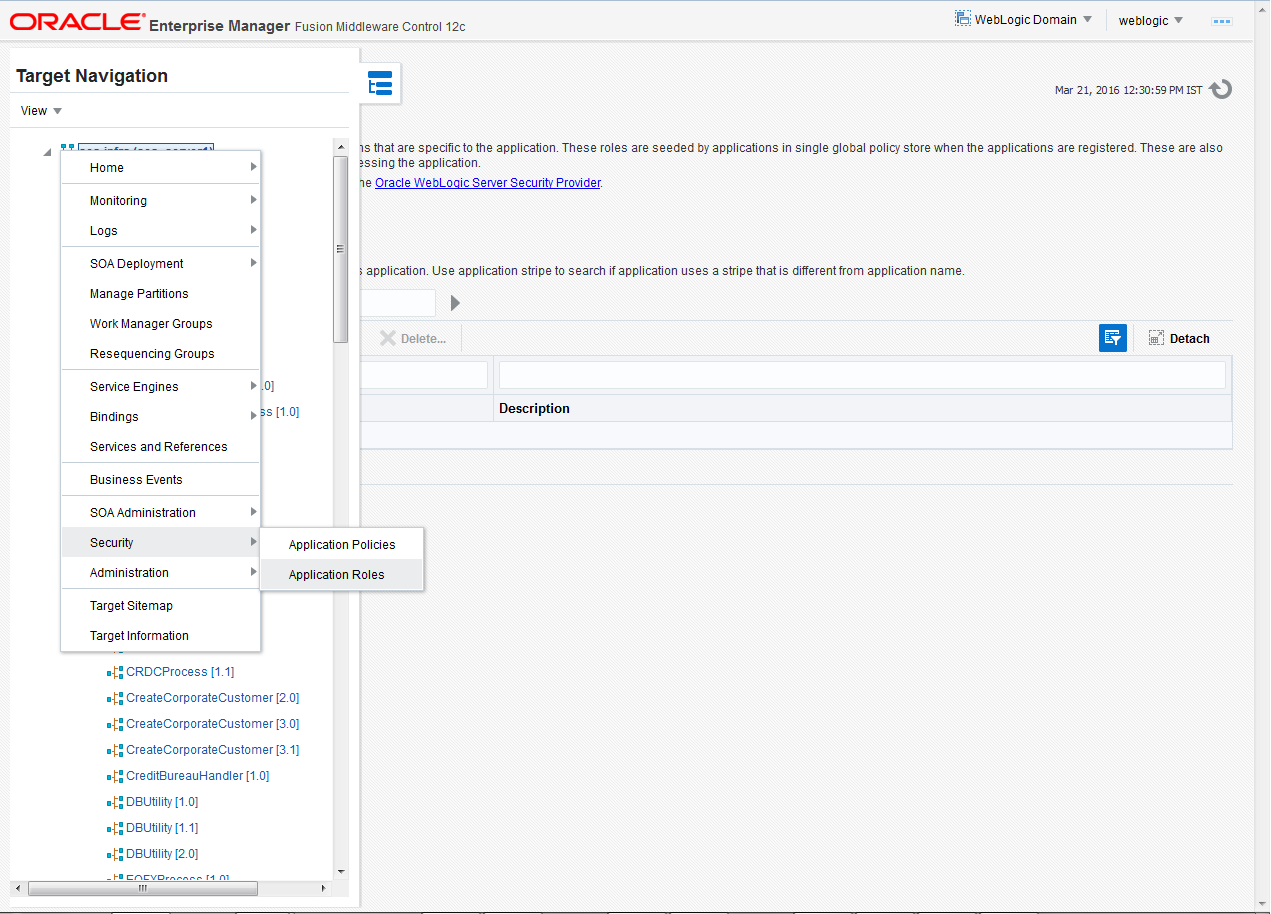
- Right click on soa-infra. Select Security and click on Application Roles.The Application Roles screen is displayed.
Figure 1-104 Navigation to the Application Roles
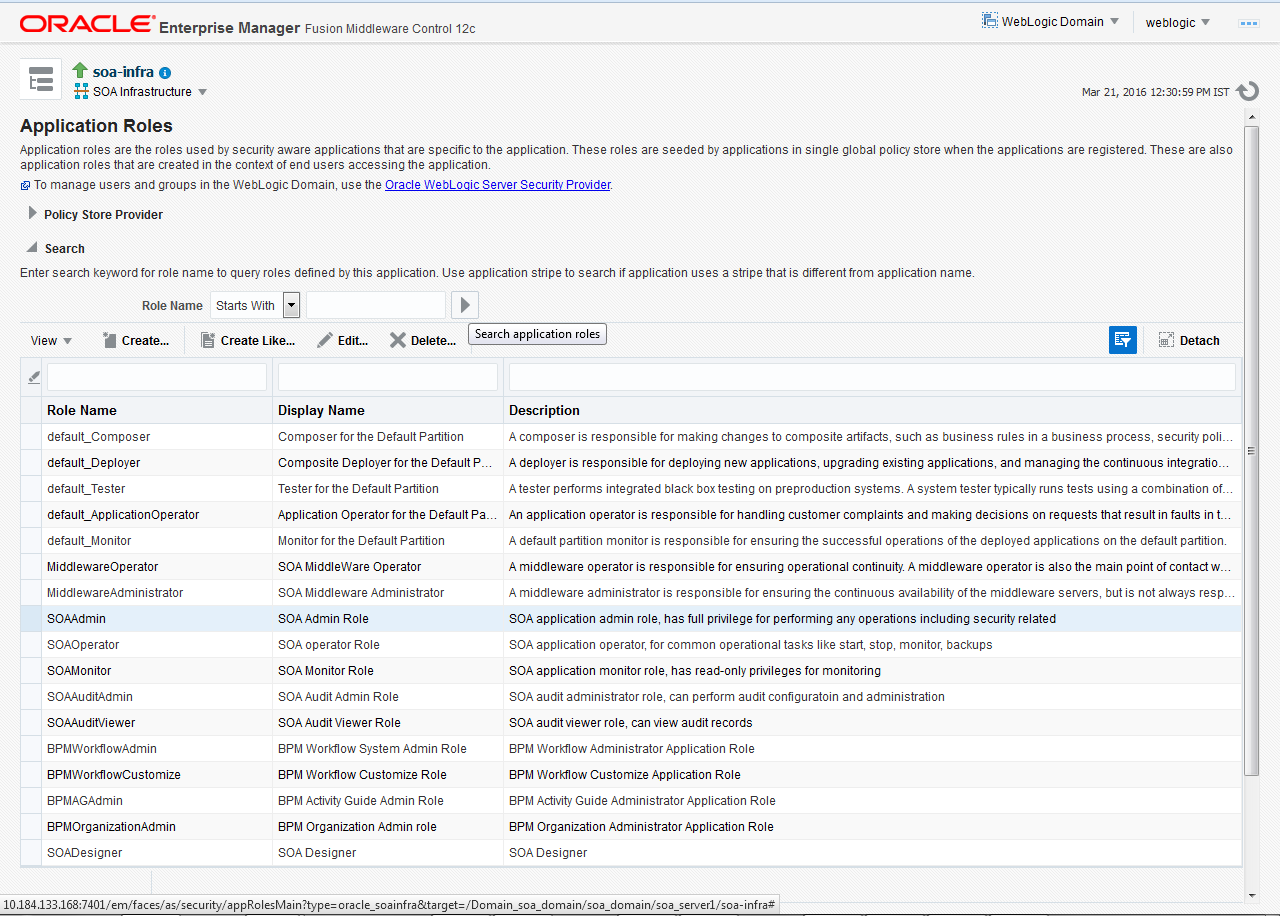
- Search the Application Roles name with the Starts With option.The soa-infra (Application Roles) screen is displayed.
Figure 1-105 soa-infra (Application Roles)
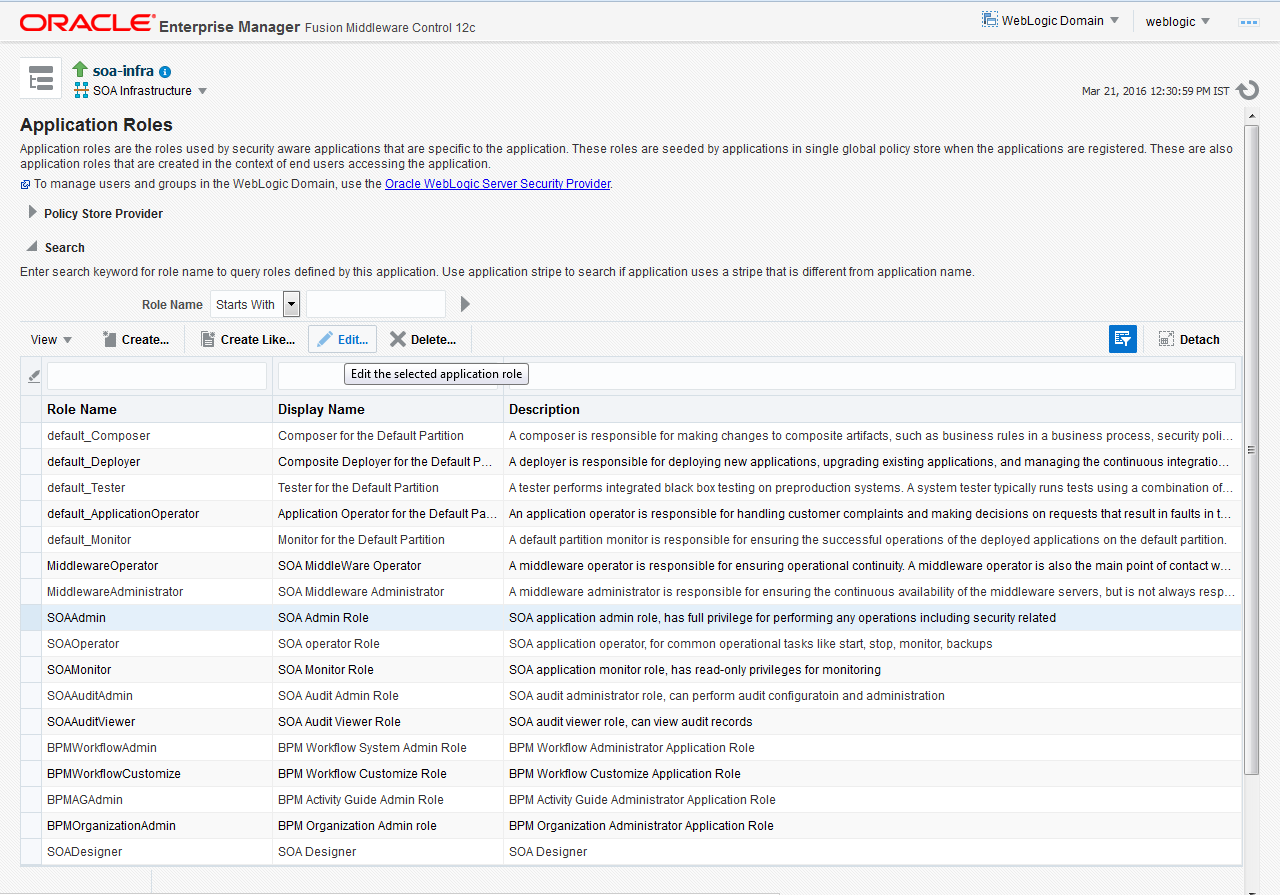
- Select the SOAAdmin role and click on Edit option.The Edit Application Roles : SOAAdmin screen is displayed.
Figure 1-106 Edit Application Roles : SOAAdmin
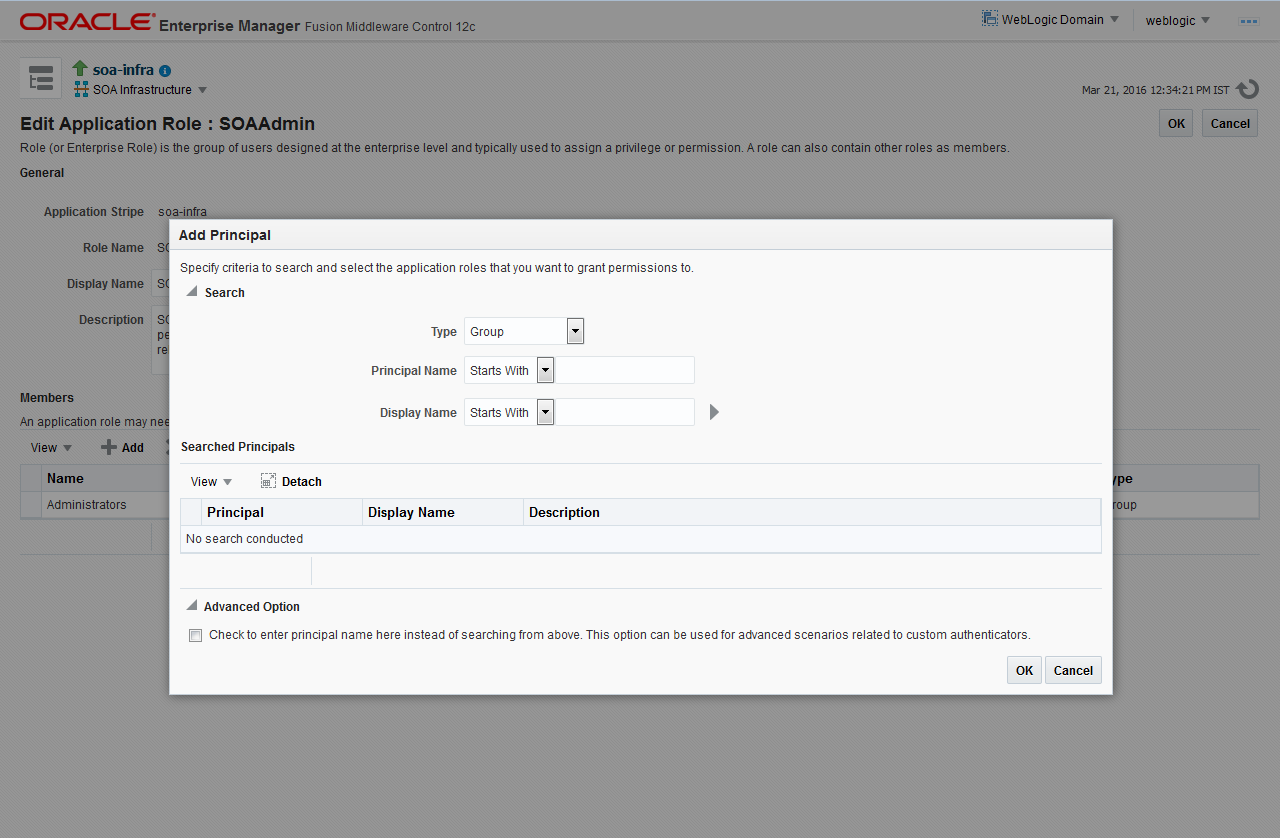
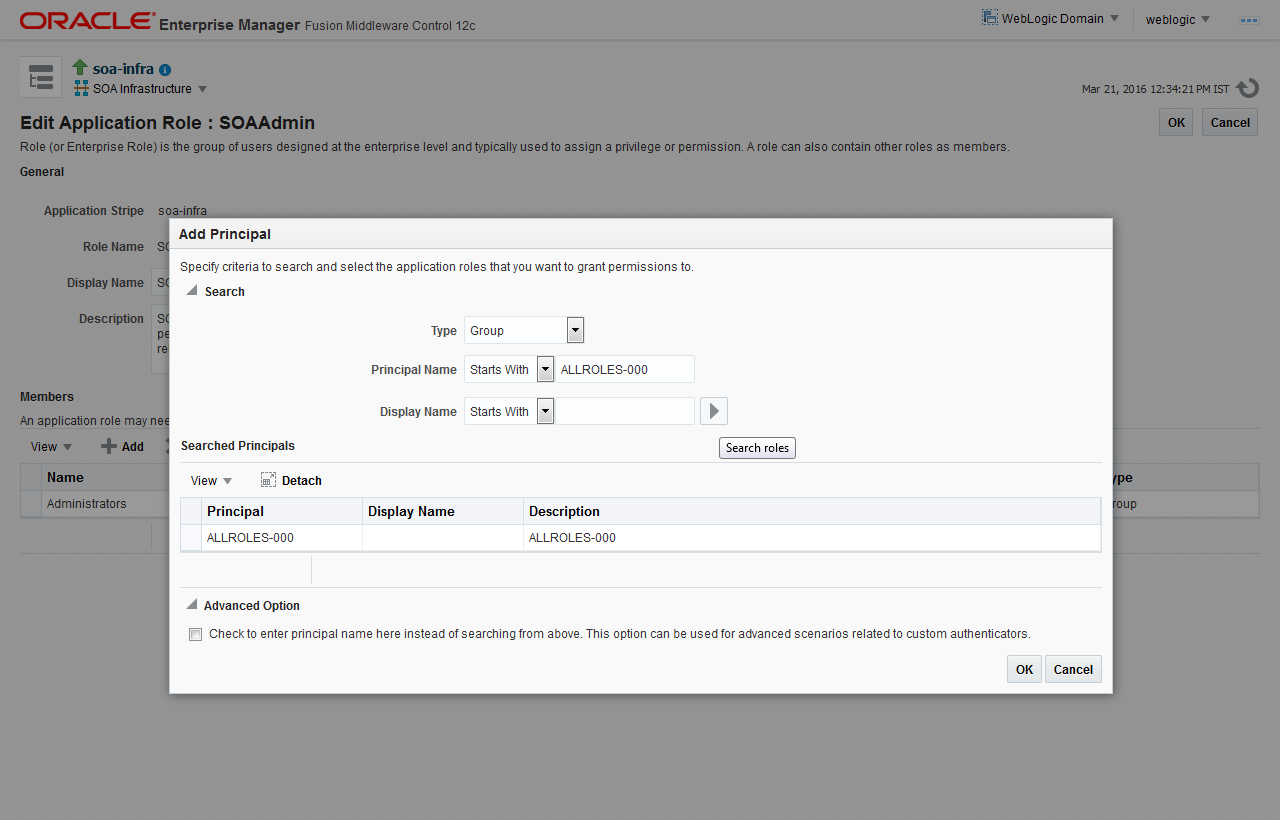
- Click on the ADD button and provide the Type as Group from the drop-down.The Add Principal pop-up window is displayed.
Figure 1-107 Application Role - Add Principal
- Provide the principal name as (EX: ALLROLES-000) Param_val which is mapped to the OR_ADMINROLE in the cstb_param table and search the role. Click on OK.The Add Principal - ALLROLES-000 pop-up window is displayed.
Parent topic: Integrating Oracle FLEXCUBE IS and BPEL