3.22.2 Batch Job Operations
This topic describes the systematic instructions for operating a batch job.
- Under Maintenance, click Batch
Category, under Batch Category, click
Batch Job Operations.The Batch Job Operations screen is displayed.
- Specify the fields on Batch Job Operations screen.For more information on fields, refer to the field description table.
Table 3-186 Batch Job Operations - Field Description
Field Description Branch Code Click  and select the branch code from the list.
Note: The Batch Job Operations module supports the use of the "." wildcard to represent 'ALL' branches. User can search the record by "."
Time Period Select the time period from the drop-down list. The available options are:
- Today
- Yesterday
- Date
- Previous Working Day
Today Till Next Working date Displays the date of the next working date. This field gets displayed only if the Time Period is selected as Today.
Date Select the date. This field gets displayed only if the Time Period is selected as Date.
Till Today Displays the date of the till today. This field gets displayed only if the Time Period is selected as Previous Working Day.
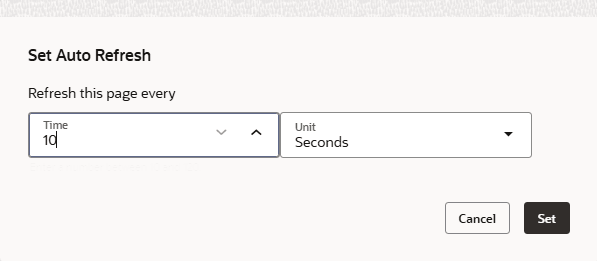
Allow auto refresh Toggle status to set the time for auto refresh. - Click on Allow auto refresh toggle status to set the
time for auto refresh.The Set Auto Refresh screen is displayed.
Table 3-187 Set Auto Refresh - Field Description
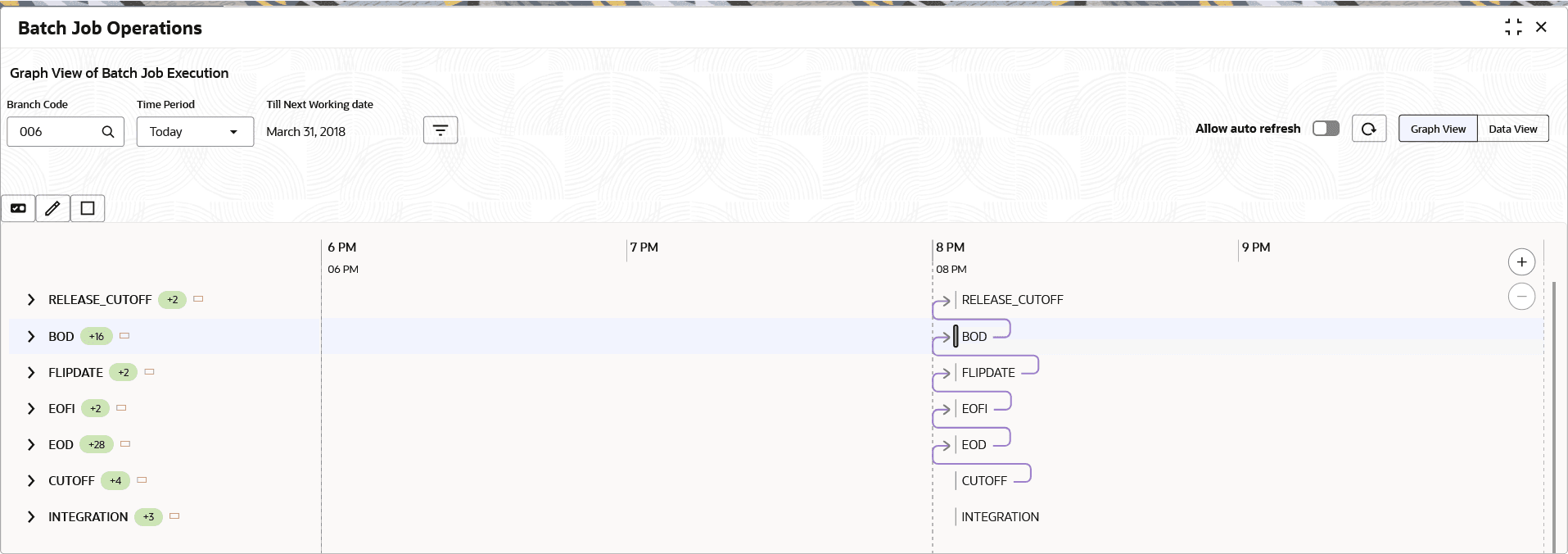
Field Description Time Specify the time internal for which the batch has to auto refresh. Unit Select the unit as Seconds from the drop-down list. - Click on Graph View to displays the details in graphical
format.
Table 3-188 Graph View - Field Description
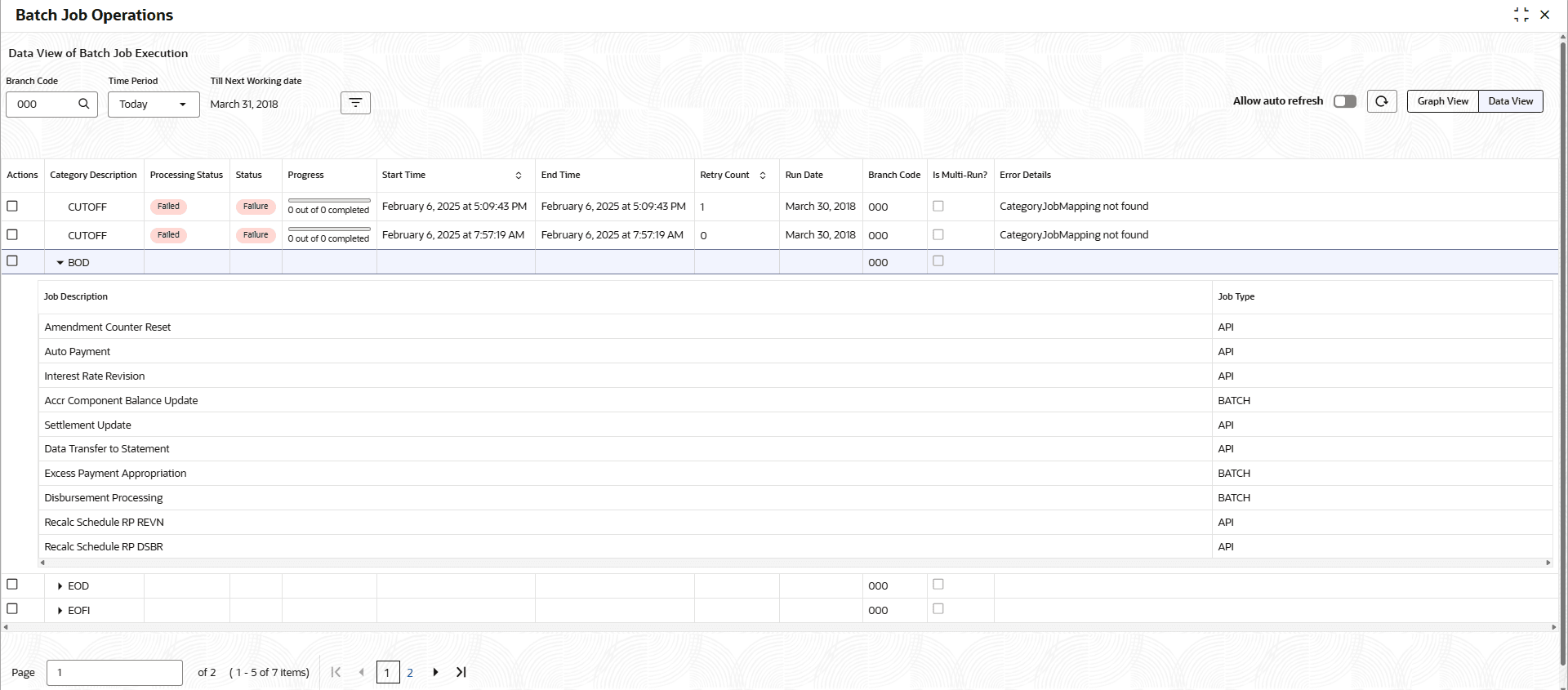
Field Description Enable/Disable the Task button Click to update the in all branches (*.*) if no specific maintenance record exists in Batch Job Maintenance. If a record already exists for a specific Branch Code, the system will update that branch-level data instead. Update the Task Attribute button Click to update task attributes in the all branches (*.*) if no specific maintenance record exists in Batch Job Maintenance. If a record already exists for a specific Branch Code, the system will update that branch-level data instead. Stop the execution Click to terminate the batch execution currently running for a specific branch. - Click on Data View to displays the details in table
format.

Parent topic: Batch Category