1.50.4 View Track Receivable Priority Code
This topic describes the systematic instructions to view the Priority Code.
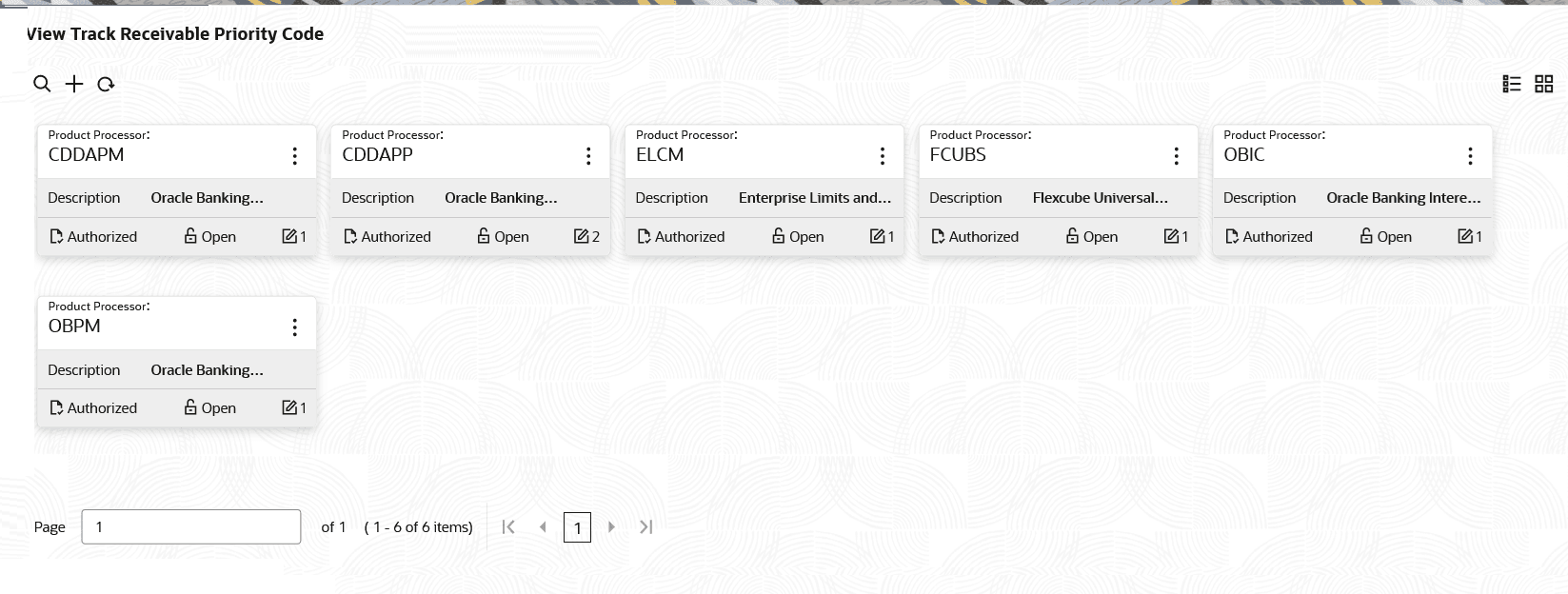
- Under Track Receivable Priority Code, click View Track Receivable Priority Code.The View Track Receivable Priority Code screen is displayed.
Figure 1-115 View Track Receivable Priority Code
For more information on fields, refer to the field description table.
Table 1-118 View Track Receivable Priority Code - Field Description
Field Description Product Processor Displays the product processor. Description Displays the description of the selected product processor. Authorization Status Displays the authorization status of the record. The options are:- Authorized
- Rejected
- Unauthorized
Record Status Displays the status of the record. The options are:- Open
- Closed
Modification Number Displays the number of modification performed on the record. - On the View Track Receivable Priority Code screen, click
 icon to Unlock, Delete, Authorize, Copy or View the created Priority Code.
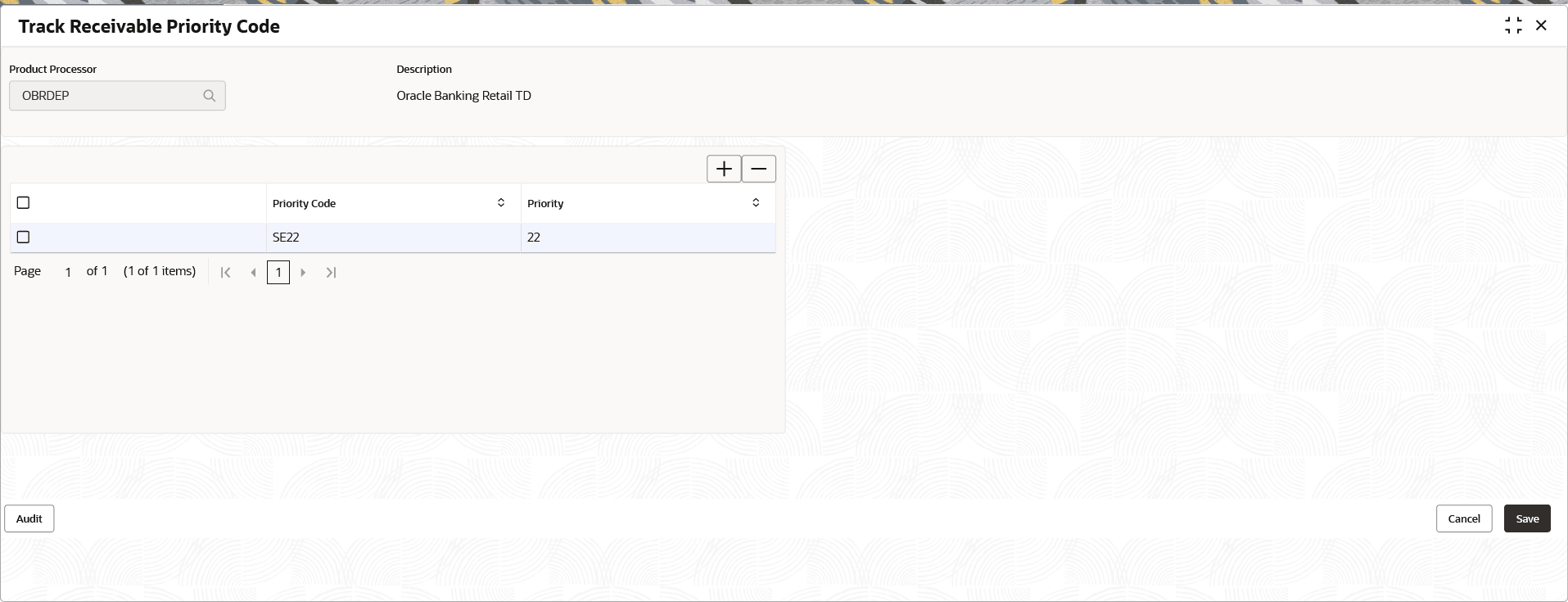
 - Click Unlock to modify the created priority code.The Track Receivable Priority Code - Modify screen is displayed.
Figure 1-116 Track Receivable Priority Code - Modify
For more information on fields, refer to the field description table.
Table 1-119 Track Receivable Priority Code – Modify - Field Description
Field Description Product Processor Displays the product processor. Description Displays the description of the selected product processor. Priority Code Specify the unique priority code for the selected product processor. Note: A single priority code can be linked to multiple products (example, PR02 can be linked to Interest and Charges).
Priority Specify the priority for the Priority Code. Note : This allows value between 00 to 99. And a lower numerical value denotes a higher settlement priority (example, '01' is processed before '10').
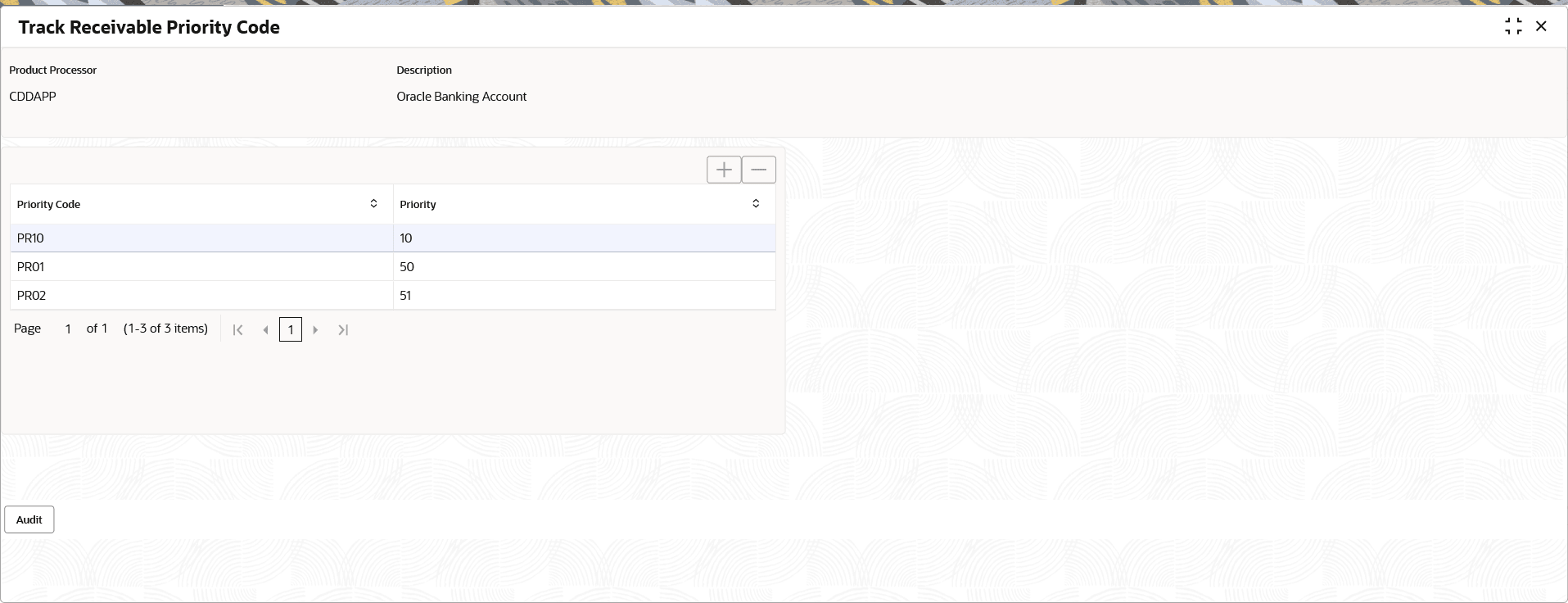
- Click View to view the created priority code.The Track Receivable Priority Code - View screen is displayed.
Figure 1-117 View Track Receivable Priority Code -Details
For more information on fields, refer to the field description table.
Table 1-120 Track Receivable Priority Code - View - Field Description
Field Description Product Processor Displays the product processor. Description Displays the description of the selected product processor. Priority Code Displays the unique priority code for the selected product processor. Priority Displays the priority for the Priority Code.
Parent topic: Track Receivable Priority Code