Viewing Execution Details of Cash Flow Edits Process
To view the execution details of the Cash Flow Edits Process, follow these steps:
- Navigate to the Cash Flow Edits Process Summary Page.
- Search for a Process.
- Click on the Action icon against the Cash Flow Edits Process Name and select Execution Details. The Execution Details window is displayed.
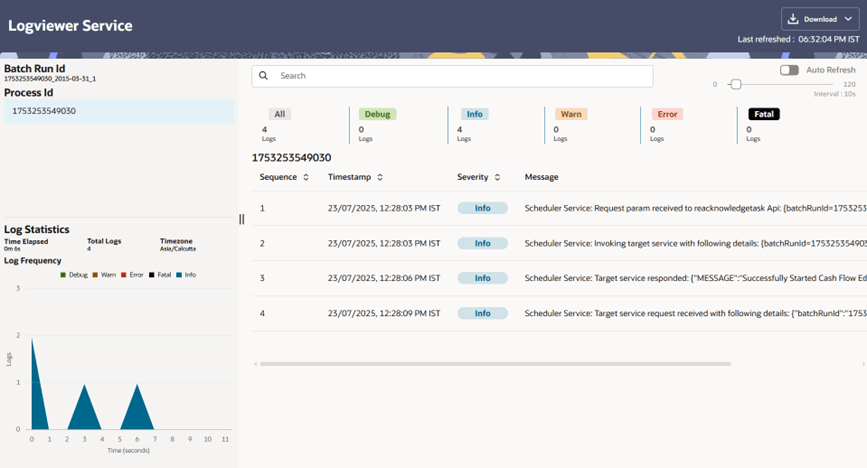
- Click any Execution ID to view the log details. The Logviewer window shows the complete details of process along with Batch Run ID Information.
- Click Download to export the details of cash flow edits in
csv format. This will help you to understand errors found in instrument
data. You can use the Auto Refresh button to refresh the log status in the
Logviewer window.
Figure 4-106 Logviewer window
- If process is executed in 'Non-preview' mode, then records which are
modified by Cash Flow Edits Process can be identified by looking at columns
CF_EDITS_BATCH_RUN_IDandUPDATED_BY_CF_EDITSin instrument processing table.