Adding a New Reconciliation Definition
The Create Reconciliation screen allows you to define a new Reconciliation Definition.
To add a new Reconciliation Definition, click the Add button on the summary screen.
Figure 4-54 Create Reconciliation Definition Screen
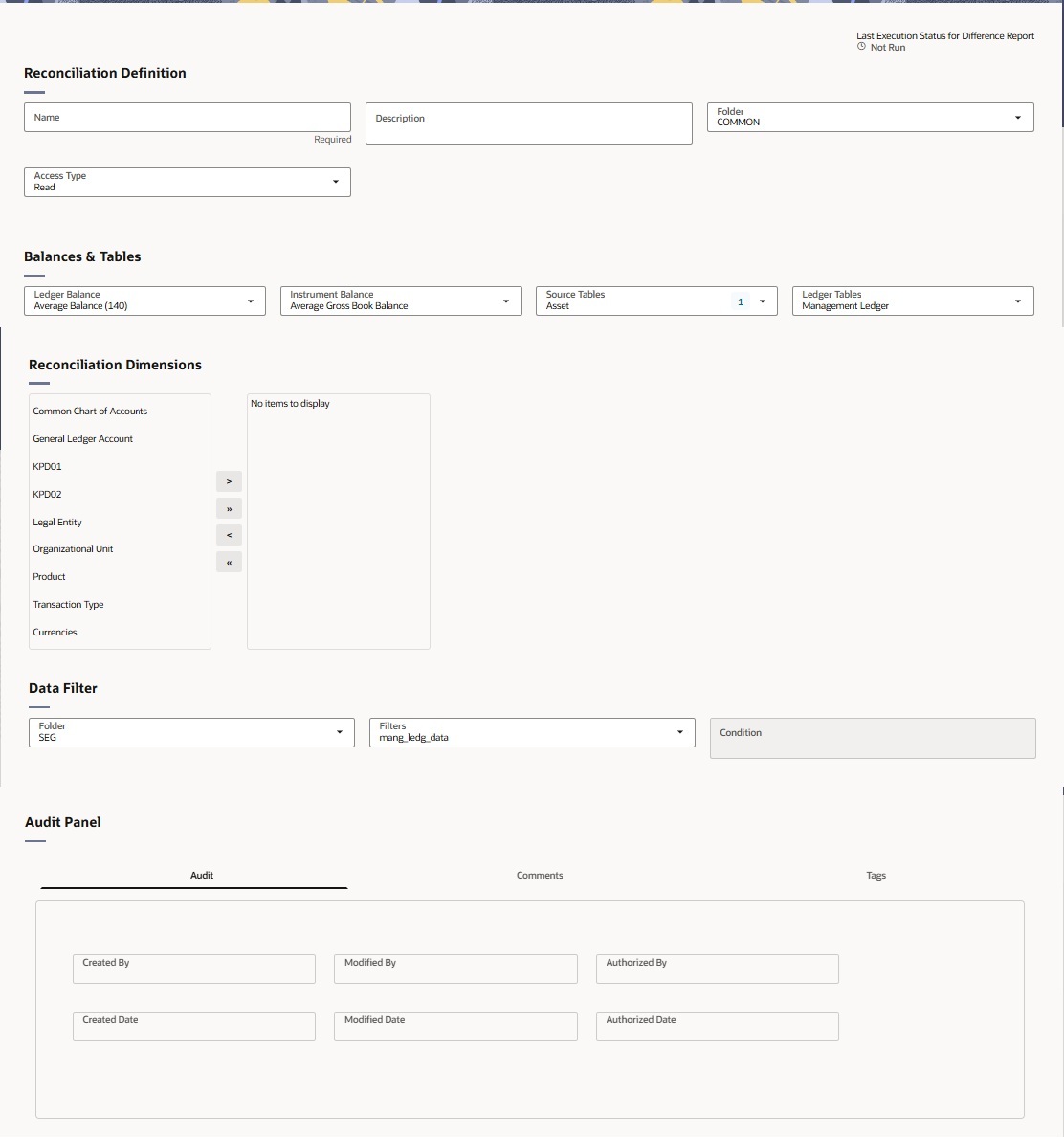
Reconciliation Definition setup allows you to select the Ledger Balance financial element, Instrument Balance measure, source table, ledger table, and reconciliation dimensions used for the reconciliation.
- Ledger Balance: Select the Management Ledger financial element to be reconciled. The list includes Average Balance (140), Ending Balance (100), and other configured leaf-level financial elements, such as accrued-interest and accumulated-balance elements.
- Instrument Balance: Select the instrument balance measure to compare with the selected ledger balance. Available options are Average Gross Book Balance, Current Par Balance, Current Gross Book Balance, Original Gross Book Balance, Original Par Balance, and activated placeholder balance columns.
- Source Tables: Select the instrument source table, such as Asset.
- Ledger Tables: Select the ledger table used for reconciliation along with the seeded management ledger; activated placeholder management ledgers are also available for selection.
For the selected source table, choose the reconciliation key dimensions. For example, you can reconcile by General Ledger Account ID and Currency, or at a more granular level by including Organization Unit and Legal Entity.
While selecting reconciliation key dimensions, you have the option to choose from activated placeholder dimensions as well along with seeded key dimensions.
Similarly, there is a seeded Management Ledger table, which is used by default for balance reconciliation against the selected portfolio of accounts. In the current user interface, only Management Ledger is available for selection in the Ledger Tables field.
Users can select the required additional ledger table during Balance Reconciliation setup and use it as part of the reconciliation process.
Note:
The Ledger Tables field displays Management Ledger via DME as the available ledger option.- In the Folder field, select the folder that contains the required saved filter. For example, select Common.
- In the Filters field, select the required portfolio filter. For example, select Data Filter 01.
- The Condition field displays the condition defined for the selected filter.