4.3 Forms Authorization
Note:
This functionality doesn’t work when CSRF is enabled. To disable CSRF, see the Update General Details section in the OFS Analytical Applications Infrastructure User GuideForms Authorization within the Data Entry Forms and Queries section of the Infrastructure System facilitates you to view and authorize/approve any changes that are made to the privileges assigned to a user in a particular Form.
You need to have the FRMAUTH function role mapped to access the Forms Authorization Window.
Note:
You cannot authorize or reject a right request created by you, even if you have the FRMAUTH Function role mapped.You can access the Forms Authorization Window from the left-hand side (LHS) menu of the Infrastructure home page. Click “+” and expand the Data Model Management and select Data Entry Forms and Queries.
Figure 24: Forms Authorization Window
Figure 4-25 Forms Authorization Window
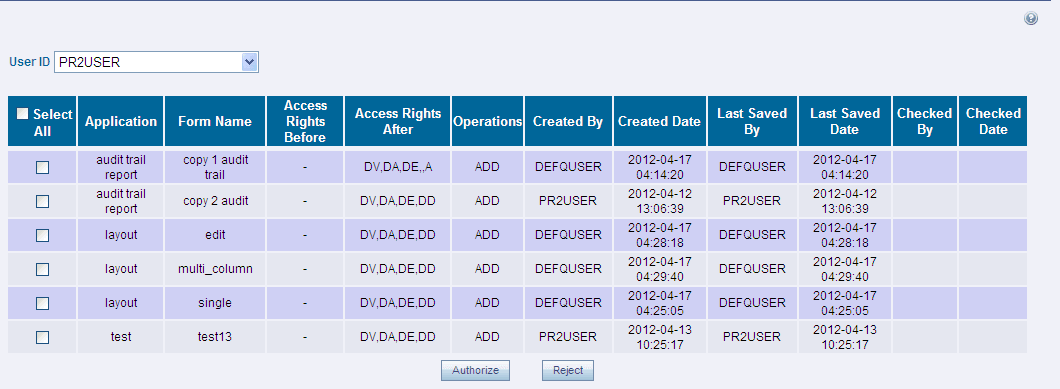
The Forms Authorization Window displays the list of privileges assigned to a user in different Forms. These privileges include create, view, modify, delete, authorize, and auto-authorize records. The Forms Authorization Window allows you to select a user from the drop-down list adjacent to the User ID Field. This field displays the User IDs associated with the selected Information Domain.
On selecting a user from the User ID Field, the columns in the Forms Authorization Window lists the grants requested for that user on different Forms as listed below.