4.2 Forms Designer
Note:
This functionality does not work when CSRF is enabled.Forms Designer within the Data Entry Forms and Queries Section facilitates you to design Web-based User-friendly Forms using the pre-defined layouts. You can access DEFQ - Forms Designer by expanding Data Management Framework and Data Entry Forms and Queries within the tree structure of the LHS menu and selecting Forms Designer.
Figure 4-5 Forms Designer Window
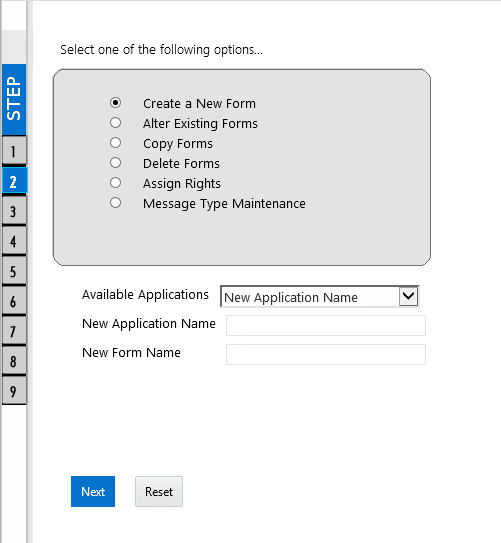
Figure 15: Forms Designer Window
The Window displays a list of pre-defined options to create, modify, and delete Forms. You can also assign rights and define messages. By default, the option to Create a New Form is selected and the left pane indicates the total steps involved in the process. The available options are as indicated below. Click on the links to view the section in detail.