4.4.5.2 Re-authorizing Deleted Records
You can re-authorize the delete action when an Authorized Record has been deleted by other users. When an Authorized Record is deleted, the status flag (AuthFlag) is set to “D” indicating that the record has been deleted and needs re-authorization.
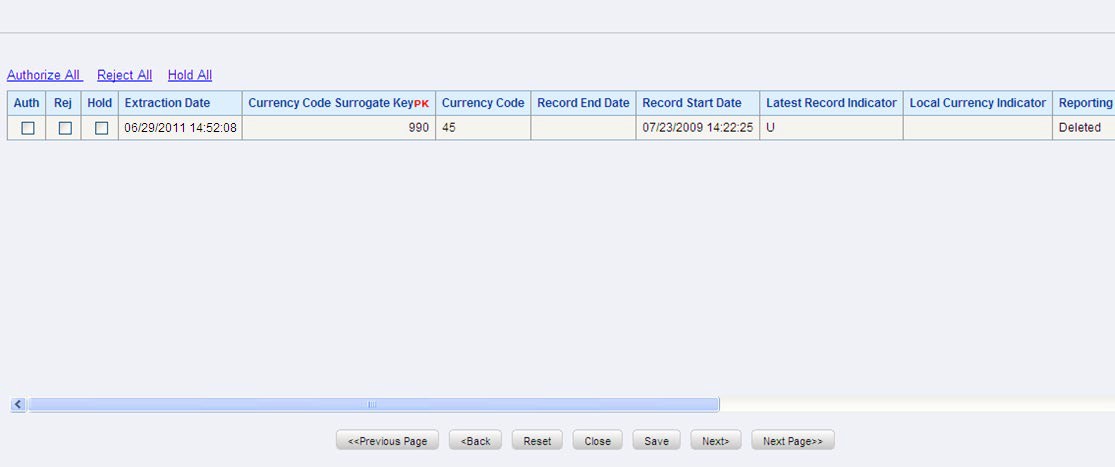
Figure 4-36 DEFQ - Data Entry Re-Authorize Deleted Records Window
To re-authorize deleted records in the DEFQ - Data Entry Window:
- Open the required Form in view mode and click
.
Figure 4-37 Icon

The list of available records with the Authorization status is displayed. If there are “no records” for Authorization in the selected Information Domain, an alert message is displayed.
- Click Reauthorize Deleted Records . The DEFQ Authorization Window is displayed.
- Select the “Auth” check box adjacent to the required record.
- Click Save .
On re-authorization, a confirmation message is displayed.
You can also select the check box adjacent to “Rej” to reject the record, or “Hold” to re-authorize or reject at a later point. A message is sent to the Form creator indicating that records are authorized/rejected/put on hold.