5 Identity Management Reports
This chapter includes the keystroke reference details for the following Report related modules:
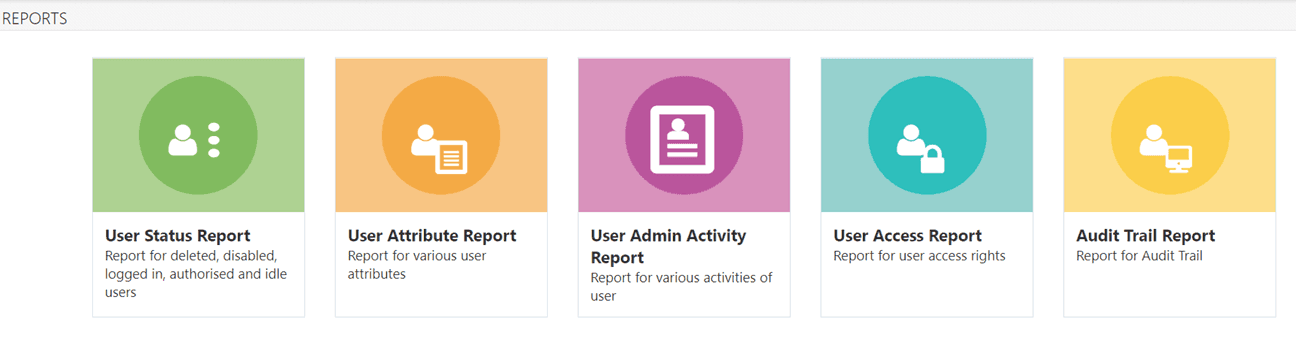
- User Status Report
- User Attribute Report
- User Admin Activity Report
- User Access Report
- Audit Trail Report
Figure 5-1 OFSDF Reports Page
User Status Report
Table 5-1 Keystroke References for the Controls in User Status Report Section
| UI Control | How Does the UI Control Look | List of UI Controls on the Screen | Keystrokes to Access This UI Control |
|---|---|---|---|
| oj-navigation-list |
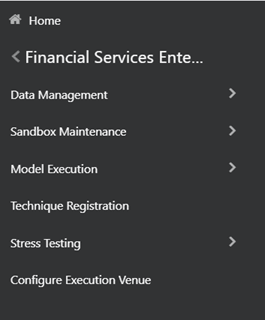 |
Navigation Drawer | OJET Navigation List (oj-navigation-list) |
|
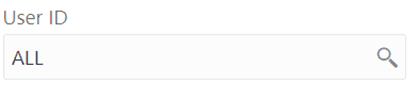
oj-input-search |
 |
|
OJET Search Box (oj-input-search) |
|
oj-checkbox |
 |
Disabled Users Deleted Users Currently Logged in Users |
OJET Checkbox (oj-checkbox) |
| oj-button |  |
Reset | OJET Button (oj-button) |
| oj-button |  |
Search |
OJET Button (oj-button) |
| oj-grid |  |
Grid | OJET Grid (oj-grid) |
| oj-menu |  |
Export |
OJET Context Menus (oj-menu) |
| html5-pagination |  |
Pagination | HTML Pagination Panel (html5-pagination) |
User Attribute Report
Table 5-2 Keystroke References for the Controls in User Attribute Report Section
| UI Control | How Does the UI Control Look | List of UI Controls on the Screen | Keystrokes to Access This UI Control |
|---|---|---|---|
|
oj-input-search |
|
|
OJET Search Box (oj-input-search) |
| oj-button | |
Reset | OJET Button (oj-button) |
| oj-button | |
Search |
OJET Button (oj-button) |
| oj-grid |  |
Grid | OJET Grid (oj-grid) |
| oj-menu | |
Export |
OJET Context Menus (oj-menu) |
| html5-pagination | |
Pagination | HTML Pagination Panel (html5-pagination) |
User Admin Activity Report
Table 5-3 Keystroke References for the Controls in User Admin Activity Report Section
| UI Control | How Does the UI Control Look | List of UI Controls on the Screen | Keystrokes to Access This UI Control |
|---|---|---|---|
|
oj-input-search |
|
|
OJET Search Box (oj-input-search) |
|
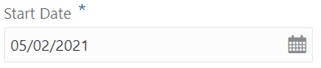
oj-datetime |
 |
|
OJET Date or DateTime (oj-datetime / oj-calendar) |
| oj-button | |
Reset | OJET Button (oj-button) |
| oj-button | |
Search |
OJET Button (oj-button) |
| oj-grid | |
Grid | OJET Grid (oj-grid) |
| oj-menu | |
Export |
OJET Context Menus (oj-menu) |
| html5-pagination | |
Pagination | HTML Pagination Panel (html5-pagination) |
User Access Report
Table 5-4 Keystroke References for the Controls in User Access Report Section
| UI Control | How Does the UI Control Look | List of UI Controls on the Screen | Keystrokes to Access This UI Control |
|---|---|---|---|
|
oj-input-search |
|
|
OJET Search Box (oj-input-search) |
| oj-button | |
Reset | OJET Button (oj-button) |
| oj-button | |
Search |
OJET Button (oj-button) |
| oj-grid | |
Grid | OJET Grid (oj-grid) |
| oj-menu | |
Export |
OJET Context Menus (oj-menu) |
| html5-pagination | |
Pagination | HTML Pagination Panel (html5-pagination) |
Audit Trail Report
Table 5-5 Keystroke References for the Controls in Audit Trail Report Section
| UI Control | How Does the UI Control Look | List of UI Controls on the Screen | Keystrokes to Access This UI Control |
|---|---|---|---|
| oj-input-search |  |
|
HTML Textbox (html5-textbox) |
| oj-select-single | 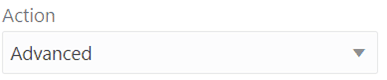 |
Action | OJET Select Single (oj-select-single) |
| oj-calendar |  |
|
OJET Date or DateTime (oj-datetime / oj-calendar) |
| oj-button | |
Reset | OJET Button (oj-button) |
| oj-button | |
Search |
OJET Button (oj-button) |
| oj-grid | |
Grid | OJET Grid (oj-grid) |
| oj-menu | |
Export |
OJET Context Menus (oj-menu) |
| html5-pagination | |
Pagination | HTML Pagination Panel (html5-pagination) |