4.10 Process Modelling Framework
This section includes the keystroke reference details for the Process Modelling Framework Module.
Figure 4-5 Process Modelling Framework Module
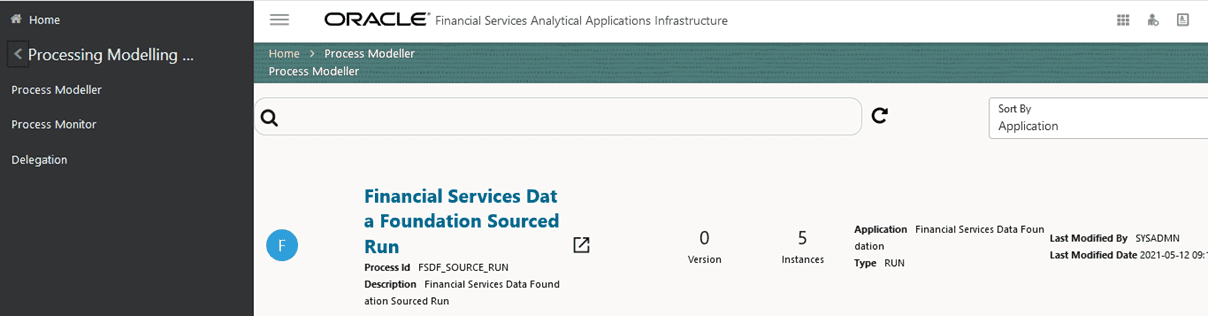
Process Modeller/Process Monitor Summary
Table 4-53 Keystroke References for the Controls in the Process Modeller/Process Monitor Summary Page
| UI Control | How Does the UI Control Look | List of UI Controls on the Screen | Keystrokes to Access This UI Control |
|---|---|---|---|
| cca-pmf-breadcrumbs |  |
|
OJET CCA Breadcrumb (oj-cca-breadcrumb) |
| oj-input-number |  |
Refresh Interval (In Min) | OJET Input Number (oj-input-number) |
| oj-cca-summary-search | 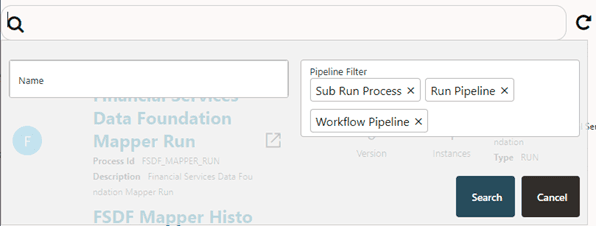
|
Summary Search | OJET CCA Summary Search (oj-cca-summary-search) |
| oj-input-text | 
|
Name | OJET Textbox (oj-input-text) |
| oj-select-many |  |
Pipeline Filter | OJET Select Many (oj-select-many) |
| oj-select-single | 
|
|
OJET Select Single (oj-select-single) |
| oj-cca-list-view | 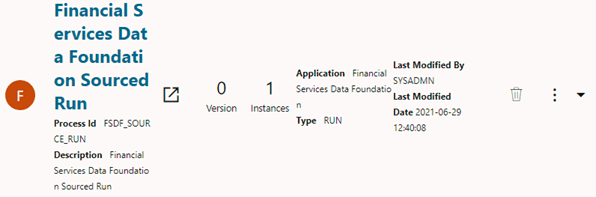
|
List View | OJET CCA List View (oj-cca-list-view) |
| oj-button | 
|
Add | OJET Button (oj-button) |
| oj-button |  |
Process Monitor | OJET Button (oj-button) |
| oj-button |  |
Process Modeler | OJET Button (oj-button) |
| oj-button | 
|
Process Modeller/Process Monitor Help | OJET Button (oj-button) |
| oj-button | 
|
Apply | OJET Button (oj-button) |
| oj-button | 
|
Refresh | OJET Button (oj-button) |
| oj-button | 
|
Search | OJET Button (oj-button) |
| oj-button | 
|
Cancel | OJET Button (oj-button) |
| oj-button | 
|
Launch Process in New Window | OJET Button (oj-button) |
| oj-button | 
|
Delete | OJET Button (oj-button) |
| oj-button | 
|
Menu | OJET Button (oj-button) |
| oj-menu | 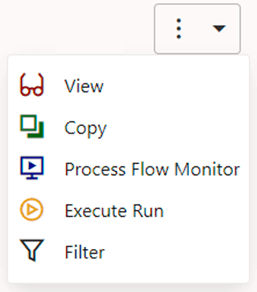
|
Process Modeller Menu | OJET Context Menus (oj-menu) |
| oj-menu | 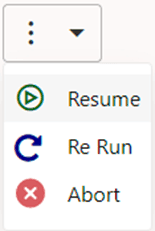
|
Process Monitor Menu | OJET Context Menus (oj-menu) |
| oj-cca-pagination | 
|
Page | OJET CCA Pagination (oj-cca-pagination) |
| oj-input-number | 
|
Records | OJET Input Number (oj-input-number) |
Details
This section includes the keystroke reference details for the Process Modeller/Process Monitor details Module.
Process Flow
Table 4-54 Keystroke References for the Controls in the Process Flow Page
| UI Control | How Does the UI Control Look | List of UI Controls on the Screen | Keystrokes to Access This UI Control |
|---|---|---|---|
| cca-pmf-Breadcrumbs | 
|
|
OJET CCA Breadcrumb (oj-cca-breadcrumb) |
| oj-button | 
|
Definition | OJET Button (oj-button) |
| oj-button |
|
Help | OJET Button (oj-button) |
| oj-button | 
|
Timer | OJET Button (oj-button) |
| oj-button | 
|
Data Fields | OJET Button (oj-button) |
| oj-button | 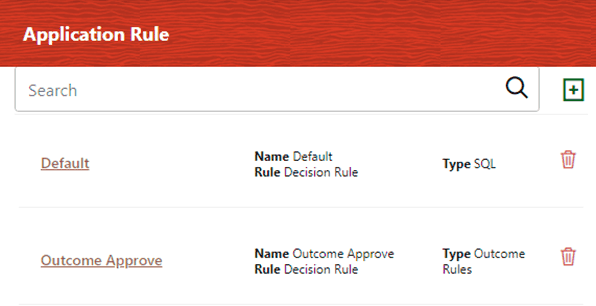
|
Application Rule | OJET Button (oj-button) |
| oj-button | 
|
Execution | OJET Button (oj-button) |
| oj-button | 
|
Save | OJET Button (oj-button) |
| oj-button | 
|
Show Entire Label | OJET Button (oj-button) |
| oj-button | 
|
Show Navigator | OJET Button (oj-button) |
| oj-button |
|
Refresh | OJET Button (oj-button) |
| oj-accordion | 
|
Accordion | OJET Accordion (oj-accordion) |
| oj-button | 
|
Expand/Collapse button | OJET Button (oj-button) |
| oj-input-text | 
|
Search | OJET Textbox (oj-input-text) |
| oj-canvas-diagram | 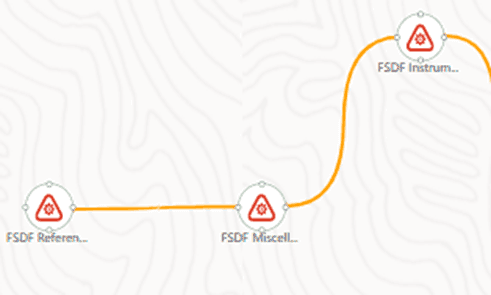
|
PMF Canvas | OJET Canvas Diagram (oj-canvas-diagram) |
Process Modeller/Process Monitor Details
This section includes the keystroke reference details for the Process Modeller/Process Monitor details Module.
Table 4-55 Keystroke References for the Controls in the Process Flow – Process Details Section
| UI Control | How Does the UI Control Look | List of UI Controls on the Screen | Keystrokes to Access This UI Control |
|---|---|---|---|
| oj-dialog | 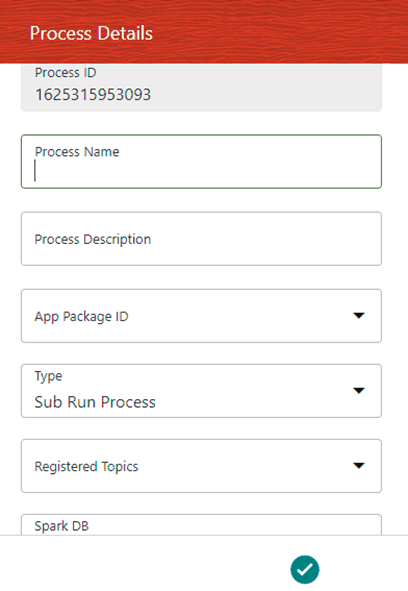
|
Process Details | OJET Dialog (oj-dialog) |
| oj-textbox | 
|
|
OJET Textbox (oj-input-text) |
| oj-select-single | 
|
|
OJET Select Single (oj-select-single) |
| oj-button | 
|
Apply | OJET Button (oj-button) |
| oj-button | 
|
Close | OJET Button (oj-button) |
| oj-button | 
|
Accept | OJET Button (oj-button) |
| oj-messages | 
|
Delete Confirmation Message | OJET Messages (oj-messages) |
Definition Section
Table 4-56 Keystroke References for the Controls in the Process Flow – Definition Section
| UI Control | How Does the UI Control Look | List of UI Controls on the Screen | Keystrokes to Access This UI Control |
|---|---|---|---|
| oj-dialog | 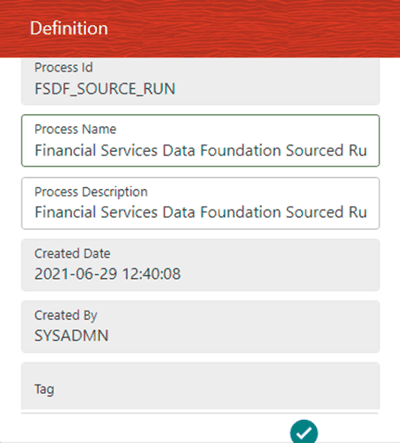
|
Definition | OJET Dialog (oj-dialog) |
| oj-textbox | 
|
|
OJET Textbox (oj-input-text) |
| oj-button |
|
Apply | OJET Button (oj-button) |
| oj-button | 
|
Apply | OJET Button (oj-button) |
| oj-button | 
|
Close | OJET Button (oj-button) |
Timer Section
Table 4-57 Keystroke References for the Controls in the Process Flow - Timer Section
| UI Control | How Does the UI Control Look | List of UI Controls on the Screen | Keystrokes to Access This UI Control |
|---|---|---|---|
| oj-dialog | 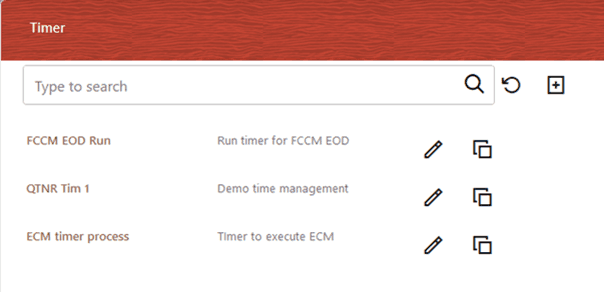
|
Timer | OJET Dialog (oj-dialog) |
| oj-input-text | 
|
Search Control for:
|
OJET Button (oj-button) |
| oj-button | 
|
Reset | OJET Button (oj-button) |
| oj-button | 
|
Add | OJET Button (oj-button) |
| oj-button | 
|
Edit | OJET Button (oj-button) |
| oj-button | 
|
Copy | OJET Button (oj-button) |
| oj-button | 
|
Back | OJET Button (oj-button) |
| oj-button | 
|
Apply | OJET Button (oj-button) |
| oj-tabs |  |
|
OJET Tabs (oj-tabs) |
| oj-textbox |
|
|
OJET Textbox (oj-input-text) |
| html5-checkbox | 
|
|
HTML Checkbox (html5-checkbox) |
| oj-datetime | 
|
Applicable Date | OJET Date or DateTime (oj-datetime / oj-calendar) |
| oj-radio | 
|
|
OJET Radio (oj-radio) |
| oj-switch | 
|
Is Enabled | OJET Switch (oj-switch) |
Data Fields Section
Table 4-58 Keystroke References for the Controls in the Process Flow - Data Fields Section
| UI Control | How Does the UI Control Look | List of UI Controls on the Screen | Keystrokes to Access This UI Control |
|---|---|---|---|
| oj-dialog | 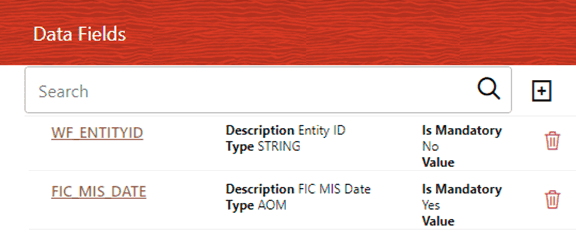
|
Data Fields | OJET Dialog (oj-dialog) |
| oj-input-text | 
|
Data Fields | OJET Textbox (oj-input-text) |
| oj-list-view | 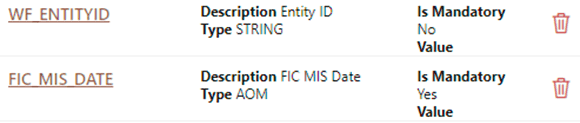
|
List View for Data Fields | OJET List View (oj-listview) |
| oj-button |
|
Add | OJET Button (oj-button) |
| oj-button | 
|
Delete | OJET Button (oj-button) |
| oj-button | 
|
|
OJET Button (oj-button) |
| oj-button |
|
Back | OJET Button (oj-button) |
| oj-button |
|
Apply | OJET Button (oj-button) |
| oj-textbox | 
|
|
OJET Textbox (oj-input-text) |
| oj-select-single |
|
|
OJET Select Single (oj-select-single) |
Application Rule Section
Table 4-59 Keystroke References for the Controls in the Process Flow – Application Rule Section
| UI Control | How Does the UI Control Look | List of UI Controls on the Screen | Keystrokes to Access This UI Control |
|---|---|---|---|
| oj-dialog |
|
Application Rule | OJET Dialog (oj-dialog) |
| oj-input-text |
|
Application Rule | OJET Textbox (oj-input-text) |
| oj-list-view | 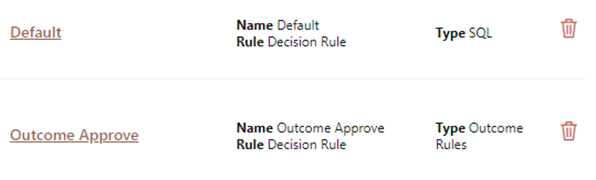
|
List View for Application Rule | OJET List View (oj-listview) |
| oj-button |
|
Add | OJET Button (oj-button) |
| oj-button |
|
Delete | OJET Button (oj-button) |
| oj-button | 
|
Help | OJET Button (oj-button) |
| oj-button | 
|
|
OJET Button (oj-button) |
| oj-button |
|
Back | OJET Button (oj-button) |
| oj-button |
|
Apply | OJET Button (oj-button) |
| oj-textbox |
|
|
OJET Textbox (oj-input-text) |
| oj-select-single | 
|
|
OJET Select Single (oj-select-single) |
| html5-new-expression-builder | 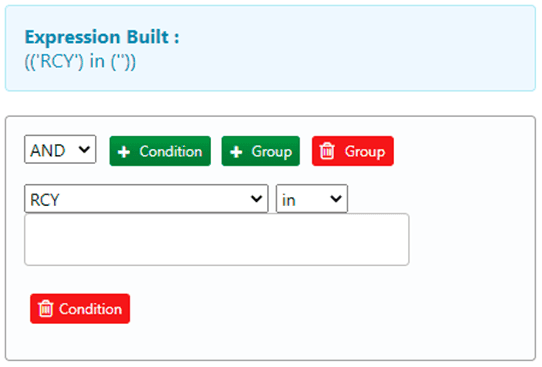
|
Expression Builder | HTML New Expression Builder (html5-new-expression-builder) |
Execution Section
Table 4-60 Keystroke References for the Controls in the Process Flow – Execution Section
| UI Control | How Does the UI Control Look | List of UI Controls on the Screen | Keystrokes to Access This UI Control |
|---|---|---|---|
| oj-dialog | 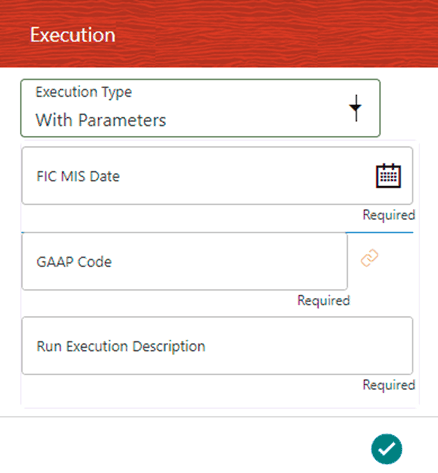 |
Execution Dialog with parameters | OJET Dialog (oj-dialog) |
| oj-dialog | 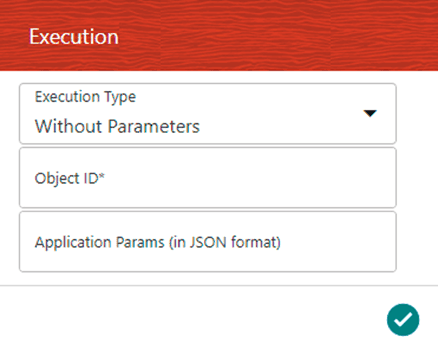 |
Execution Dialog without parameters | OJET Dialog (oj-dialog) |
| oj-select-single |  |
|
OJET Select Single (oj-select-single) |
| oj-datetime | 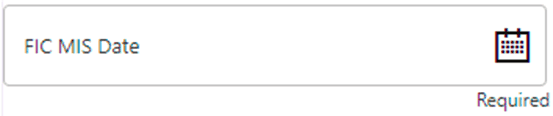 |
FIC MIS Date | OJET Date or DateTime (oj-datetime / oj-calendar) |
| oj-textbox |  |
|
OJET Textbox (oj-input-text) |
| oj-text-input |  |
|
OJET Textbox (oj-input-text) |
| oj-text-input | 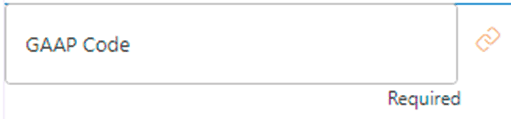 |
GAAP Code | OJET Textbox (oj-input-text) |
| oj-button |  |
Browser launch button | OJET Button (oj-button) |
| oj-button | |
Apply | OJET Button (oj-button) |
| oj-button |  |
Search | OJET Button (oj-button) |
| oj-button |  |
Reset | OJET Button (oj-button) |
| oj-button |  |
Cancel | OJET Button (oj-button) |
| oj-button |  |
Ok | OJET Button (oj-button) |
| oj-button | |
Close | OJET Button (oj-button) |
| oj-button |  |
Search | OJET Button (oj-button) |
| oj-button |  |
Sort with Path | OJET Button (oj-button) |
| oj-button |  |
Sort Hierarchy (Top to Bottom) | OJET Button (oj-button) |
| oj-button |  |
Sort Level (High to Low) | OJET Button (oj-button) |
| oj-button |  |
Expand All | OJET Button (oj-button) |
| oj-button |  |
Collapse All | OJET Button (oj-button) |
| oj-button |  |
Expand Branch | OJET Button (oj-button) |
| oj-button |  |
Collapse Branch | OJET Button (oj-button) |
| oj-button |  |
Focus | OJET Button (oj-button) |
| oj-button |  |
Unfocus | OJET Button (oj-button) |
| oj-button |  |
Show Unique Code Values (Right) | OJET Button (oj-button) |
| oj-button |  |
Show Alphanumeric Code Values (Right) | OJET Button (oj-button) |
| oj-button |  |
Previous | OJET Button (oj-button) |
| oj-button |  |
Next | OJET Button (oj-button) |
| oj-button |  |
Search | OJET Button (oj-button) |
| oj-button | |
Reset | OJET Button (oj-button) |
| oj-tabs |  |
|
OJET Tabs (oj-tabs) |
| oj-hierarchy-browser-shuttle | 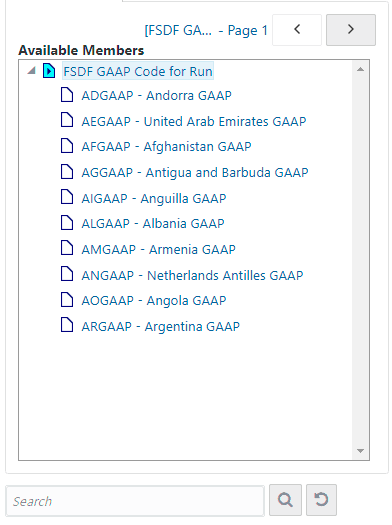 |
Hierarchy Browser | OJET Hierarchy Browser Shuttle (oj-hierarchy-browser-shuttle) |
PMF Activities Section
The PMF Activities are Start, Human Task, Service Task, Sub Pipeline, Parallel Gateway, Sequential Gateway, Multichoice Gateway, Connector, RuleType3, MFModel, Run, DataQualityGroups, RunExecutable, LoadT2T, TransformDT, and RuleType2.
Table 4-61 Keystroke References for the Controls of the PMF Activities in the Process Modeller and Process Monitor
| UI Control | How Does the UI Control Look | List of UI Controls on the Screen | Keystrokes to Access This UI Control |
|---|---|---|---|
| oj-dialog | 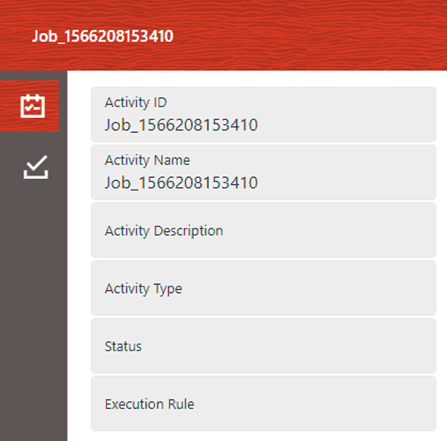
|
|
OJET Dialog (oj-dialog) |
| oj-tabs |  |
|
OJET Tabs (oj-tabs) |
| oj-tabs |  |
|
OJET Tabs (oj-tabs) |
| oj-button |
|
Add | OJET Button (oj-button) |
| oj-button | 
|
Execution Logs | OJET Button (oj-button) |
| oj-button |  |
Transition | OJET Button (oj-button) |
| oj-button |
|
Delete | OJET Button (oj-button) |
| oj-button | 
|
Group Approval | OJET Button (oj-button) |
| oj-button |
|
Search | OJET Button (oj-button) |
| oj-button | 
|
Reset | OJET Button (oj-button) |
| oj-button | 
|
View Log | OJET Button (oj-button) |
| oj-button | 
|
Download | OJET Button (oj-button) |
| oj-button |
|
Apply | OJET Button (oj-button) |
| oj-textbox | 
|
|
OJET Textbox (oj-input-text) |
| oj-select-single | 
|
|
OJET Select Single (oj-select-single) |
| oj-input-text | 
|
|
OJET Textbox (oj-input-text) |
| oj-list-view | 
|
|
OJET List View (oj-listview) |
| oj-control-specific-help | 
|
Control specific help | OJET Control Specific Help (oj-control-specific-help) |
| oj-input-text | 
|
|
OJET Textbox (oj-input-text) |
| oj-radio | 
|
|
OJET Radio (oj-radio) |
| oj-collapse | 
|
|
OJET Expand/Collapse (oj-collapse ) |
| oj-input-number | 
|
|
OJET Input Number (oj-input-number) |
| oj-datetime | 
|
FIC MIS Date | OJET Date or DateTime (oj-datetime / oj-calendar) |
| oj-textarea | 
|
Log File Contents | OJET Textarea (oj-textarea) |
For information about the Application Rule UI controls, see the Application Rule Section above.
Sub-process Details
Table 4-62 Keystroke References for the Controls in the Process Flow Sub-Process Details Section
| UI Control | How Does the UI Control Look | List of UI Controls on the Screen | Keystrokes to Access This UI Control |
|---|---|---|---|
| oj-dialog | 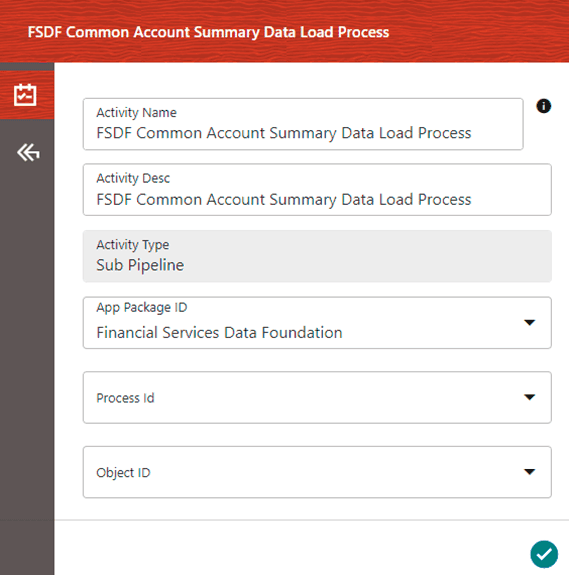
|
|
OJET Dialog (oj-dialog) |
| oj-textbox | 
|
|
OJET Textbox (oj-input-text) |
| oj-select-single |
|
|
OJET Select Single (oj-select-single) |
| oj-tabs |  |
|
OJET Tabs (oj-tabs) |
| oj-control-specific-help |
|
Control specific help | OJET Control Specific Help (oj-control-specific-help) |
| oj-list-view |
|
Job ID | OJET List View (oj-listview) |
| oj-input-text |
|
Decision Rule | OJET Textbox (oj-input-text) |
| oj-input-text |
|
Application Rule | OJET Textbox (oj-input-text) |
| oj-radio |
|
|
OJET Radio (oj-radio) |
| oj-button |  |
Save | OJET Button (oj-button) |
See the Application Rule Section, for information about the Application Rule UI Controls.
Filter Section
Table 4-63 Keystroke References for the Controls in the Process Modeller – Filter Section
| UI Control | How Does the UI Control Look | List of UI Controls on the Screen | Keystrokes to Access This UI Control |
|---|---|---|---|
| oj-dialog | 
|
Filter | OJET Dialog (oj-dialog) |
| oj-select-single | 
|
|
OJET Select Single (oj-select-single) |
| oj-list-view | 
|
List View for the selected Filter value | OJET List View (oj-listview) |
| oj-button |
|
Add | OJET Button (oj-button) |
| oj-button | 
|
Expand | OJET Button (oj-button) |
| oj-button |
|
Delete | OJET Button (oj-button) |
| oj-button |
|
Apply | OJET Button (oj-button) |
| oj-button |
|
Search | OJET Button (oj-button) |
| oj-button |
|
Reset | OJET Button (oj-button) |
| oj-button |
|
Cancel | OJET Button (oj-button) |
| oj-button | |
Ok | OJET Button (oj-button) |
| oj-button |
|
Close | OJET Button (oj-button) |
| oj-button |
|
Search | OJET Button (oj-button) |
| oj-button |
|
Sort with Path | OJET Button (oj-button) |
| oj-button |
|
Sort Hierarchy (Top to Bottom) | OJET Button (oj-button) |
| oj-button |
|
Sort Level (High to Low) | OJET Button (oj-button) |
| oj-button |
|
Expand All | OJET Button (oj-button) |
| oj-button |
|
Collapse All | OJET Button (oj-button) |
| oj-button |
|
Expand Branch | OJET Button (oj-button) |
| oj-button |
|
Collapse Branch | OJET Button (oj-button) |
| oj-button |
|
Focus | OJET Button (oj-button) |
| oj-button |
|
Unfocus | OJET Button (oj-button) |
| oj-button |
|
Show Unique Code Values (Right) | OJET Button (oj-button) |
| oj-button |
|
Show Alphanumeric Code Values (Right) | OJET Button (oj-button) |
| oj-button |
|
Previous | OJET Button (oj-button) |
| oj-button |
|
Next | OJET Button (oj-button) |
| oj-button |
|
Search | OJET Button (oj-button) |
| oj-button |
|
Reset | OJET Button (oj-button) |
| oj-tabs |
|
|
OJET Tabs (oj-tabs) |
| oj-hierarchy-browser-shuttle | 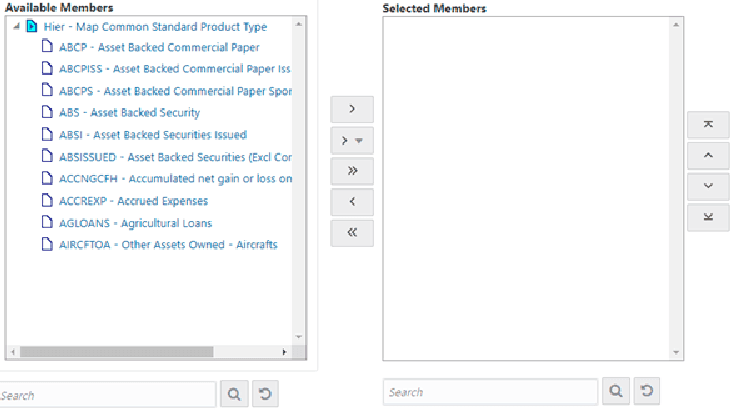
|
Hierarchy Browser Shuttle | OJET Hierarchy Browser Shuttle (oj-hierarchy-browser-shuttle) |
Messages
Table 4-64 Keystroke References for the Controls in the messages of the Process Modelling Framework
| UI Control | How Does the UI Control Look | List of UI Controls on the Screen | Keystrokes to Access This UI Control |
|---|---|---|---|
| oj-messages | 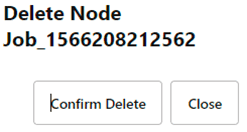
|
|
OJET Messages (oj-messages) |
| oj-button | 
|
Confirm Delete | OJET Button (oj-button) |
| oj-button |
|
Close | OJET Button (oj-button) |
| oj-button | |
Save | OJET Button (oj-button) |