D.1 Creating EAR/WAR File
This section describes how to create the EAR/WAR file.
To create EAR/WAR File, follow these steps:
- Navigate to the $FIC_WEB_HOME directory on the OFSAA Installed server.
- Execute ./ant.sh to trigger the creation of EAR/WAR file.
- On completion of the EAR files creation, a message is displayed with timestamp
and you will be returned to the prompt.
Figure D-1 Creating EAR/ WAR File
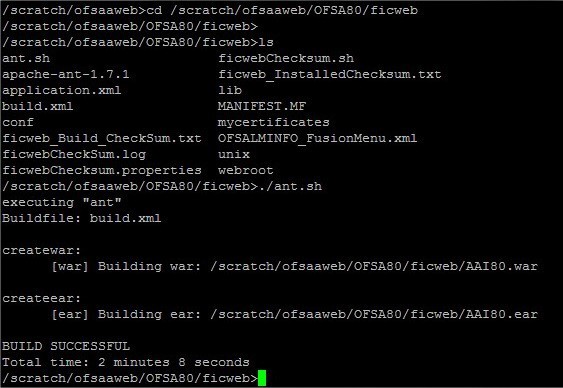
The EAR/WAR file - <contextname>.ear/ .war is created.
Note:
- The <contextname> is the name given during installation. This process overwrites any existing version of EAR file that exists in the path.
- In case of OFSAA configured on Tomcat installation, <contextname>.war is created.
- If a heap space error occurs when the War file is generated, execute
the following command in Putty.
export ANT_OPTS=-Xmx1024m