T.2 Error Dictionary
This contents of this section has been created with the interest to help you resolve the installation issues if any. There is a compilation of all the possible errors that might arise during the installation process with the possible cause and the resolution to quickly fix the issue and proceed further with the installation.
Accessing Error Dictionary
Instead of scrolling through the document to find the error code, you can use the PDF search functionality. In the Finddialog available in any of the Adobe Acrobat version that you are using to view the PDF document, follow the below instructions to quickly find the error resolution.
- With the Installation PDF open, press Ctrl+F or select Edit >Find.
- The Find dialog is displayed as indicated.
- Enter the error code that is displayed on screen during Infrastructure installation.
- Press Enter. The search results are displayed and highlighted as indicated
below.
Figure T-2 Error Code (Cause and Resolution)
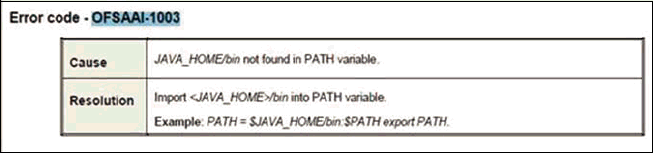
View the details of the issues, its cause, and resolution specific to the error code. Repeat the step to find an answer to any other errors that you notice during installation. If you are not able to resolve the issue even after following the steps provided in resolution, you can contact support.oracle.com along with log files and appropriate screen shots.
Error Code Dictionary
Error Code -OFSAAI-1001Cause: Unix shell is not "korn" shell.
Note:
The chsh command is not available in Solaris OS.Cause: No proper arguments are available.
Resolution: Provide proper arguments. Invoke Setup.sh using Silent mode.
For example: ./Setup.sh SILENT
Error Code -OFSAAI-1004Cause: File .profile is not present in $HOME.
Resolution: Create .profile in $HOME, i.e. in the home directory of user.
Error Code -OFSAAI-1005Cause: File OFSAAInfrastructure.bin is not present in current folder.
Resolution: Copy OFSAAInfrastructure.bin into the installation kit directory.
Error Code -OFSAAI-1006Cause: File CustReg.DAT is not present in current folder.
Resolution: Copy CustReg.DAT into the installation kit directory.
Error Code -OFSAAI-1007Cause: File OFSAAI_InstallConfig.xml is not present in current folder.
Resolution: Copy OFSAAI_InstallConfig.xml the into installation kit directory.
Error Code -OFSAAI-1008Cause: File validateXMLInputs.jar is not present in current folder.
Resolution: Copy validateXMLInputs.jar into installation kit directory.
Error Code -OFSAAI-1009Cause: File log4j.xml is not present in current folder.
Resolution: Copy log4j.xml into the installation kit directory.
Error Code -OFSAAI-1010Cause: Unknown error occurred.
Resolution: Make sure to provide proper argument (Silent) to the Setup.sh file.
Error Code -OFSAAI-1011Cause: XML validation failed.
Resolution: Check the InfrastructurePreValidations.Log for more details.
Error Code -OFSAAI-1012Cause: Property file with locale name does not exist.
Resolution:Copy MyResources_en_US.properties to the setup kit directory and keep en_US in LOCALE tag of OFSAAI_InstallConfig.xml.
Error Code -OFSAAI-1013Cause: File OFSAAI_InstallConfig.xml/OFSAAI_PostInstallConfig.xml not found.
Resolution: Copy OFSAAI_InstallConfig.xml/OFSAAI_PostInstallConfig.xml to the setup kit directory.
Error Code -OFSAAI-1014Cause: XML node value is blank.
Resolution: Make sure all node values except SMTPSERVER, PROXYHOST, PROXYPORT, PROXYUSERNAME, PROXYPASSWORD, NONPROXYHOST, or RAC_URL are not blank.
Error Code -OFSAAI-1015Cause: XML is not well formed.
Resolution: Execute the command dos2unix OFSAAI_InstallConfig.xml to convert plain text file from DOS/MAC format to UNIX format.
OR
Make sure that OFSAAI_InstallConfig.xml is valid. Try to open the file through Internet Explorer for a quick way to check validity. If it is not getting opened, create new OFSAAI_InstallConfig.xml using the XML_ Utility.jar.
Error Code -OFSAAI-1016Cause: User installation directory contain blank spaces.
Resolution: Provide an installation path that does not contain spaces. Check the tag USER_INSTALL_DIR in OFSAAI_InstallConfig.xml file. This path must not contain any spaces.
Error Code -OFSAAI-1017Cause: User installation directory is invalid.
Resolution: Provide a valid installation path. Check if you are able to create the directory mentioned in
USER_INSTALL_DIR tag value of OFSAAI_ InstallConfig.xml file.
Java Console Error Messege - java.io.IOException: invalid SHA1 signature fileCause: While accessing the Scenario Wizard JNLP file the error message is displayed.
Resolution: To fix the issue, follow these steps:- Navigate to path: deployedArea/SMLiteWeb/lib and deployedArea/SMLiteWeb/WEB- INF/lib.
- Run the following command to remove files from both the
orabpel.jarfiles:
zip -d orabpel.jar 'META-INF/SUN_MICR.SF' 'META-INF/SUN_MICR.RSA' - Restart the server and re-launch the Scenario Wizard JNLP file.