Watch List Match
Use this dashboard to view the Customers who are on the high watch list flag and view the results which are false positive, confirmed, or unverified by the user.
To generate a Watch List Match Report, follow these steps:
- Navigate to the MIS Reports.
- Expand the KYC option displayed on the LHS.
- Click the Watch List Match option.
- Click the Global Filters icon.
The Global Filters are displayed on the left hand side.
Figure 4-46 Global Filters for Watch List Match Report
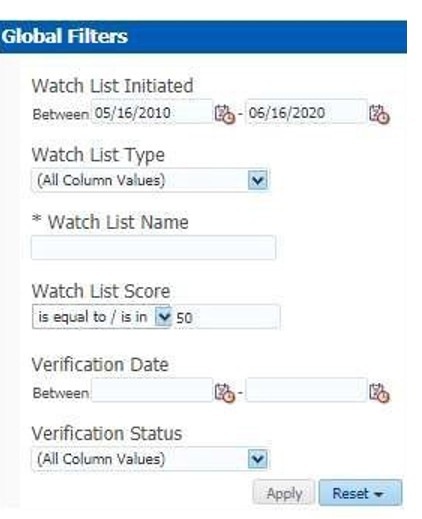
- Enter the following filter details:
Table 4-16 Watch List Match Report Filter Descriptions
Field Description Watch List Initiated
Select the date range between which the watch list matching process is initiated. The format is DD/MM/YYYY.
Watch List Type
Select the watch list which is used for the matching process.
Watch List Name
Enter the name of the watch list which is used for the matching process.
Watch List Score
Enter the watch list match score. You can also view a match score which is lesser or greater than the entered match score
Verification Date
Select the verification date.
Verification Status
Select the verification status.
- Click Apply.
The data is filtered to satisfy all the specified filter conditions, and the List of Customers - WatchList Matches report are displayed.