4.4.1.5.2.1 OWS Client Deployments

Table 4-2 OWS Client Deployments

Version Deployment
OWS version 12 without customization Perform the following steps:
  1. Navigate to the <Patch_Extracted_Path> folder and unzip the config.zip folder.
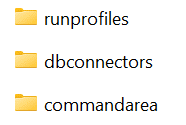
  2. Navigate to <Patch_Extracted_Path>/config folder and move the runprofiles, dbconnectors, and commandarea folders to the following location in the EDQ Server: #EDQDOMAIN/config/fmwconfig/edq/oedq.local.home

    Figure 4-7 Patch_Extracted_Path


    Patch_Extracted_Path

  3. Go to the EDQ URL and open the Director menu. The Director landing page appears.
  4. In the Director landing page, click File > Open Package File. The Open window appears.
  5. Navigate to the <Patch_Extracted_Path>\DXI folder, select the Watchlist Management_12_2_1_1_0.dxi file and click Open.
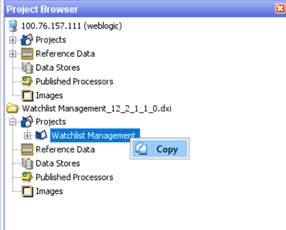
  6. Expand the Watch list Management_12_2_1_1_0.dxi project in the Project Browser pane.
  7. Expand the Projects node and copy the Watchlist management project.

    Figure 4-8 Project Browser


    Project Browser

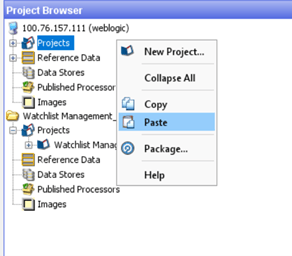
  8. Navigate to your project, select the projects folder, and paste the copied project.

    Figure 4-9 Project Browser2


    Project Browser2

OWS version 12 with customization and other earlier versions Perform the steps mentioned in the DJW List Reference Mapper Feed Configuration section.