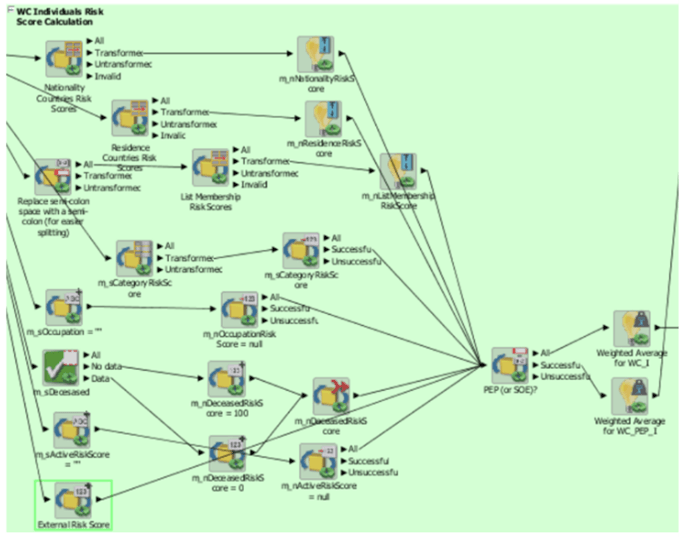
4.11.2.2 Editing the Risk Element Weightings
You can edit the default weightings assigned to each risk element in the
Reference Data Editor – Risk – Risk Element Weightings
window. This reference data set specifies which fields in that record contribute to the
risk score calculation for each type of record and to what degree (weightage).
The following steps explain how to view the risk element weightings
for all watch lists:
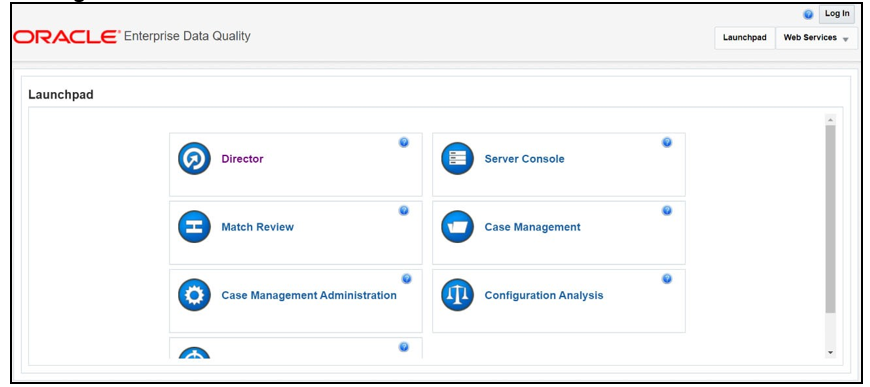
- Go to the EDQ URL and open the Director menu. The
Director Landing page is displayed.
Figure 4-21 Director Menu in EDQ
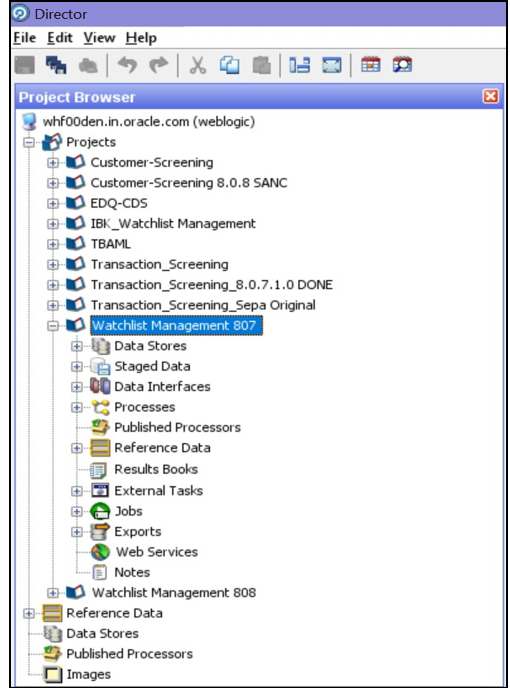
- In the Director Landing page, expand the
Watch list Management project in the
Project Browser pane.
Figure 4-22 Project Browser pane
- Right-click Risk- Risk Element Weightings and select
Edit data.
Figure 4-23 Reference Data Filters for Risk Element Weightings
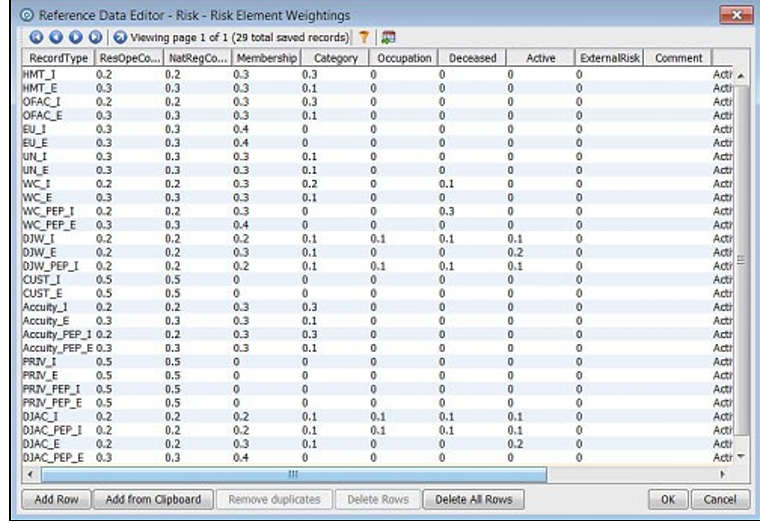 The format for the value in the RecordType column is the watch list and a suffix specifying whether the record represents an individual
(_I)or an entity(_E). For example,HMT_I. Customer data have a record type ofCUST_Ifor individual records andCUST_Efor entity records.The higher the weighting number, the more the corresponding risk element contributes to the overall risk score. The weighting scores for each row must add up to 1.The overall risk score calculation for a record containing n elements is as follows:Risk Score = E1w1 + E2w2 + …+ Enwn/W1+W2+ W3…..+Wn (which has valid E risk element)E1, E2, E3, till En stand for scores for risk element.For example, country code, residency code, nationality code, and so.W1, W2, W3 till Wn stand for the element weightage from the above reference data. Where the risk element score for element x is represented by Ex and the weighting for element x is represented by wx.The total of all weightings must add up to 1, that is, (w1 + w2 + …+ wn = 1)Note:
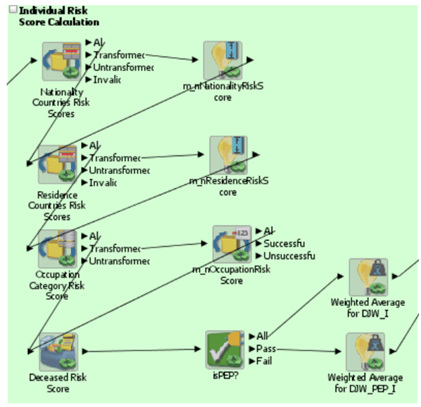
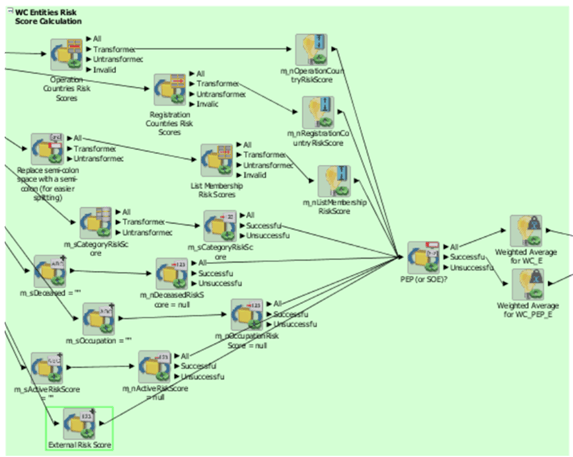
If there is no data for a risk element, it must not be included in the risk score calculation.The following parameters are considered for DJW and WC:DJW ENTFigure 4-24 DJW ENT
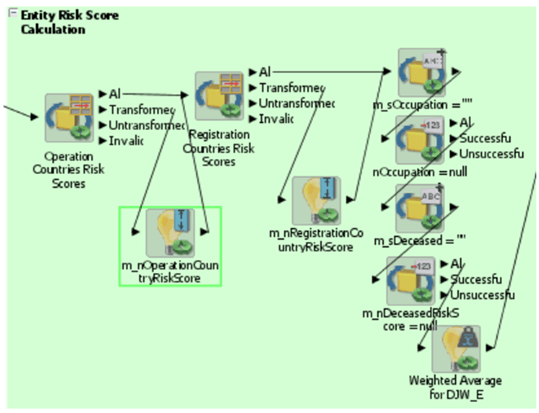 DJW IND
Figure 4-25 DJW IND
 WC ENT
Figure 4-26 WC ENT
 WC IND
Figure 4-27 WC IND