3.2.1 Using Catalog Lookup with a Dimension Entity

Used to fetch attributes from dimension tables.
Example:
  • Product Dimension
  • Customer Dimension
  • Branch Dimension
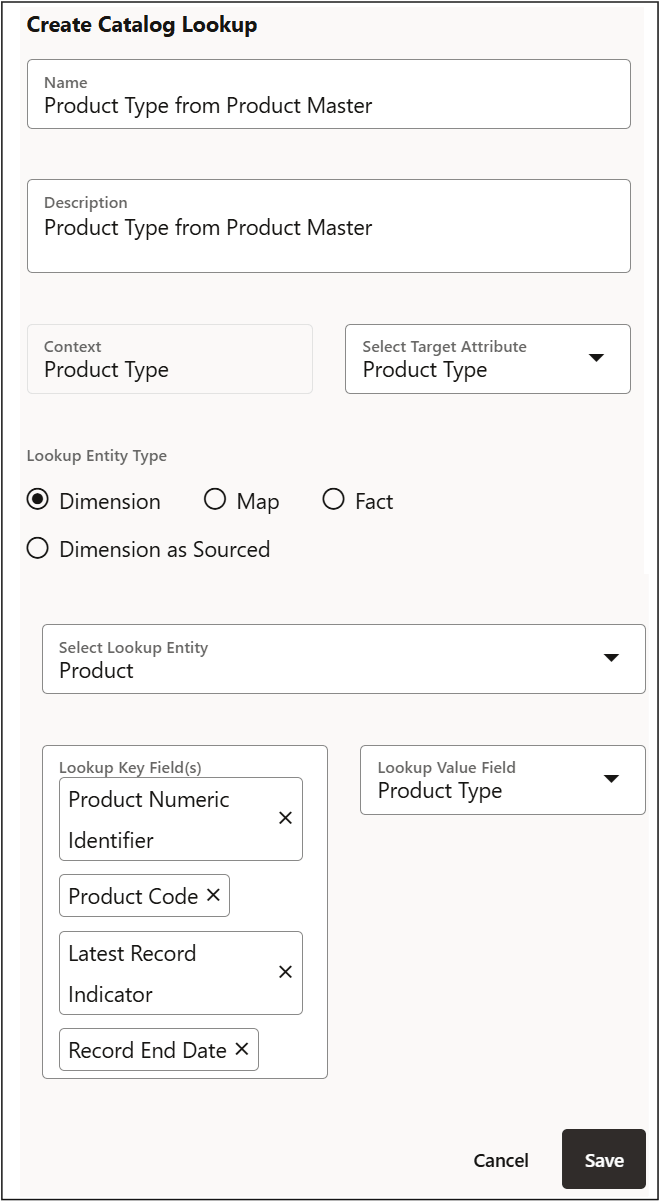
  1. Create a Catalog Lookup Object in the Data Service and select the required Dimension entity (for example, Product Dimension).

    Figure 3-1 Dimension as an Entity

    Dimension as an Entity

  2. Define the key field (for example, Product Code) and select the lookup field to retrieve (for example, Product Type).
  3. If the dimension contains historical records, include filters such as Latest Record Indicator or Record Start/End Date to avoid duplicate results.
  4. In the Connector Source configuration, add the Source EDD and the Catalog Lookup Object.
  5. Define a join condition between the source field and the lookup key field (for example, Source Product = Product Code). Up to 8 Business Terms can be selected as Lookup Key Fields.
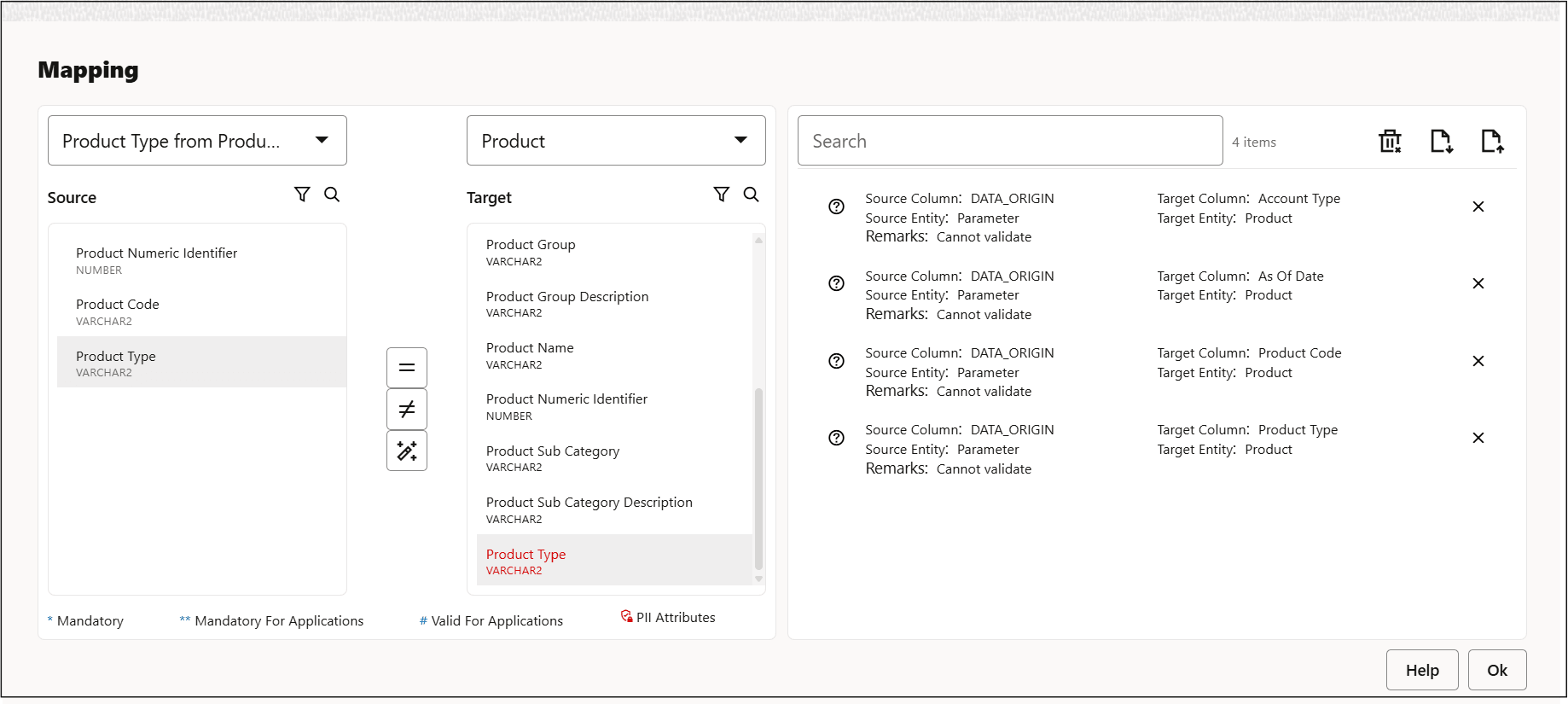
  6. In Mapping, map the retrieved lookup value (for example, Product Type) to the required target field.

    Figure 3-2 Mapping the Dimension Entity

    Mapping the Entity with a Connector