3.2.2 Using Catalog Lookup with a Map

Used when lookup data is stored in mapping tables.
Example:
  • Currency Mapping
  • Country Mapping
  • Code Translation Tables
  1. Create a Catalog Lookup Object pane, select the required lookup entity type as Map (for example, Account for Mapper Status).

    Figure 3-3 Map Lookup Entity Type
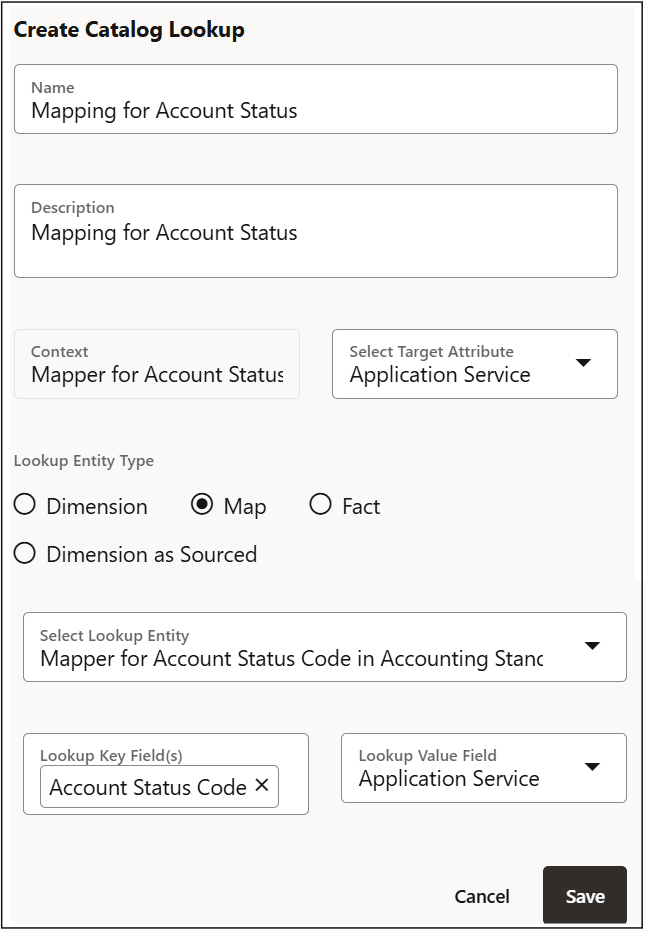

    Map Lookup Entity Type

  2. Define the key field (for example, Account Status Code and select the lookup field to retrieve (for example, Application Service).
  3. In the Connector Source configuration, add the Source EDD and the Catalog Lookup Object.
  4. Add a Aggregation condition between the source field and the lookup key field (for example, Mapping for Account Status = Account Status (ADI).
  5. In Mapping, map the retrieved lookup value (for example, ) to the required target field.