3.6.2 Navigation in the Detail Screen
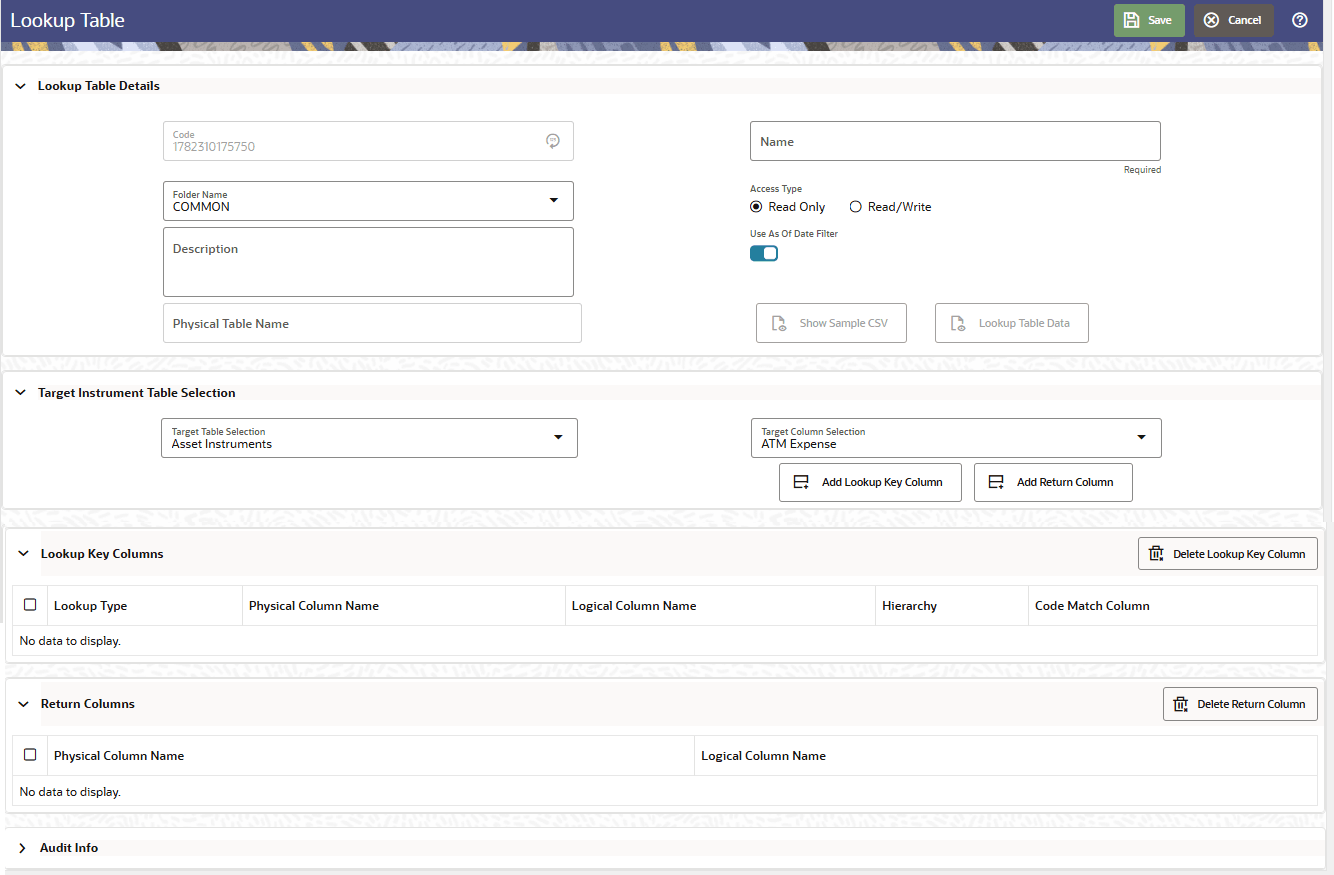
When you Add, Edit, or View a Lookup Table rule, the Lookup Table detail screen is displayed. The detail screen is organized into the following panes: Lookup Table Details, Target Instrument Table Selection, and Lookup Key Columns.
Figure 3-31 Lookup Table — Detail screen
- Lookup Table Details
The Lookup Table Details pane captures the identifying information and configuration settings for the Lookup Table rule. - Target Instrument Table Selection
The Target Instrument Table Selection pane defines the instrument table and target column that the Lookup Table operates against. - Lookup Key Columns
The Lookup Key Columns grid displays the columns defined for the Lookup Table. Click Delete Lookup Key Column at the top right of the pane to remove a selected column. - Lookup Table Data Screen
Open the Lookup Table definition in View mode to maintain its data. From the Lookup Table Summary screen, select View for the required definition and click Lookup Table Data. Add, modify, delete, import, export, and save data records on the Lookup Table Data screen. - Audit Info Pane
Parent topic: Lookup Tables