8.9 Run Execution Summary

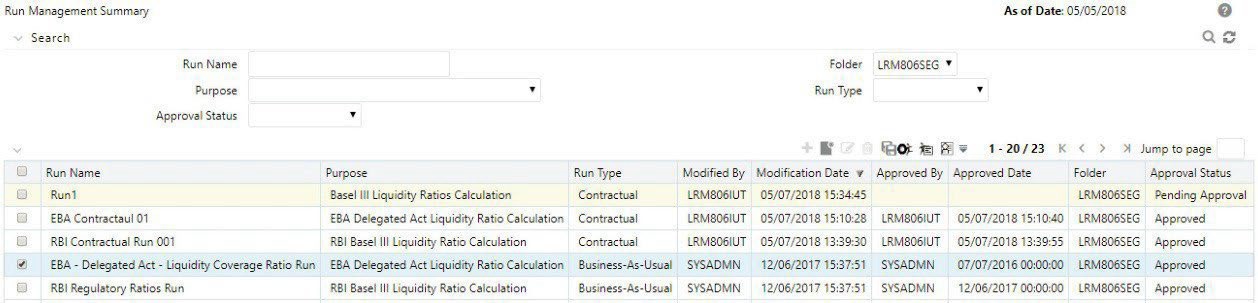
To view the summary of all the Run executions of a particular Run, click the Select icon to select a Run from the list of Runs in the Run Management Summary window and click the Run Execution Summary icon.

Figure 8-46 Run Execution Summary window

Run Execution Summary window

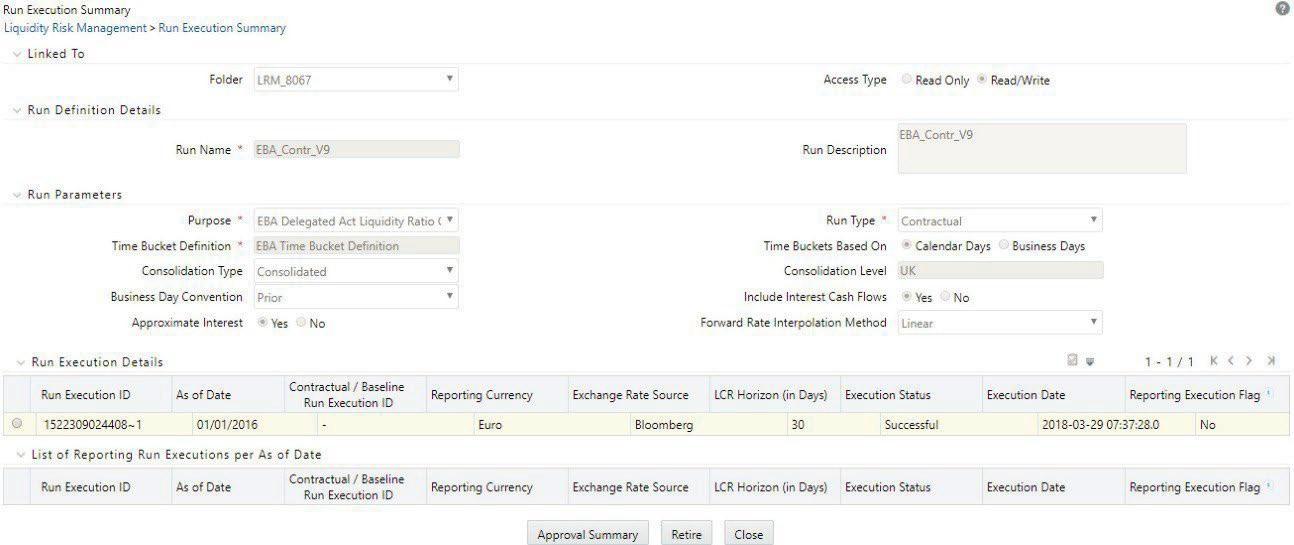
The Run Execution Summary window is displayed as follows:

Figure 8-47 Run Execution Summary

Run Execution Summary

  1. All the parameters entered as part of the Run Definition window are displayed in an uneditable form. The Run Execution Details section displays the Run execution parameters specified for each execution.
    1. You can select a successful Run Execution ID and click Reporting Execution Flag to report it for execution.

      A confirmation message appears before updating the Reporting flag.

      Figure 8-48 Confirmation message
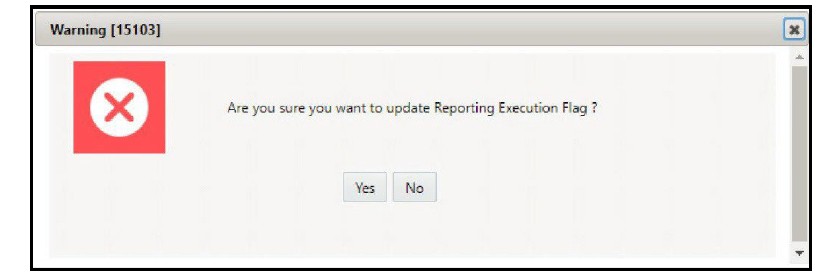

      The image displays a confirmation message that appears before updating the Reporting flag.

    2. Click Yes . This Run ID is now listed in the List of Reporting Run Execution per As-of-Date section.
    3. When you select a Run execution that has failed, the Reporting Execution Flag is disabled.
  2. List of Reporting Run Execution per As-of-Date section displays the Run execution parameters which are reported for execution.
  3. The business assumptions section displays the details of the business assumptions selected as part of each Run. This is applicable only in case of a Business-as-Usual. The details are displayed in a tabular format in the Business assumption section as follows:
    1. Assumption Name : This column displays the name of the business assumption selected as part of the Run.
    2. Version Number : This column displays the version number of the BAU that was used for computations as part of the selected Run execution. Click the version number to launch the Business Assumption Definition window that displays the specific version of the selected business assumption.
    3. Assumption Category : This column displays the assumption category selected as part of the Run.

    See the Approving a Run Definition section for how to retire a definition and view the approval summary.