4.1 Understanding Application Preferences
Note:
Every SKU in the Liquidity Risk Solution (LRS) pack leverages this common user interface.In the Oracle Financial Services Analytical Applications Infrastructure home screen, select Financial Services Liquidity Risk Management. To open the Application Preferences window, select Liquidity Risk Management, and then select Application Preferences on the Left-Hand Side (LHS) menu.
Figure 4-1 Application Preferences
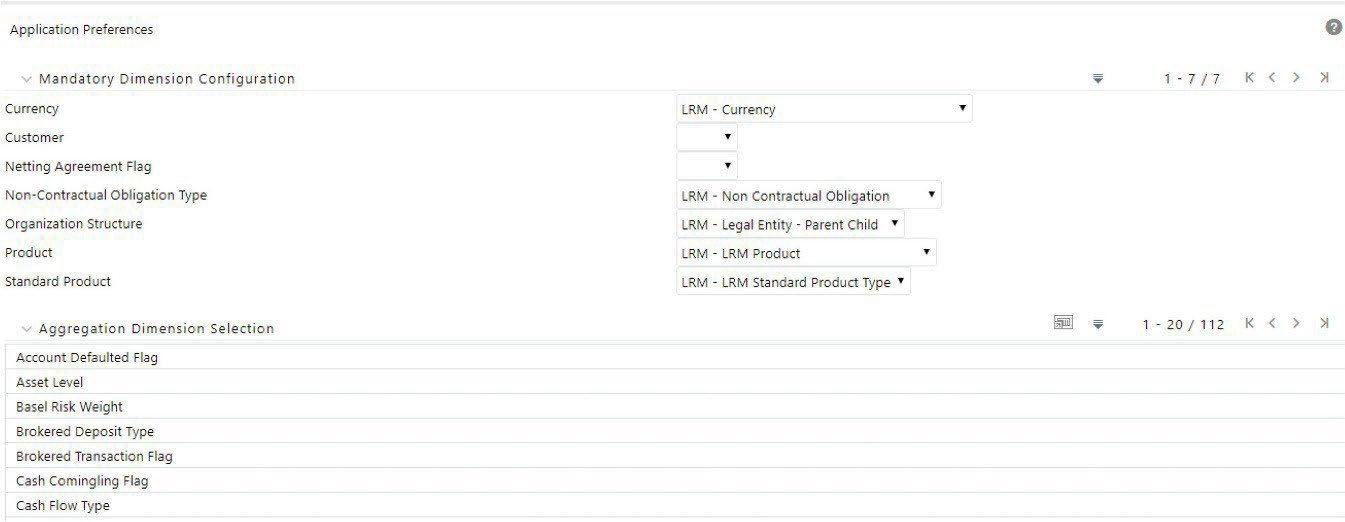
The Application Preferences window has the following sections:
- Contractual Cash Flow Process Selection
- Mandatory Dimension Configuration
- Aggregation Dimension Selection