Deploy a Model
Perform the following steps to score a model from the View Model
Catalog page:
- In the View Model Catalog page, click Action
next to corresponding model and select Deploy
Model.
The Deploy Model drawer appears.
Figure 11-66 Deploy Model
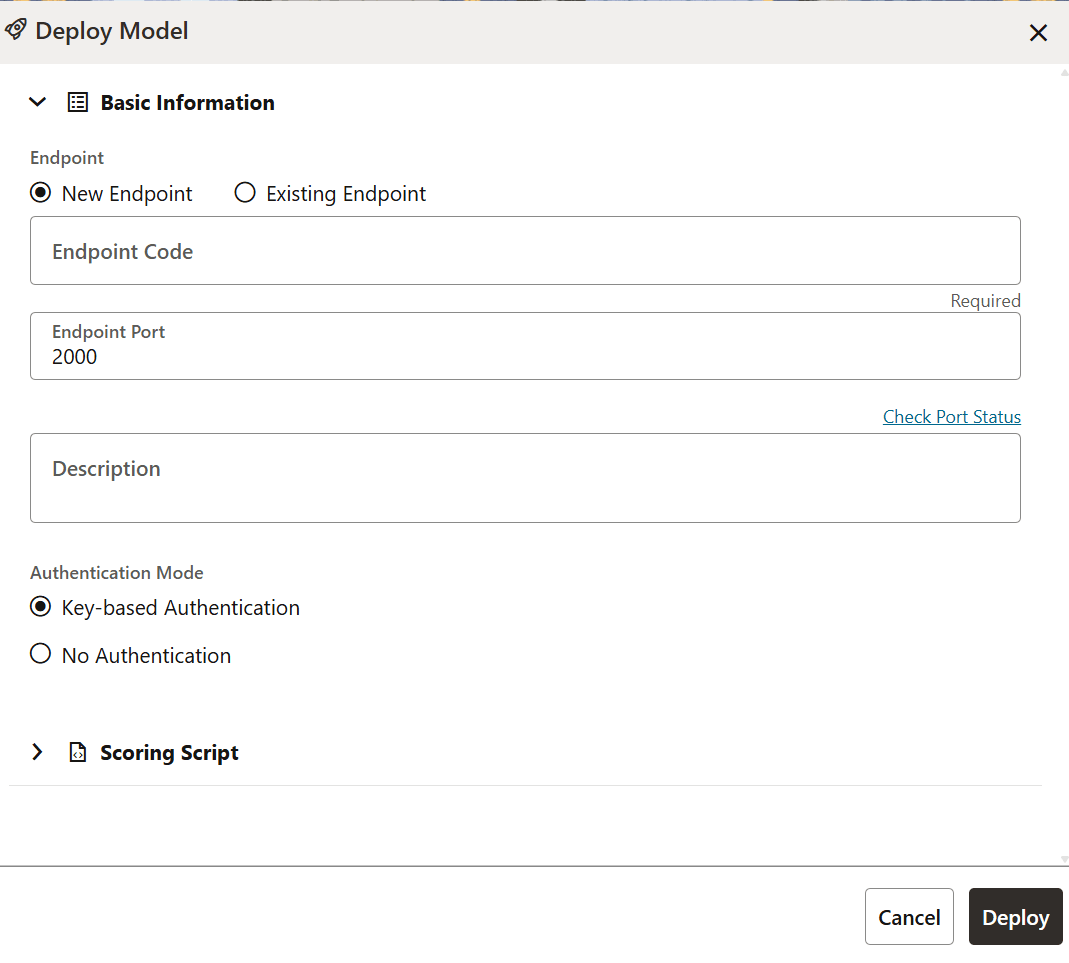
- Select either New Endpoint or Existing Endpoint from the Endpoint section.
- Enter the endpoint code in the Endpoint Code field.
- Enter the value of the endpoint port in the Endpoint Port field.
- Enter a description in the Description field.
- Select either Key-based Authentication or No Authentication from the Authentication Mode section.
- In the Scoring Script section, either enter the scoring script or drag and drop the script into the Upload Scoring Script section.
- Click Execute.