Dashboard
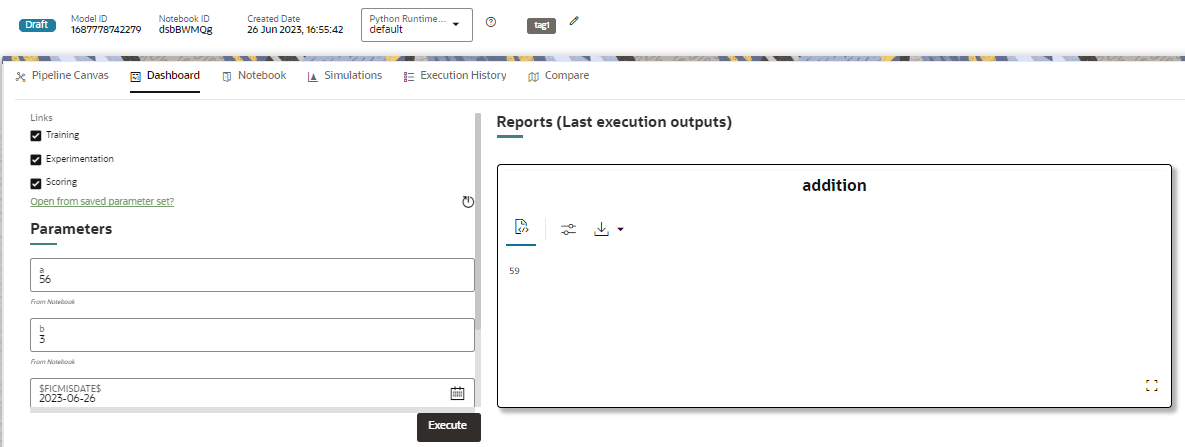
This section of Pipeline Designer allows you to execute the models and also displays the execution output of a model if the widgets are saved with the Track output option enabled.
Note:
For Promoted models, the Dashboard is the default tab.Figure 11-76 Dashboard
This tab contains two options for execution:
- Batch: This provides all the required inputs upfront and executes the pipeline end-to-end in a single run.
- Interactive: This executes the pipeline stage-by-stage; the run pauses at each stage to prompt the required inputs for that stage before continuing further.
Note:
In an Interactive execution, when two or more paragraphs within the same stage are configured to run in parallel, the input prompt may not list the parameters for all the parallel paragraphs, for example, parameters for Para2 may not be displayed. As a workaround, avoid parallel executions for paragraphs that require interactive inputs, or move the paragraphs to separate stages so that inputs are collected sequentially.
Note:
There is no Cancel button in Settings tab of reports in the Dashboard tab. You can press 'Escape' key to close the Settings.