Runchart Execution
To access the Runchart Executions page, select Analytics from the LHS Menu, and then select Runchart Executions. Use the Runchart Executions page to monitor and analyze batch execution activity by execution date, table name, partition, and sub-partition. The page consists of filter fields, selection panels, and a details section.
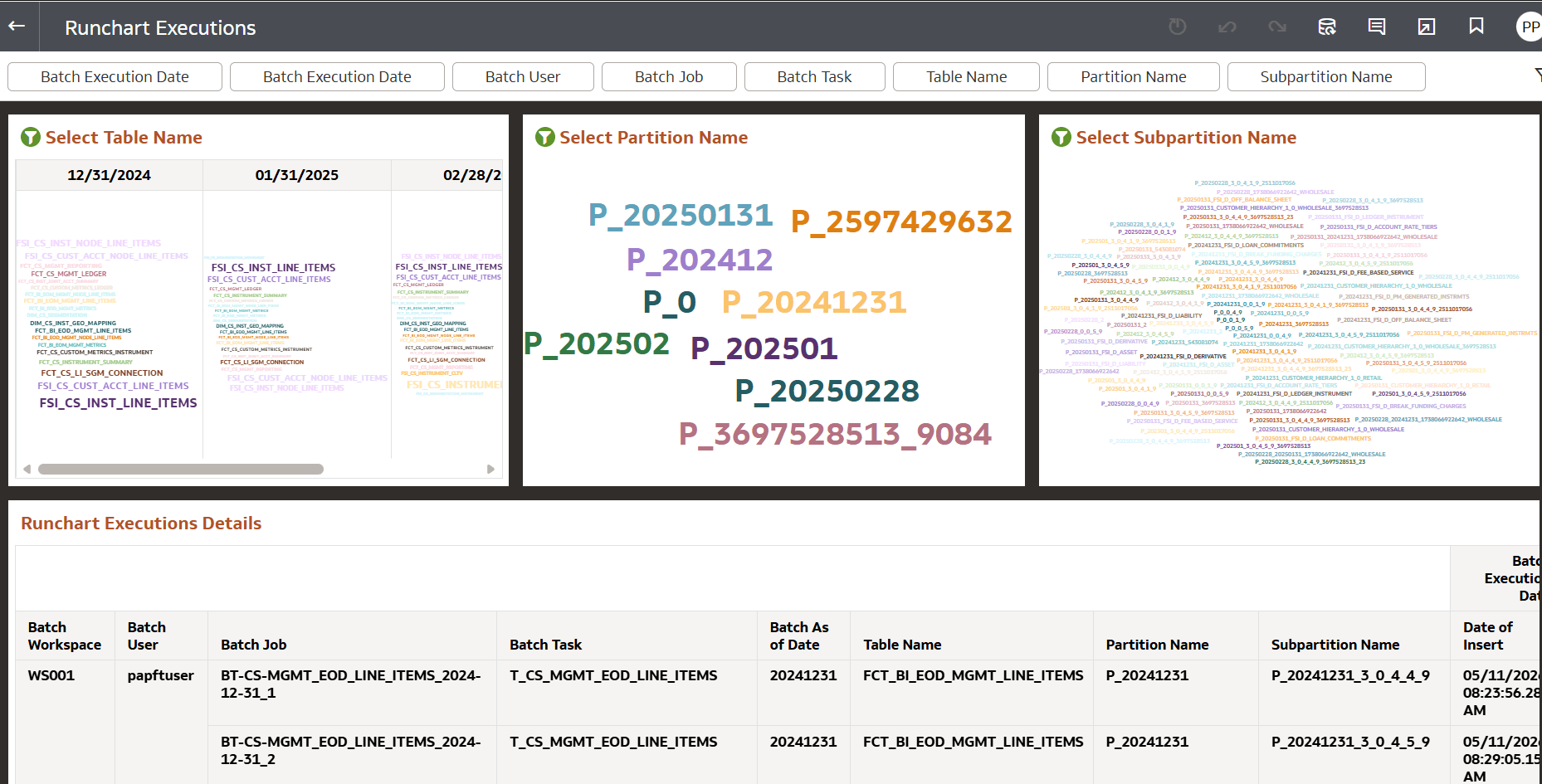
Figure 10-38 Runchart Executions
Filters
Use the filter fields at the top of the page to narrow the displayed execution data.
- Batch Execution Date
- Batch User
- Batch Job
- Batch Task
- Table Name
- Partition Name
- Subpartition Name
Selection Panels
The page contains three interactive panels used to visualize and select execution data. Each selection panel includes action menu items such as Sort By,Edit,and Export.
Select Table Name
- Displays table names associated with batch executions for selected execution dates. Table names are displayed as a word cloud. Hover over the table names to view Inserted Records,Batch Execution Date, and Table name.
- Selecting a table filters related partition and sub-partition data.
Select Partition Name
- Displays partition names related to the selected table.
- Partition names are displayed visually for analysis. Selecting a partition filters the related sub-partition information.
Select Sub-partition Name
- Displays sub-partition names associated with the table and selected partition.
- Use this panel to analyze execution activity at the sub partition level
Runchart Executions Details
- Displays detailed execution records for the selected filters and chart selections. The table includes the following information:
- Batch Workspace
- Batch User Batch
- Job Batch
- Task Batch
- As of Date
- Table Name
- Partition Name
- Sub-partition Name
- Date of Insert