Data Level Security Registry
To access the Data Level Security Registry page, select Analytics from the LHS Menu, and then select Data Level Security Registry. Use the Data Level Security Registry page to view and manage data-level security assignments for users and dimensions. The page consists of a filter bar, selection panels, and a details section.
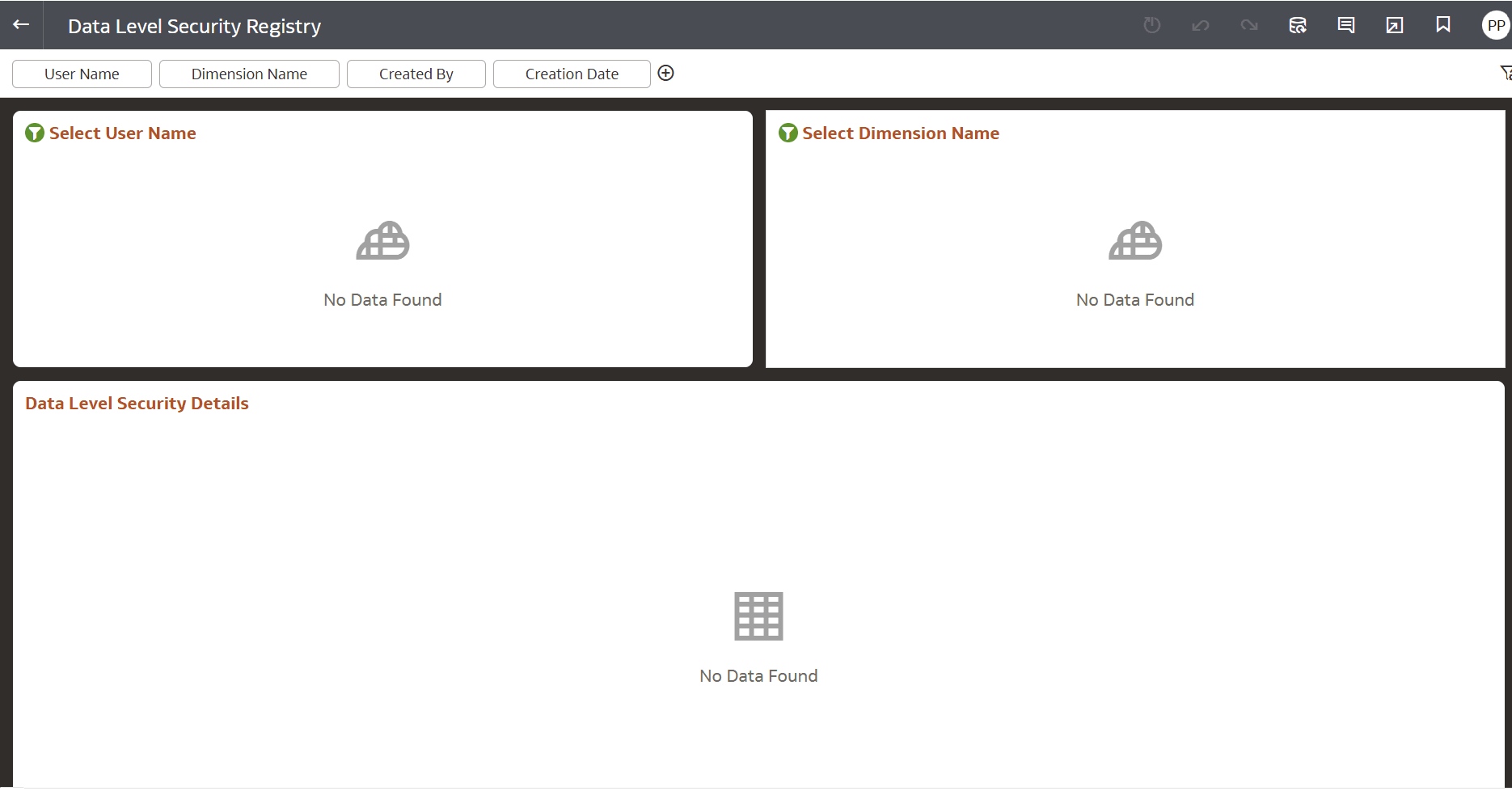
Figure 10-39 Data Level Security Registry
Filters
Use the filter fields at the top of the page to search and filter security records.
- User Name
- Dimension Name
- Created By
- Creation Date
Selection Panels
The upper section of the page contains panels used to display and select security-related information. Each selection panel includes action menu items such as Sort By,Edit,and Export.
Select User Name
- Displays available users with assigned data-level security configurations.
- Select a user to view related dimension-level security details. Displays No Data Found when no records are available.
Select Dimension Name
- Displays dimensions associated with the selected user.
- Select a dimension to view detailed security assignments. Displays No Data Found when no records are available.
Data Level Security Details
- The lower section displays detailed data-level security records based on the selected filters and panel selections.
- The table provide the following details:
- User information
- Dimension assignments
- Security configuration details
- Creation
- Audit information
- If no matching records are available, the section displays No Data Found.