Top Rows
The Top Rows screen identifies queries that returned the highest number of rows and provides related execution details for usage analysis.
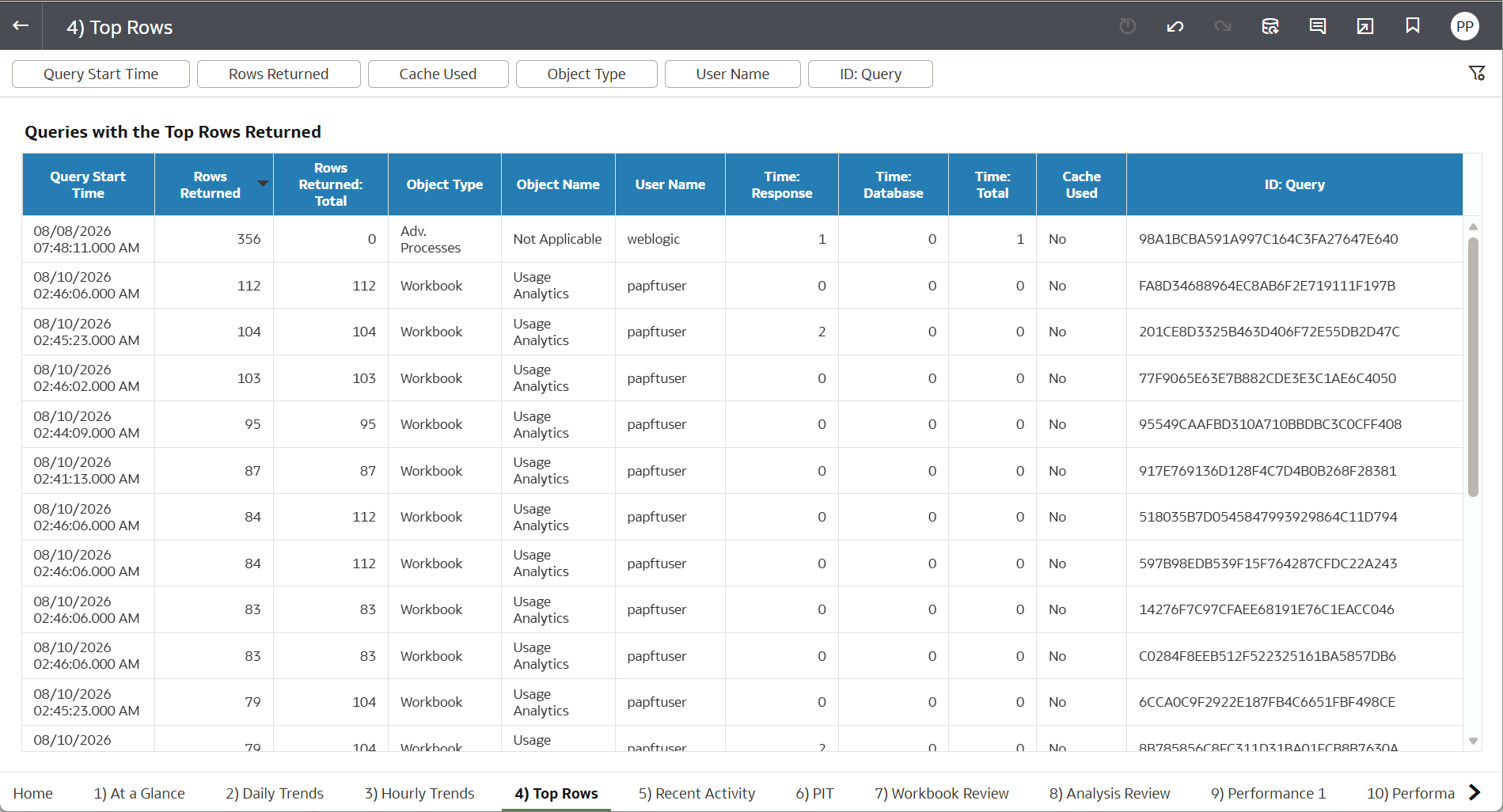
Figure 9-47 Top rows
The Queries with the Top Rows Returned main table lists queries with the highest row counts.
- Query Start Time: Date and time when the query started.
- Rows Returned: Number of rows returned by the query.
- Rows Returned: Total: Total rows associated with the query.
- Object Type : Type of object that generated the query, such as Workbook or Adv. Processes.
- Object Name: Name of the related object.
- User Name: User who executed the query.
- Time: Response: Displays Query response time.
- Time: Database: Time spent processing the query in the database.
- Time: Total: Total query execution time.
- Cache Used: Indicates whether cached data was used.
- ID: Query: Unique identifier for the query.
The top section provides filters to narrow the displayed results based on:
- Query Start Time
- Rows Returned
- Cache Used
- Object Type
- User Name
- ID: Query