1 Introduction
To access Oracle NetSuite Restaurant Operations, use the URL that Oracle provided.
After logging in, click Oracle Restaurants.
Dashboard
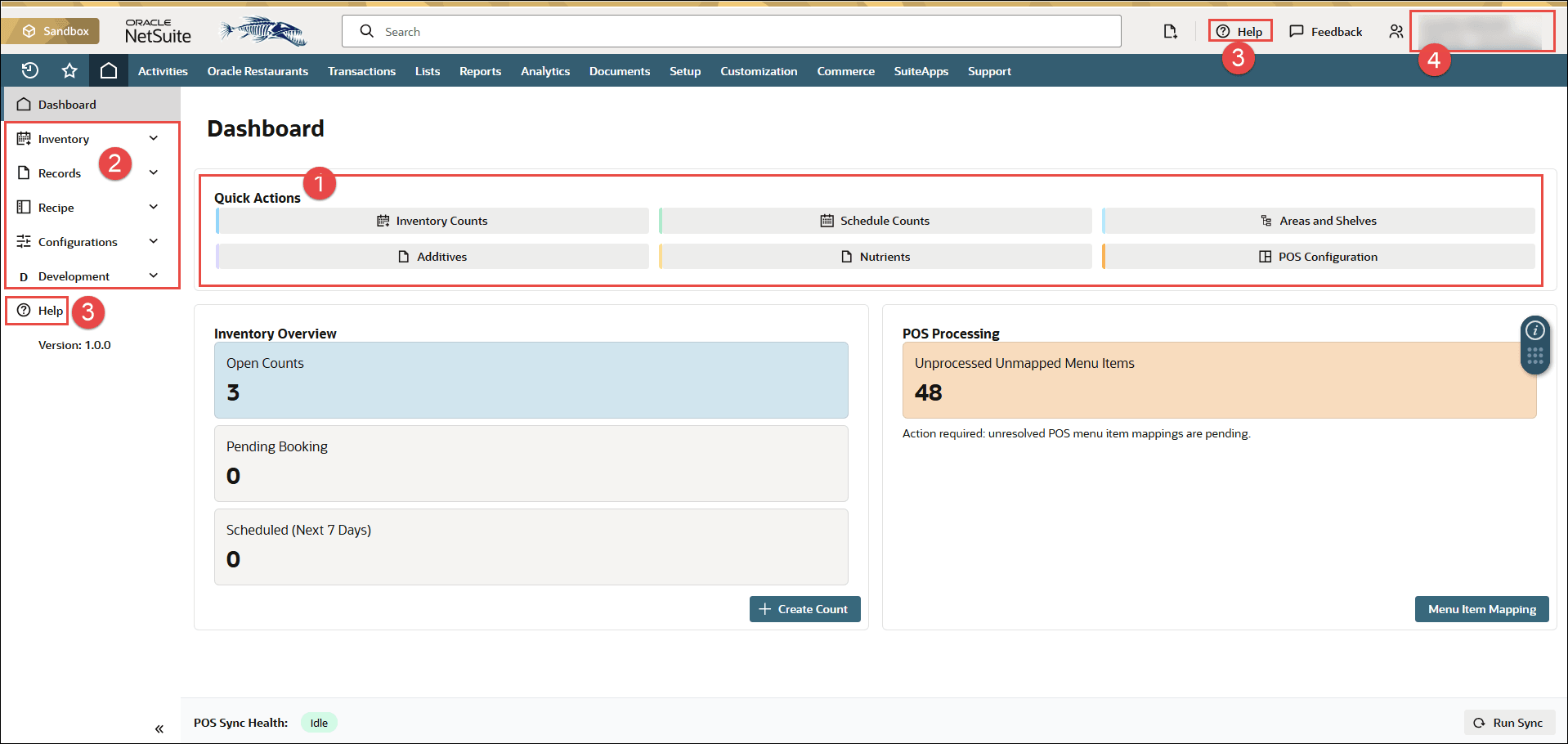
Elements on the dashboard are called out by number in the table and correspond to the image.
| Callout Number | Element | What It’s Used For |
|---|---|---|
|
1 |
Quick Actions |
Click the relevant button to go directly to a module. |
|
2 |
Side navigation menu |
Navigate between inventory and records. |
|
3 |
Help |
Hover over or click the icon wherever it appears to find out more information. |
|
4 |
Your menu |
View your roles, switch accounts, or log out. |
Figure 1-1 Restaurant Operations Dashboard