Use the Import Wizard
The Import Wizard starts automatically after successful authentication.
Figure 10-1 Import Wizard Models
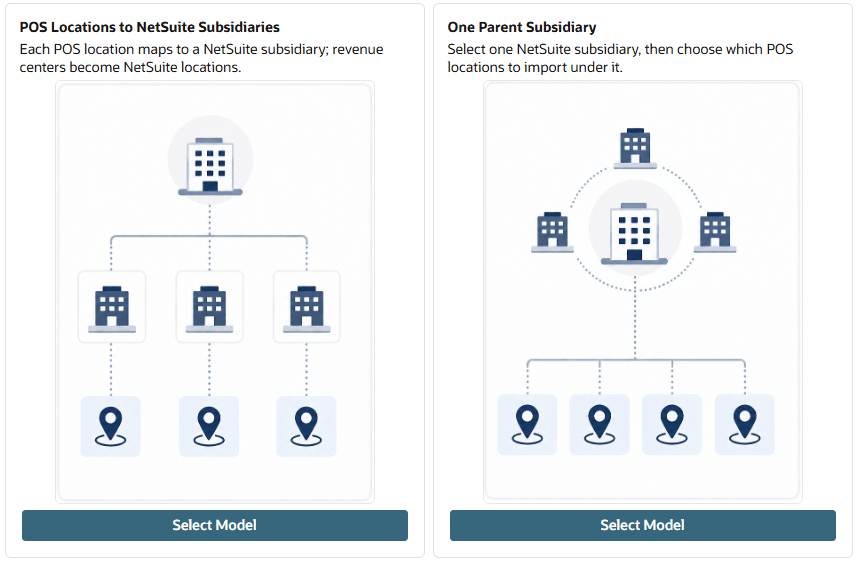
- POS Locations to NetSuite SubsidiariesThis model allows you to:
-
Import POS locations as new NetSuite subsidiaries.
-
Map POS locations to existing NetSuite subsidiaries.
-
Import POS revenue centers as new NetSuite locations.
-
Map POS revenue centers to existing NetSuite locations.
-
- One Parent Subsidiary
This model creates all POS revenue centers from the selected POS locations within a new or existing NetSuite subsidiary.
When using this model:-
All POS revenue centers from the selected POS locations are imported into a single NetSuite subsidiary.
-
POS locations are not imported into NetSuite.
-
You can select an existing NetSuite subsidiary or create a new subsidiary during the import process.
-
Each selected POS revenue center can be mapped to an existing NetSuite location or imported as a new NetSuite location within the selected subsidiary.
-
Note:
You can run the wizard multiple times, allowing you to use one model for certain POS locations and a different model for others.