Organizations Page
Use the Organizations page to manage existing organizations and add organizations. The following image shows the page and has callouts that indicate key areas of the page.
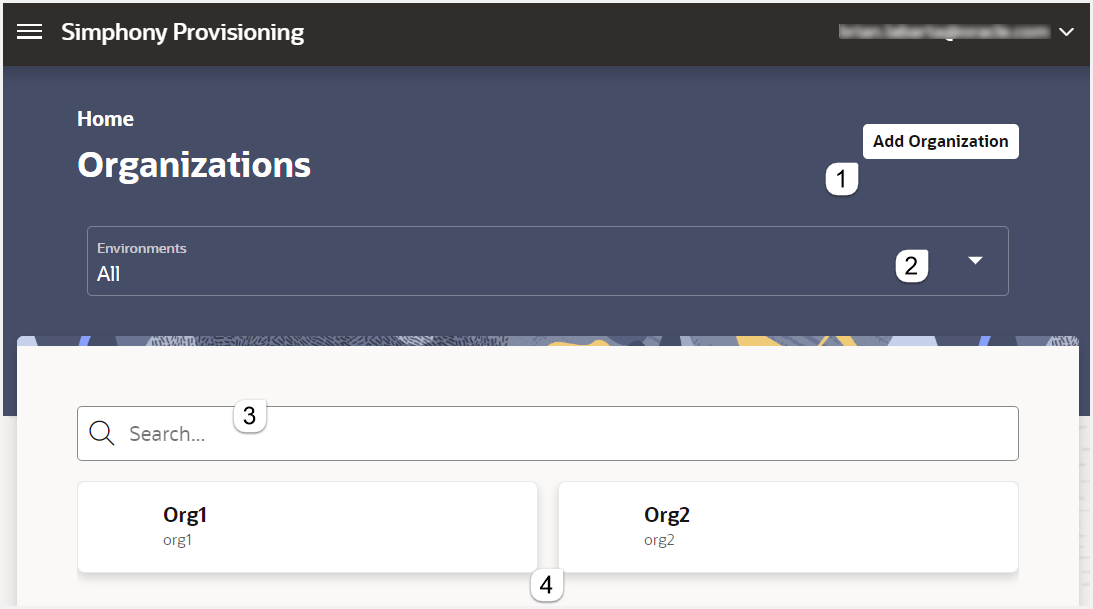
| Callout Number | Area | What You Use It For |
|---|---|---|
| 1 | Add Organization button |
Click to add an organization to a specified environment. |
| 2 | Environments drop-down menu |
Select an environment to see the organizations hosted in the environment. |
| 3 | Search |
Search for an organization to view or change its details. |
| 4 | Organizations list |
Shows the list of organizations for a selected environment. By default, the application shows the organizations for all environments. |