Team Page
Use the Team page to manage existing application users and add users. The following image shows the page and has callouts that indicate key areas of the page.
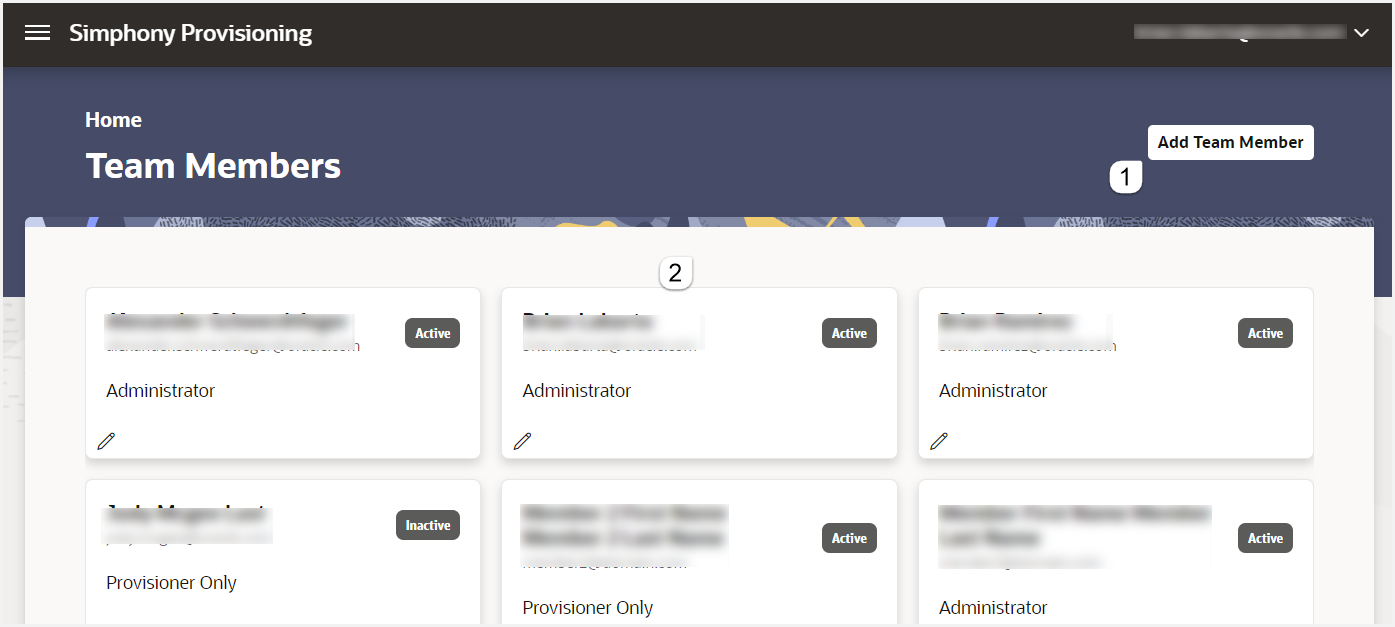
| Callout Number | Area | What You Use It For |
|---|---|---|
| 1 | Add Team Member button |
Click to add application users and define their roles. |
| 2 | Team member list |
Shows the list of application users. Details shown include the user name, email address, and role. |
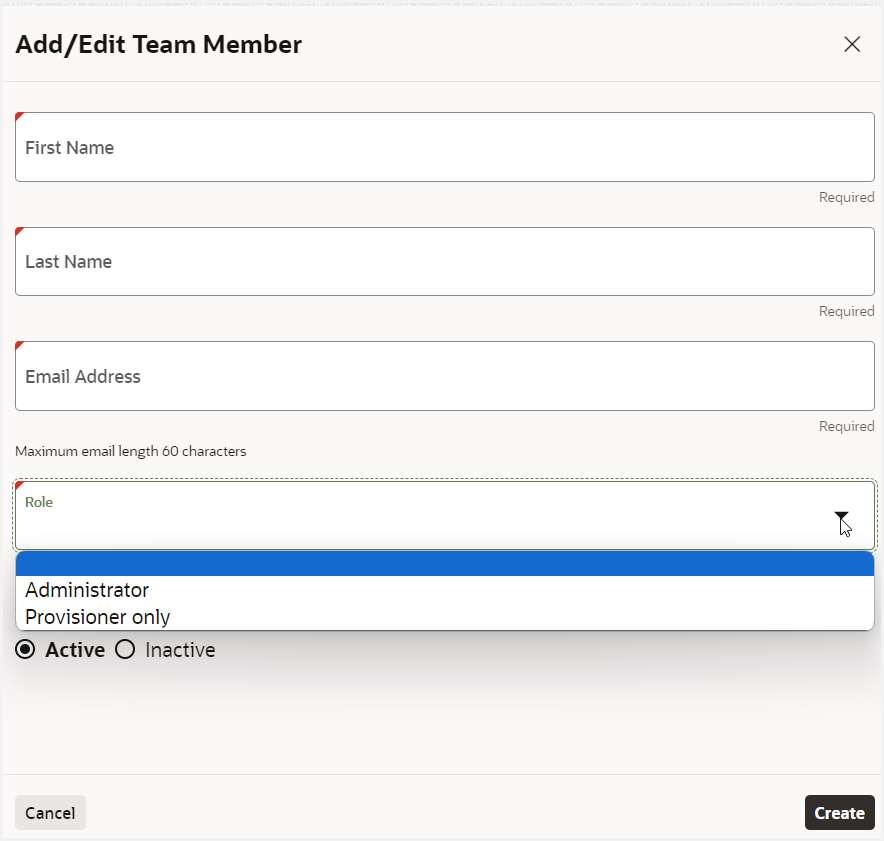
Adding Team Members
The following image shows the screen for adding team members. Members with the administrator role can manage organizations, manage team members, and view reports. Members with the provisioning role can manage organizations and view reports.