Oracle Cloud Account Welcome Email
The frequently asked questions (FAQs) below about the Oracle Cloud Account Welcome email are organized by topic.
Where is my welcome email?
In some organizations, welcome emails are sent to Health Service Executive (HSE) roles, such as a CEO or CFO. In these scenarios, the welcome email does not need to be resent; forwarded copies of the email will allow users to add subscriptions or create new accounts as needed.
If you cannot locate your email, contact your Oracle HSE and request that the email be resent.
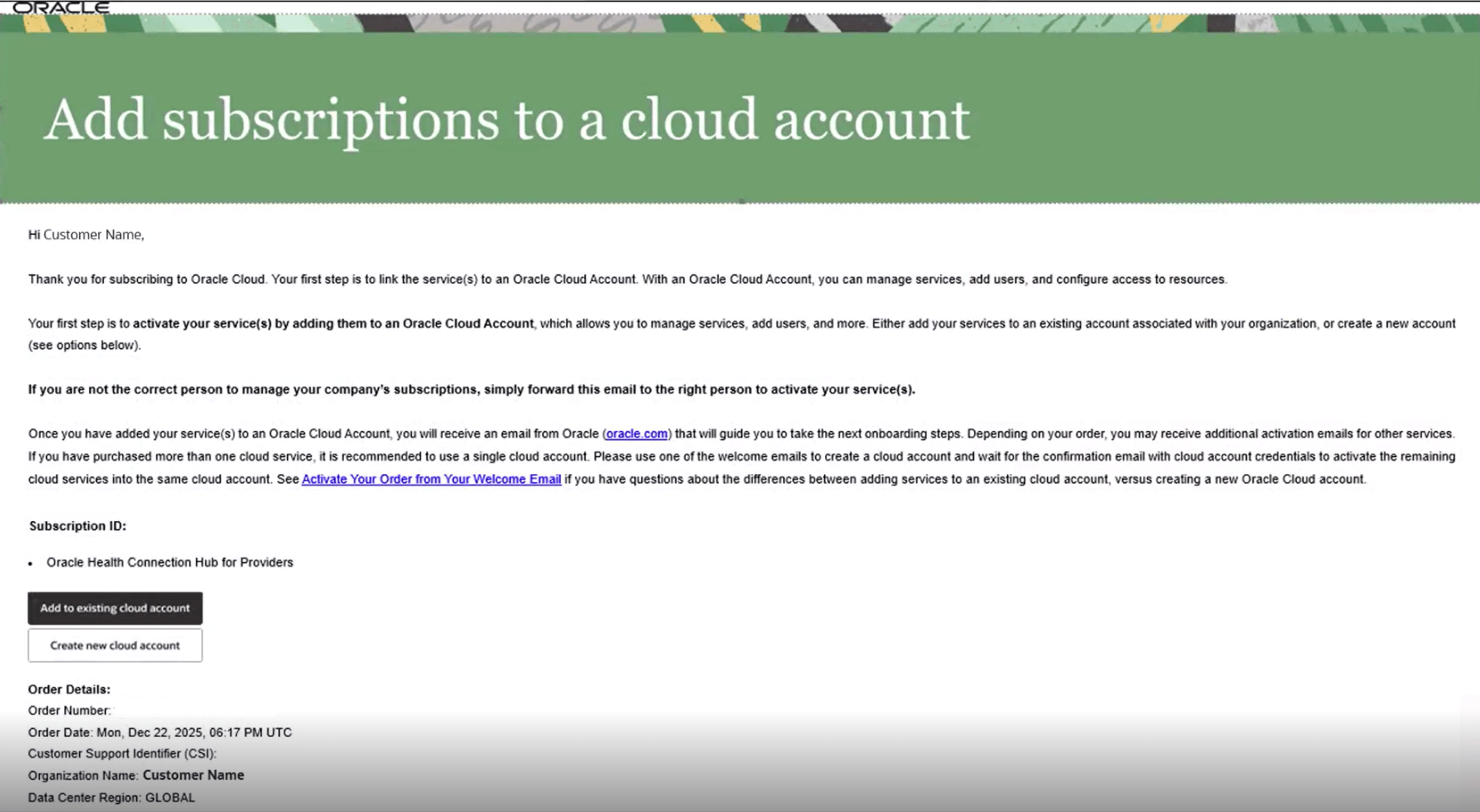
What button do I select in the welcome email?
Note:
See Activating Your Oracle Cloud Applications Order on Oracle Help Center for more detailed information about activating an Oracle Cloud account.- Select Add to existing cloud account.
- In the Cloud Account Name box, enter the name of your tenancy.
- Select Next.
- Enter your Oracle Cloud username and password.
Note:
Log-in credentials for other types of accounts, such as Cerner Care accounts, are not the same as your Oracle Cloud information and are not accepted. - Select Sign In.
- As needed, reauthenticate your information, approve of any terms and conditions, and then add a subscription.
Note:
In some scenarios, subscription access may take up to one calendar day to be displayed for your organization.
- Select Create new cloud account.
- Enter your first name, last name, and email address.
- Enter a password.
- Enter a tenancy name.
- Select a home region for your services.
- Read and accept the terms and conditions.
- Select Create Tenancy.
Note:
Tenancy provisioning may take up to one calendar day to complete. Once tenancy provisioning is complete, you will receive a confirmation email.
What if I am prompted to enter payment information?
If you attempt to directly access the Oracle Cloud website before creating an account or adding subscriptions (or if you select an incorrect button in your welcome email), you may be prompted to enter payment information. In these scenarios, reopen your welcome email and select one of the buttons as appropriate. Attempting to create a new cloud account directly from the Oracle Cloud website is not the same process as creating an account from the welcome email.
Parent topic: FAQs by Topic