Tenancy and User Information
The frequently asked questions (FAQs) below about Oracle Cloud tenancy and user information are organized by topic.
What is a tenancy name and how do I find it?
- If your organization has an existing tenancy name, that information is included in the email that details your organization's account provisions. The HSE of your organization can also look up the existing tenancy name.
- If your organization does not have a tenancy name, that information is configured by selecting Create a new cloud account in the welcome email sent by Oracle.
- Organization Name: Oracle Help Center
- Tenancy Name: oraclehelpcenter
How do I add a user to a tenancy?
While assigning a role to existing users, select Create New User. Then, enter the user's first name, last name, and email address. The newly added user will receive an email that prompts them to create log-in information.
Note:
After entering a new user's information, a delay may occur before the user's name becomes available. Additionally, a new user cannot see or complete any tasks until a role is assigned to them.After creating a new user, an Identify Management page may be displayed; in these cases, use the menu to navigate back to your applications.
What log-in information do I use for a tenancy?
Tenancies do not have traditional username and password log-in information. After a tenancy is provisioned for your organization, you must enter only the name of the tenancy in the Cloud Account Name box when attempting to access your Oracle Cloud account.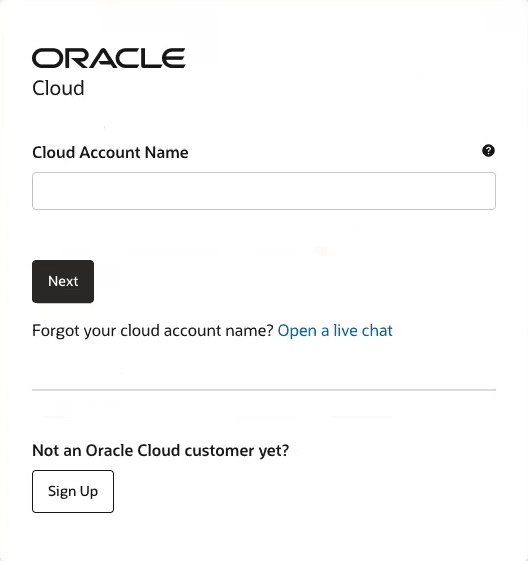
Then, enter your individual username and password.
Note:
After a tenancy is provisioned, a delay of up to 15 minutes may occur before assigned users can log in. The user who creates the tenancy will receive an email once the associated accounts are provisioned and available.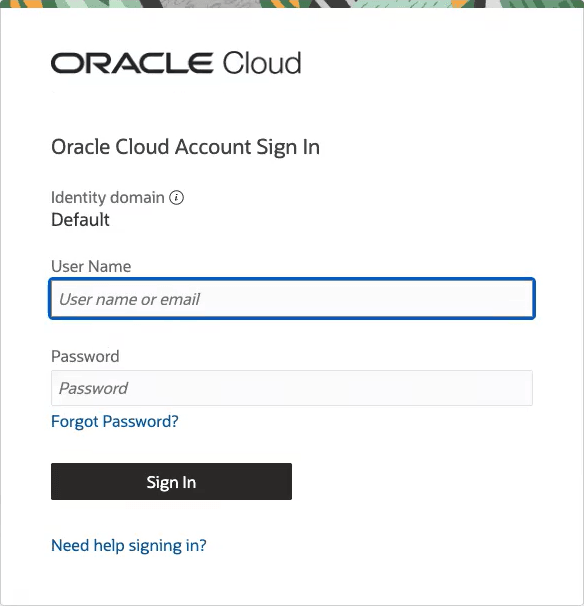
What home region do I select when creating a tenancy?
A home region is the geographic location where your account and identity resources are created. The ability to view and access products may be affected by what home region you select, and this value cannot be changed after signing up.
Contact your sales representative before you create an account to ensure that you select the correct home region.
Parent topic: FAQs by Topic