Find Resources
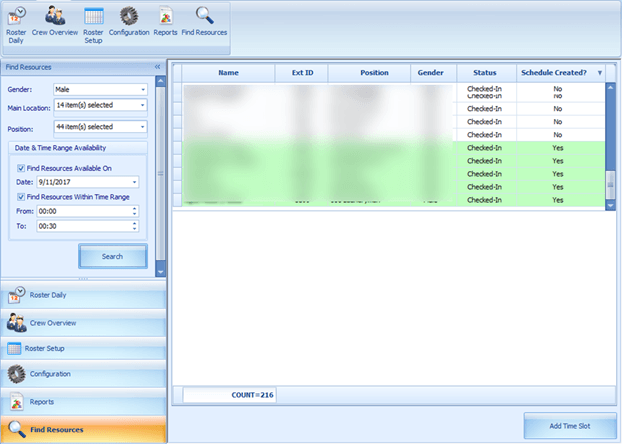
Figure 8-31 Find Resources Function
-
Click Find Resources from the ribbon bar.
-
Select the Gender, Location, Position, and Date/Time Range Availability from the drop-down list, and then click Search.
-
Results shown in the grid are non-violating ILO hours. Select the name of the crew from the results grid and then click the Add Time Slot. Note that you are only allowed to add time slot to the crew that has a schedule created.
-
In the Add Time Slot window, select the Roster Task from the drop-down list and then click OK to add.