Workflow: Delete Guest Message
External system deletes a guest message from the PMS for an existing reservation.
Workflow Diagram
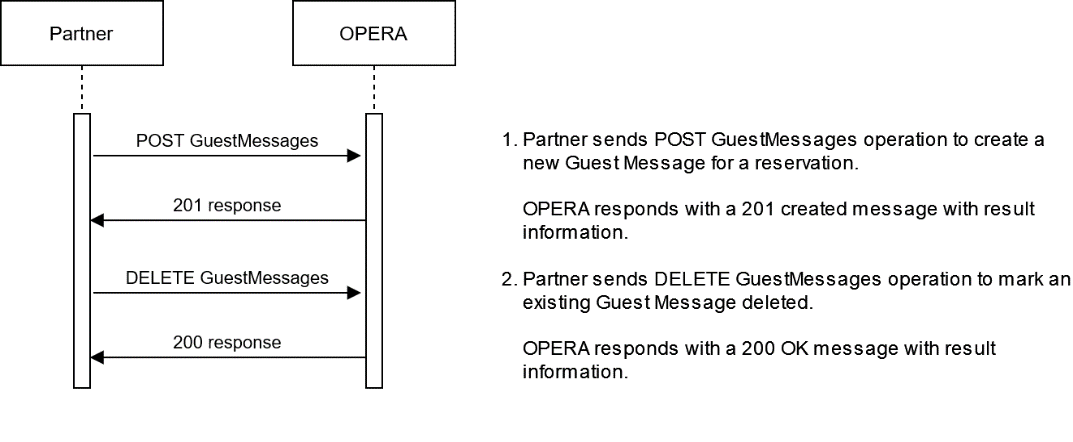
Description of Steps:
| Description of Steps | Operation | |
|---|---|---|
| UC3.1 |
Use case: External system posts a new guest message to the PMS for a specific reservation checked in to store the message. The message will be available to show to the guest at reception. Use the post guestMessages operation. |
POST GuestMessage New Guest Message POST {{HostName}}/rsv/v1/hotels/{{HotelId}}/reservations/{{reservationId}}/guestMessages body: 201 response: body: |
| UC3.2 |
Use case: External system deletes a guest message for an existing reservation. Use the DELETE GuestMessages operation with the related Guest Message Id as received from OPERA Cloud. Once OPERA Cloud receives a DELETE GuestMessages operation, the related Message will be deleted from the reservation and will not be visible anymore in OPERA Cloud. |
DELETE GuestMessage Delete Guest Message DELETE {{HostName}}/rsv/v1/hotels/{{HotelId}}/reservations/{{reservationId}}/guestMessages/347000 Response 200 OK |
Parent topic: Workflows