Workflow: OPERA Cloud PMS Creates a Guest Message and Sends a Notification to the External System
Use case for systems that cannot display the whole Guest Message but can indicate to the guest that a new message is available (for example, a light).
Workflow Diagram
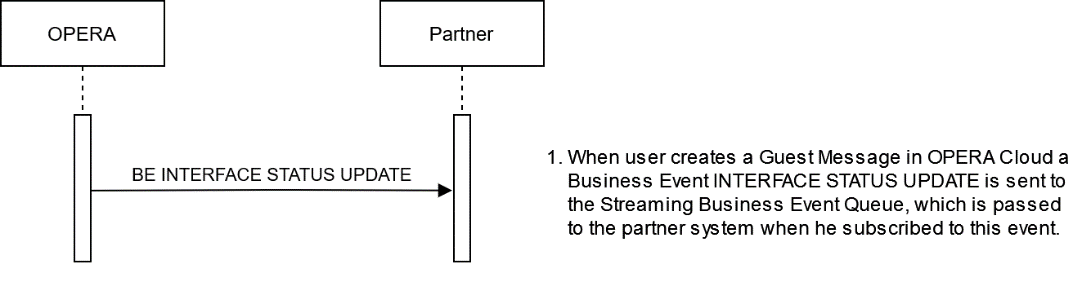
Description of Steps:
| Description of Steps | Operation | |
|---|---|---|
| UC4.1 |
Use case: A user creates a guest message in OPERA Cloud, which sends a notification to the external system that a new undelivered Guest Message is available for this reservation. Subscribe to the Streaming Business Event INTERFACE STATUS UPDATE to receive notification that a new Guest Message is available for a room/reservation. The notification message contains the element "MESSAGE LIGHT NOTIFICATION" with values "Message light off" and "Message light on." "Message light off" indicates, no undelivered Guest Messages. "Message light on" indicates undelivered Guest Messages exist. "oldValue": "Message light off," "newValue": "Message light on," "elementName": "MESSAGE LIGHT NOTIFICATION" This Business Event is recommended to use when the external system has no means to display the full guest message in the guest room. The partner can now act and turn on an indicator in the room (for example, a light on the phone set or on the TV), so the guest recognizes there are new messages for him. The guest can now call or walk to the reception and retrieve the Guest messages. When the external system can display the guest message text on demand, it can retrieve guest messages (either automatically or at the guest’s request) by using the OHIP API operation Get Reservation Guest Messages (see U.C.1.2) or by subscribing to the Streaming Business Events NEW/UPDATE/DELETE GUEST MESSAGE. |
Streaming BE INTERFACE STATUS UPDATE Notify Partner for new Guest Message Streaming BE INTERFACE STATUS UPDATE JSON: |
Parent topic: Workflows