Environment Status Page
The status page for Oracle Health Insurance Cloud Services provides service availability information for Oracle Health Insurance Cloud Services environments.
The status page serves as a dashboard that displays the status of the applications in Oracle Health Insurance application deployments, such as policies, claims, and so on. The status page is unique for each customer.
The following color coding of the status text indicates the health of the application:
-
Green indicates a healthy status.
-
Red indicates a service disruption that requires immediate resolution by the support team.
-
Purple indicates service planned maintenance.
In addition to displaying the status of individual components, the status page also provides information on events such as planned maintenance and unplanned outages, and you can subscribe to updates through email.
To access the status page for your customer environment, contact your Customer Success Manager. After the status page is set up for your customer environment, you receive an email that contains the status page URL.
Highlights
-
Access the status dashboard from the provided URL.
-
View a dashboard that helps you monitor the health of each component.
-
View event details and event history.
-
Receive notifications for events at the subscribed email address.
Status Indicators
The following types of statuses are set for the application:
Service Available |
All business-critical and non-business-critical services are available and performing within normal parameters. |
Service Outage |
This is a complete loss of service. The support team is actively investigating the issue and working to restore services. |
Service Planned Maintenance |
Maintenance is scheduled to proactively manage services, fix software bugs, apply security fixes, and enhance functionality to meet SLAs for hosted services. |
Events
When an event occurs, the status page is updated and email notifications are sent to registered subscribers in the affected region. In addition, if maintenance is scheduled, then this section displays the maintenance events with their scheduled date, time, and duration. Service downtime for planned maintenance is communicated to customers in advance.
An example of events page is shown below:
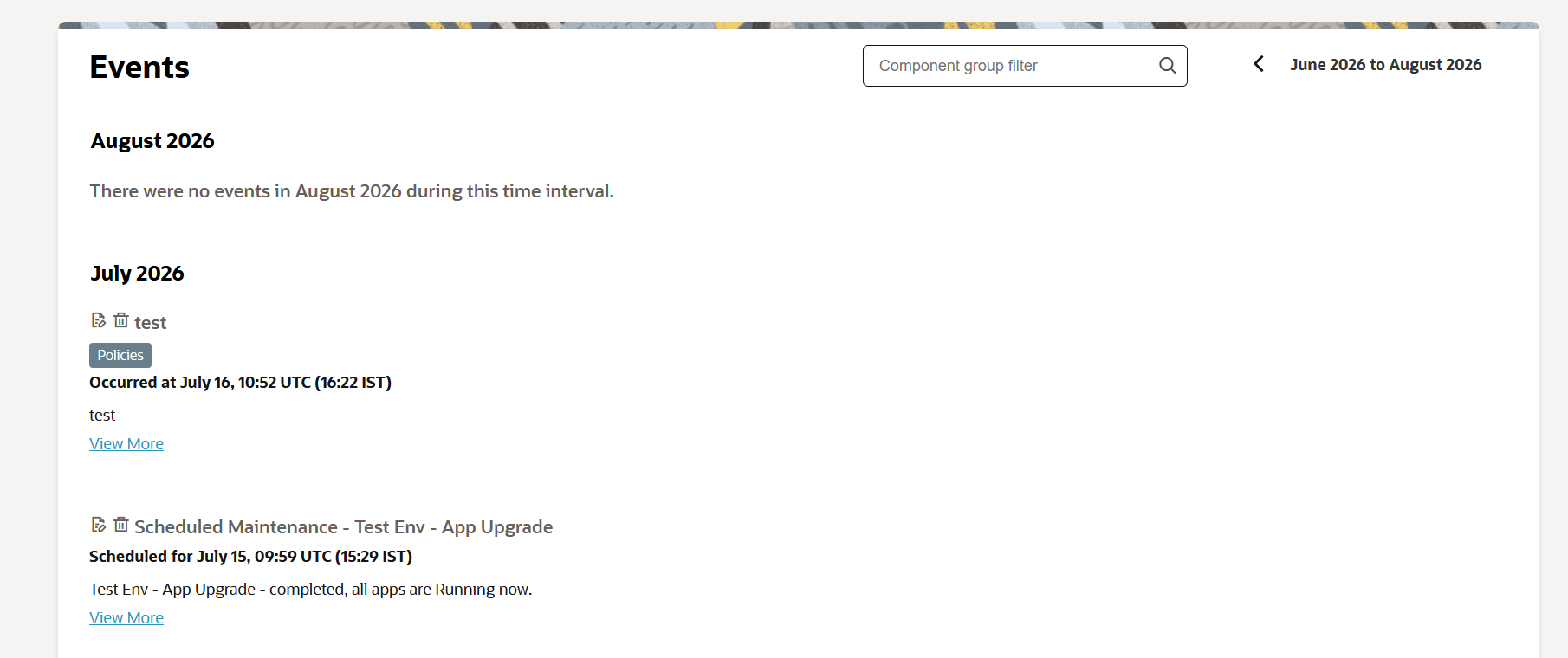
The following events are communicated on the status page:
-
Service available.
-
Service outage.
-
Service planned maintenance.
Maintenance Status
The status page displays the availability of all Oracle Health Insurance Cloud Services environments during Oracle Cloud maintenance activities.
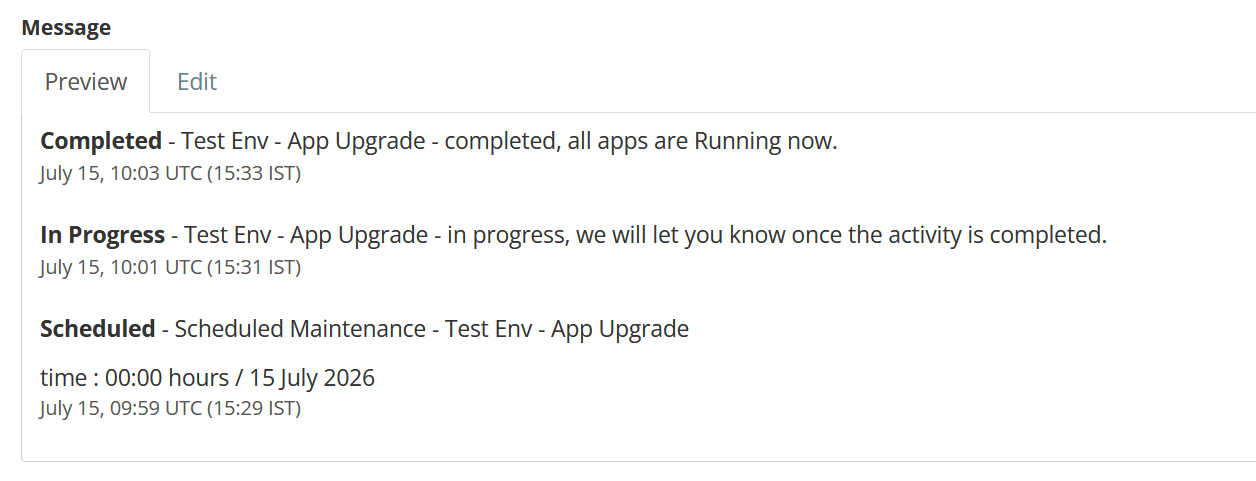
Maintenance events can have the following statuses:
-
Scheduled: The maintenance event is scheduled for a specific date and time. Any outage or performance impact is communicated to customers in advance, and scheduled maintenance events appear at the top of the status page.
-
In Progress: The maintenance activity has started, and services may be unavailable.
-
Extended: The maintenance activity is taking longer than expected.
-
Completed: The maintenance activity has finished, and services are restored.
-
Canceled: The scheduled maintenance has been canceled.
The following figure shows examples of maintenance event statuses that can appear in the event history. Each status applies to a separate event or update; the figure does not represent a single emergency maintenance announcement.
Subscribe to Updates
The status page also provides alerts and notifications that are triggered when specific conditions or events occur. For example, if any application becomes unavailable or experiences an issue, an alert is sent to notify users about the problem. These alerts are sent to enrolled users through email.
To subscribe to the status page for email updates, follow these steps:
-
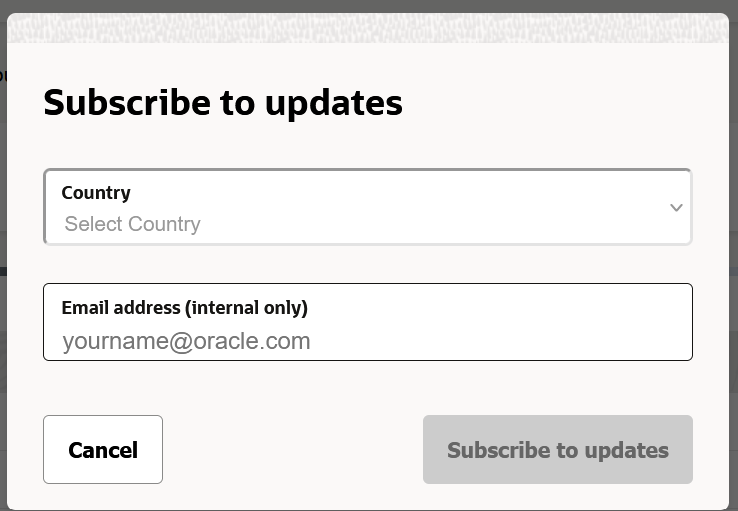
On the Status page, select Subscribe to updates.
The following dialog box is displayed:
-
On the Subscribe to updates dialog box, select the country of residence and enter a valid email address.
After confirmation, the subscriber is notified whenever one of the following change events occurs:
-
Component status change.
-
Posting a new incident.
-
Posting an incident update, such as a progress update, workaround, or resolution for an existing incident.
-
Posting new scheduled maintenance.
-
Posting an update to scheduled maintenance.
|
It is important that Oracle customers subscribe themselves using the Subscribe to updates button on the main status page. This ensures they view and accept the privacy disclaimer that applies to their country of residence. |